claude-mermaid
by veelenga·★ 146·Score 50
MCP server for rendering Mermaid diagrams with live reload functionality and export options.
Overview
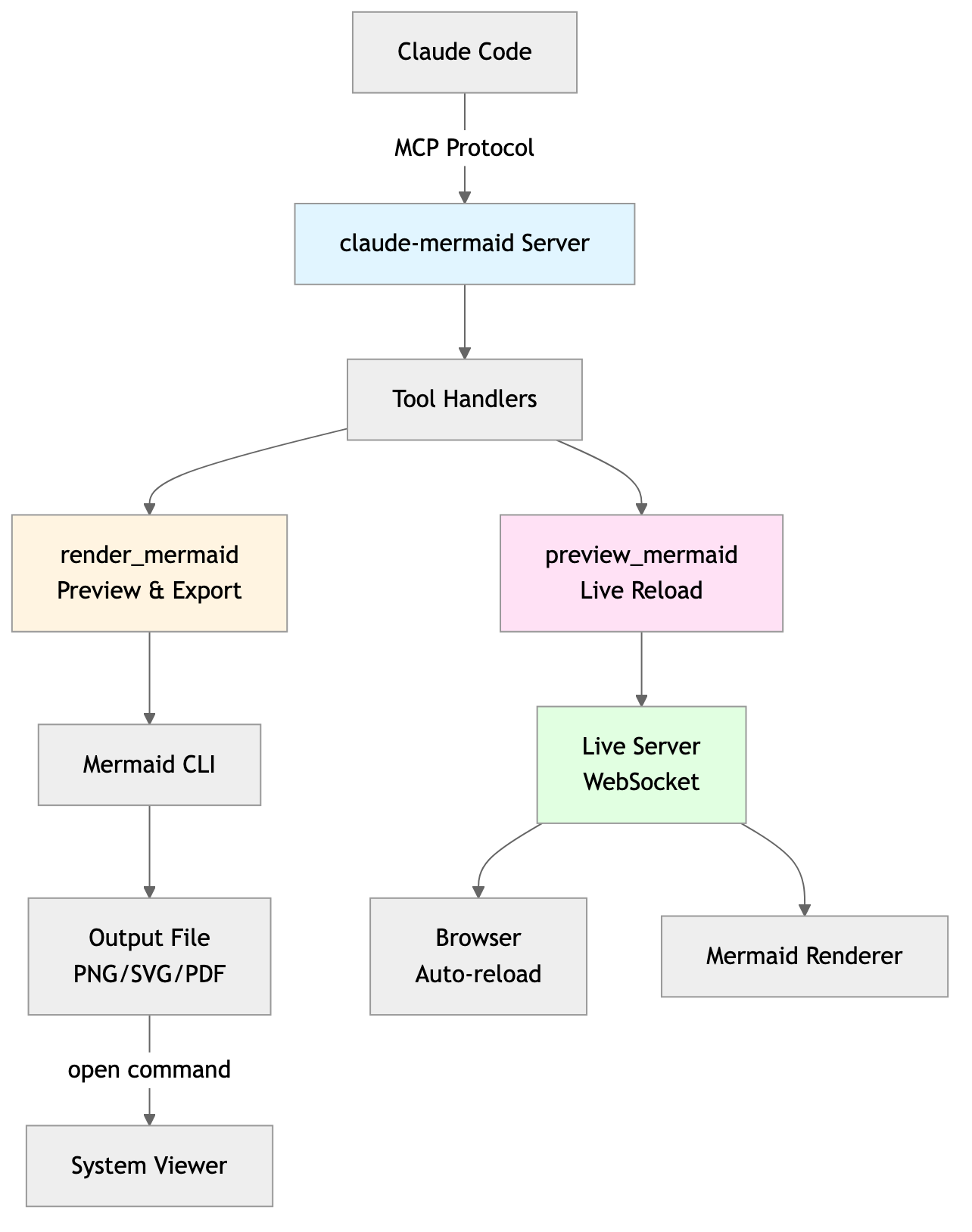
Claude Mermaid MCP Server is a specialized tool for creating and visualizing Mermaid diagrams directly within Claude Code. It provides real-time preview capabilities, allowing users to see diagrams update automatically as they make changes. The server supports multiple export formats (SVG, PNG, PDF), various themes, and offers interactive preview controls including panning, zooming, and reset functionality. Additionally, it includes a built-in skill providing expert guidance for diagram creation best practices.
Try asking AI
After installing, here are 5 things you can ask your AI assistant:
When to choose this
Choose this when you need to create, edit, and iterate on Mermaid diagrams with live preview functionality, especially if you're already using Claude Code.
When NOT to choose this
Don't choose this if you need diagram features not supported by Mermaid, or if you're working in an environment where you can't install command-line tools.
Tools this server exposes
2 tools extracted from the READMEmermaid_previewdiagram: string, preview_id: string, format: string = 'svg', theme: string = 'default', background: string = 'white', width: number = 800, height: number = 600, scale: number = 2Render and open a live preview of a Mermaid diagram
mermaid_savesave_path: string, preview_id: string, format: string = 'svg'Save the current live diagram to a specified path
Comparable tools
Installation
Installation
**Plugin Install (Recommended)**
In Claude Code, add the marketplace and install the plugin:
/plugin marketplace add veelenga/claude-mermaid
/plugin install claude-mermaid@claude-mermaid
Then restart Claude Code to activate the plugin.
**From npm:**
npm install -g claude-mermaid**For Claude Desktop** (if not using Claude Code):
Add to your Claude Desktop configuration:
{
  "mcpServers": {
    "mermaid": {
      "command": "claude-mermaid"
    }
  }
}
FAQ
- Can I use this with other MCP clients besides Claude Code?
- Yes, the server is compatible with any MCP-compatible client including Codex, Cursor, VSCode with Cline, Windsurf, and Gemini CLI. Configuration instructions for each are provided in the README.
- Is live preview available for all export formats?
- Live preview is only available for SVG format. PNG and PDF formats are rendered without live reload but can be saved from the preview.
Compare claude-mermaid with
Last updated · Auto-generated from public README + GitHub signals.