ontosphere
by ThHanke·★ 59·Score 46
Browser-based RDF knowledge graph editor with MCP server integration for AI agent workflows.
Overview
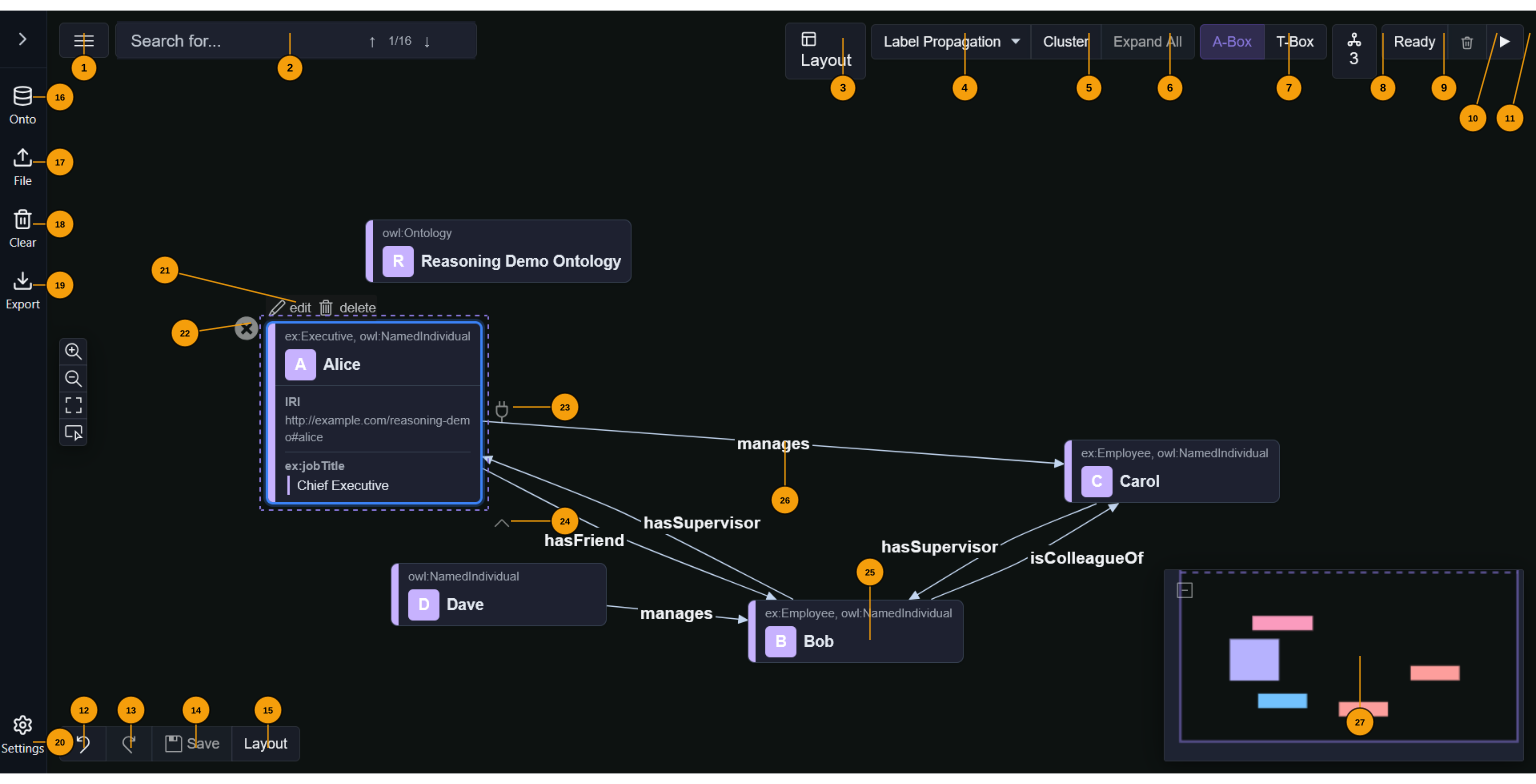
Ontosphere is a browser-based RDF/ontology knowledge graph editor that loads data from files, URLs, or SPARQL endpoints. It provides a visual canvas for creating and editing nodes and edges, runs OWL-RL reasoning, and applies multiple layout algorithms. The MCP server integration exposes tools for AI agents to interact with the knowledge graph, including loading data, querying the graph, updating nodes and links, and running reasoning operations. All computation happens client-side in the browser using Web Workers.
Try asking AI
After installing, here are 5 things you can ask your AI assistant:
When to choose this
Choose Ontosphere when you need a browser-based RDF/ontology editor with AI integration that works entirely client-side without requiring server infrastructure.
When NOT to choose this
Avoid Ontosphere if you need to work with very large knowledge graphs that exceed browser memory limits or require server-side processing capabilities.
Tools this server exposes
12 tools extracted from the READMEloadRdfLoad RDF data from files, URLs, or SPARQL endpoints
loadOntologyLoad a specific ontology into the knowledge graph
queryGraphQuery the loaded knowledge graph with SPARQL
exportGraphExport the current graph in various RDF formats
addNodeAdd a new node to the knowledge graph
removeNodeRemove a node from the knowledge graph
addLinkAdd a relationship between two nodes
runReasoningRun OWL-RL reasoning on the knowledge graph
runLayoutApply layout algorithms to organize the graph visualization
clusterNodesAutomatically cluster nodes in the graph based on algorithms
getNodeDetailsRetrieve detailed information about a specific node
findPathFind a path between two nodes in the knowledge graph
Comparable tools
Installation
Installation
Ontosphere is a client-side browser application with no backend requirements:
- Clone the repository:
``sh git clone https://github.com/ThHanke/ontosphere.git cd ontosphere ``
- Install dependencies:
``sh npm install ``
- Start the development server:
``sh npm run dev ``
- Open http://localhost:8080 in your browser
Claude Desktop Integration
Add the following to your Claude Desktop configuration (claude_desktop_config.json):
"mcpServers": {
  "ontosphere": {
    "command": "npx",
    "args": ["@thhanke/ontosphere-mcp"]
  }
}
FAQ
- How do I connect an AI agent to Ontosphere?
- Ontosphere exposes MCP tools via the browser's navigator.modelContext API. You can connect using Claude Code with Playwright for full automation or use the AI Relay Bridge for ChatGPT, Gemini, and Claude.ai.
- What reasoning capabilities does Ontosphere support?
- It runs OWL-RL inference in the browser using the N3.js BGP-only Reasoner. It supports rdfs:subClassOf transitivity, owl:equivalentClass, owl:someValuesFrom restrictions, owl:inverseOf, and other OWL constructs, but not full OWL-RL features requiring EYE reasoner.
Compare ontosphere with
Last updated · Auto-generated from public README + GitHub signals.