GhidrAssistMCP
by symgraph·★ 613·Score 53
A Ghidra extension providing MCP server functionality for AI assistants to interact with reverse engineering capabilities.
Overview
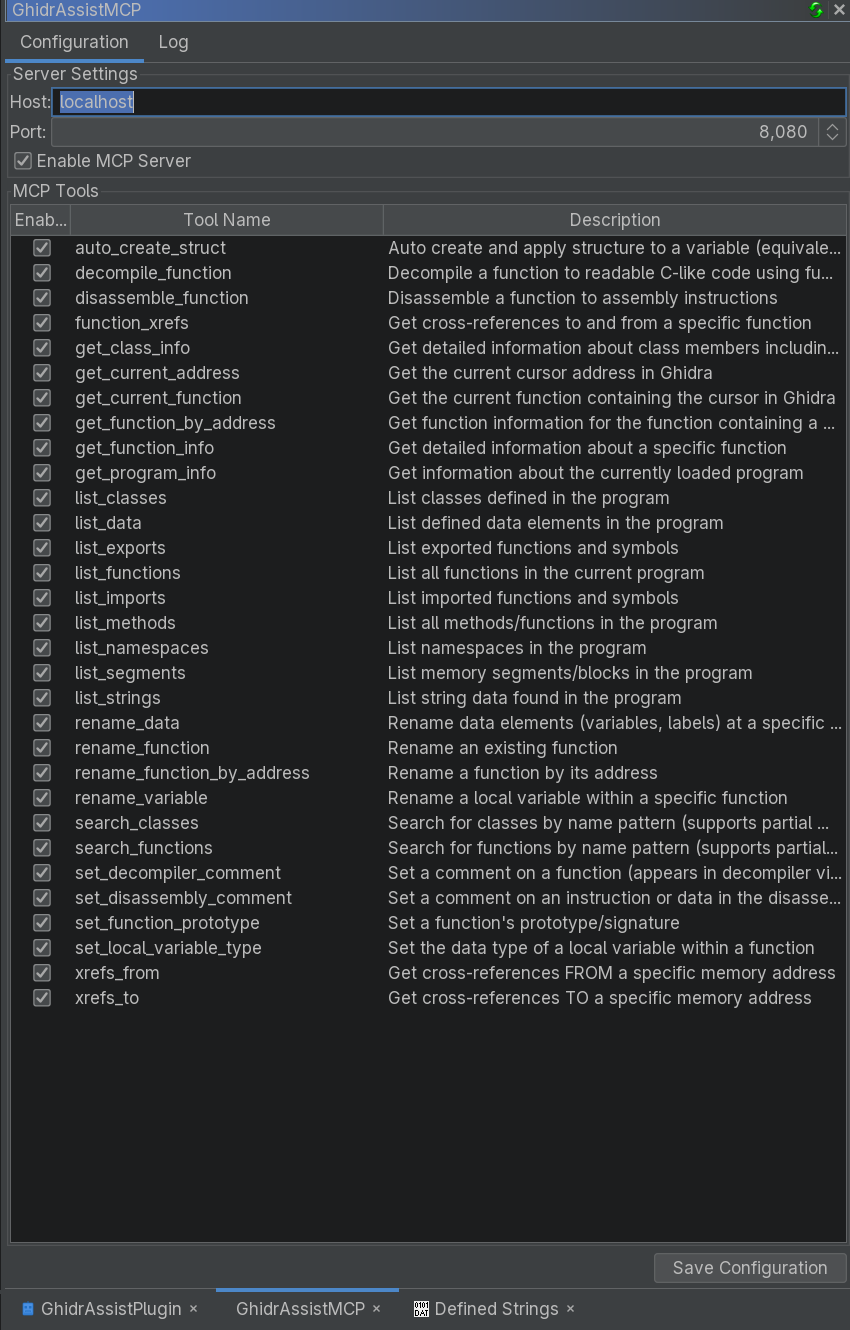
GhidrAssistMCP is a comprehensive MCP server implementation for Ghidra, the reverse engineering framework. It provides 38 built-in tools and 6 MCP resources enabling AI assistants and automation tools to interact with Ghidra's analysis capabilities. The server supports dual HTTP transports (SSE and Streamable HTTP), includes result caching, async task support, and maintains active context awareness of the focused binary window.
Try asking AI
After installing, here are 5 things you can ask your AI assistant:
When to choose this
Choose this when you need AI assistance for reverse engineering tasks with Ghidra and want seamless integration between AI models and Ghidra's analysis capabilities.
When NOT to choose this
Don't choose this if you're not using Ghidra for reverse engineering, as it's specifically designed as a Ghidra extension.
Tools this server exposes
12 tools extracted from the READMEget_binary_infoGet basic program information (name, architecture, compiler, etc.)
list_binariesList all open programs across all CodeBrowser windows
get_functionsList functions with optional pattern filtering and pagination
analyze_functionGet detailed function information (signature, variables, etc.)
get_codeRetrieve code in various formats (decompiler, disassembly, pcode)
get_stringsList string references with optional filtering
get_importsList imported functions/symbols
get_exportsList exported functions/symbols
get_data_varsList data definitions in the program
xrefsFind cross-references for addresses or functions
search_bytesSearch for byte patterns in memory
classesPerform class operations (list, get info)
Comparable tools
Installation
Installation
Prerequisites
- Ghidra 11.4+ (tested with Ghidra 12.0 Public)
- An MCP Client (like GhidrAssist)
Binary Release (Recommended)
- Download the latest release from the [Releases page](https://github.com/jtang613/GhidrAssistMCP/releases)
- In Ghidra: File → Install Extensions → Add Extension
- Select the downloaded ZIP file
- Enable the plugin: File → Configure → Configure Plugins
Building from Source
git clone <repository-url>
cd GhidrAssistMCP
export GHIDRA_INSTALL_DIR=/path/to/ghidra
gradle installExtension
FAQ
- Which Ghidra versions are supported?
- GhidrAssistMCP requires Ghidra 11.4+ and has been tested with Ghidra 12.0 Public.
- How do I connect an MCP client to GhidrAssistMCP?
- After installation, start Ghidra and use the Window → GhidrAssistMCP menu to open the control panel. The server runs by default on localhost:8080.
Compare GhidrAssistMCP with
Last updated · Auto-generated from public README + GitHub signals.