sudocode
by sudocode-ai·★ 277·Score 49
Lightweight agent orchestration dev tool with MCP server integration for collaborative AI development.
Overview
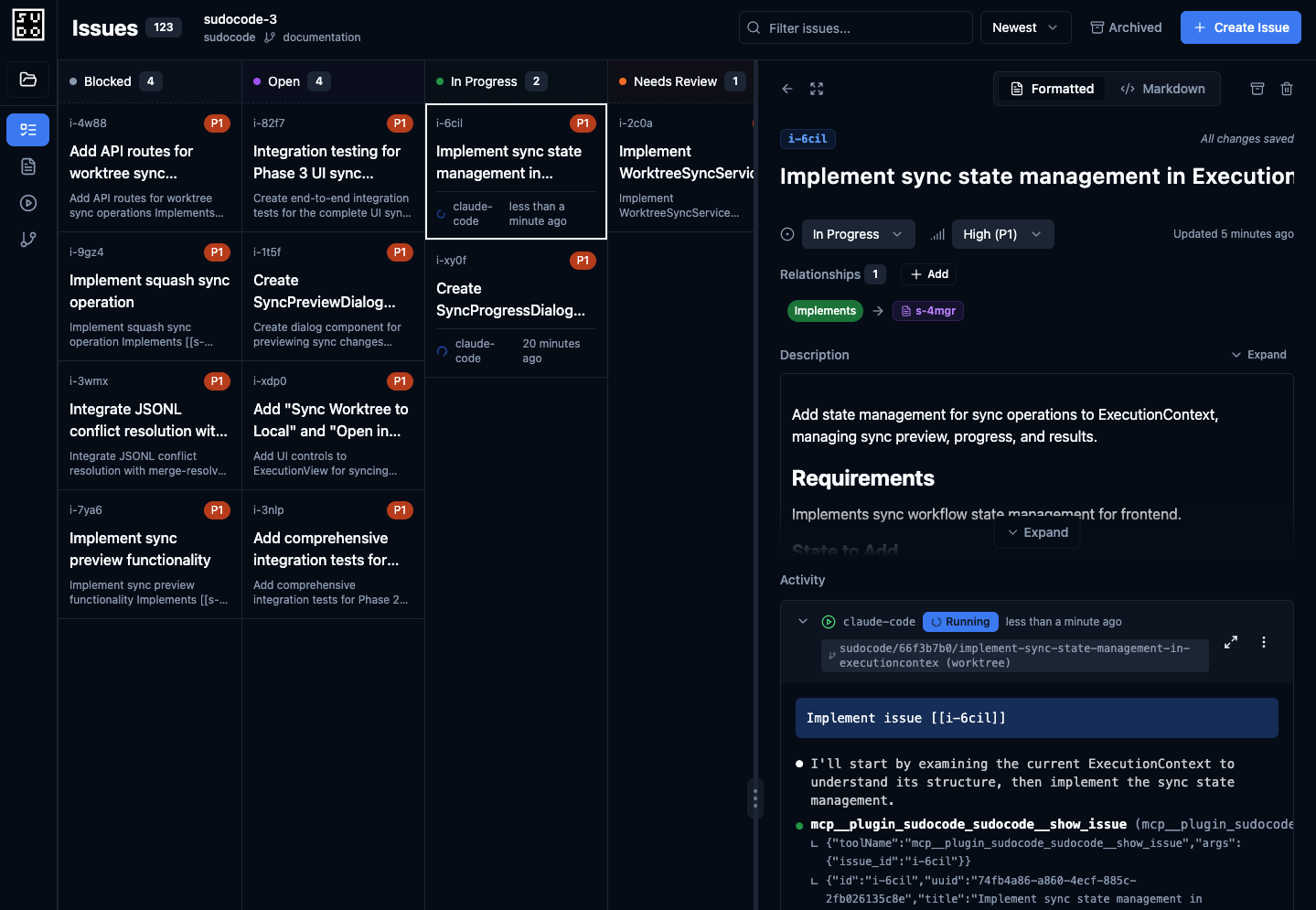
sudocode is a TypeScript-based agent orchestration system that lives in your repository, providing context management and task coordination for AI coding agents. It implements a 4-tiered abstraction structure: Specs (user intent), Issues (agent tasks), Agents (execution abstractions), and Artifacts (state changes). The system offers both human-editable Markdown formats and machine-optimized JSONL+SQLite storage with automatic synchronization. Its MCP server enables AI agents to track context over long-horizon tasks and collaborate on complex requirements through git-native memory management.
Try asking AI
After installing, here are 5 things you can ask your AI assistant:
When to choose this
Choose sudocode when you need structured coordination of multiple AI coding agents and want context management integrated directly into your git workflow.
When NOT to choose this
Don't choose sudocode if you prefer simpler tools or need integration with specific issue trackers not yet supported, as it adds complexity to your development workflow.
Tools this server exposes
12 tools extracted from the READMEcreate_specCreate a new specification in sudocode
list_specsList all specifications in the sudocode system
create_issueCreate a new implementation issue linked to a spec
list_issuesList all issues in the sudocode system
update_specUpdate an existing specification with new requirements
update_issueUpdate an existing issue with new information or status
link_spec_to_issueCreate a bidirectional link between a spec and an issue
execute_issueExecute an issue with a coding agent
create_workflowCreate a workflow to execute multiple issues in topological order
list_agentsList all configured agents in the sudocode system
open_in_editorOpen a spec or issue in the configured editor
get_dependenciesGet dependency graph for specs and issues
Note: Tool names inferred from CLI usage patterns and documentation. The README describes the system's capabilities but doesn't provide a complete API reference. Tool signatures are unknown as they are not explicitly documented.
Comparable tools
Installation
Install the CLI globally:
npm install -g sudocodeInitialize a sudocode project:
sudocode initFor agent integration (Claude Desktop example):
- Add the plugin:
claude plugin marketplace add sudocode-ai/sudocode - Install the plugin:
claude plugin install sudocode
Then start the local server: sudocode server
MCP server configuration would typically be done through the sudocode UI or CLI.
FAQ
- What is the relationship between specs and issues?
- Specs represent user intent and requirements (what to do), while issues are work items derived from specs that agents implement (how to implement). Issues can reference specific specs using [[SPEC-001]] syntax.
- How does sudocode handle context persistence across agent sessions?
- sudocode stores context as git-tracked files in .sudocode/specs/ and .sudocode/issues/, with both human-readable Markdown and machine-optimized JSONL formats. This creates a version-controlled memory system that persists across sessions.
On Hacker News
Recent discussion from the developer community.
- Story by alexsngai · 2025-11-05
Compare sudocode with
Last updated · Auto-generated from public README + GitHub signals.