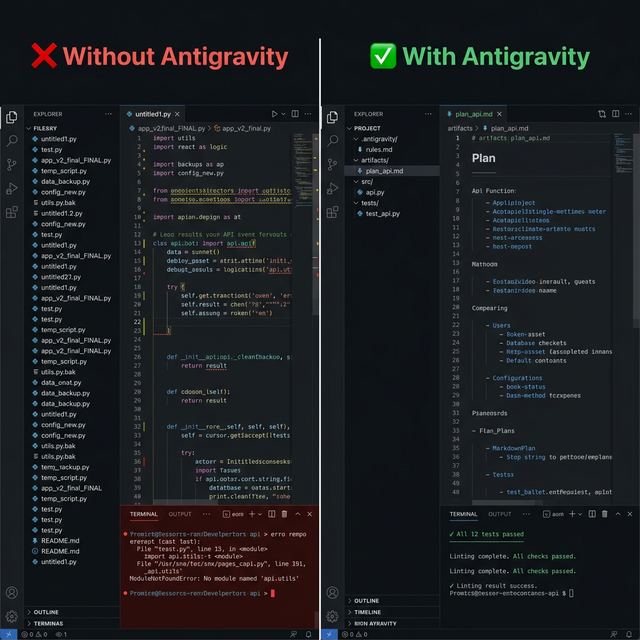
antigravity-workspace-template
by study8677·★ 1,219·Score 55
Multi-agent knowledge engine that turns any codebase into a queryable AI assistant with MCP integration.
Overview
Antigravity is a cross-IDE repository knowledge engine that provides grounded codebase Q&A capabilities. It consists of two core commands: 'ag-refresh' builds a repository knowledge base using multi-agent clusters, and 'ag-ask' routes questions to the appropriate module context with source evidence. The system can be integrated through various delivery channels including plugins, CLI commands, and as an MCP server, providing flexible usage across different IDEs and tools.
Try asking AI
After installing, here are 5 things you can ask your AI assistant:
When to choose this
Choose Antigravity when working with complex codebases that need AI-powered code exploration and documentation generation, particularly if you're already using Claude Code or Codex CLI.
When NOT to choose this
Avoid Antigravity if you need write access to code (this is read-only), require offline functionality, or prefer a more traditional documentation approach over AI-generated knowledge.
Tools this server exposes
2 tools extracted from the READMEask_projectAsk a question about the codebase and get an answer grounded in source code with file paths and line numbers
refresh_projectBuild or refresh the project knowledge base using multi-agent cluster analysis
Comparable tools
Installation
Option A — Plugin install for Claude Code / Codex CLI
# Claude Code (auto-installs the Python engine CLI on first session via SessionStart hook)
/plugin marketplace add study8677/antigravity-workspace-template
/plugin install antigravity@antigravity
/antigravity:ag-setup            # interactive: pick LLM provider, paste API key, writes .env
/antigravity:ag-refresh          # runs ag-refresh directly; first refresh auto-creates .antigravity/

# Codex CLI (install the engine manually first; Codex hooks are not yet supported)
pipx install "git+https://github.com/study8677/antigravity-workspace-template.git#subdirectory=engine"
codex plugin marketplace add study8677/antigravity-workspace-template
/ag-setup                        # same flow, no antigravity: prefix in Codex
Option B — Manual install: engine + CLI via pip
pip install "git+https://github.com/study8677/antigravity-workspace-template.git#subdirectory=cli"
pip install "git+https://github.com/study8677/antigravity-workspace-template.git#subdirectory=engine"

cd my-project
cat > .env <<EOF
OPENAI_BASE_URL=https://your-endpoint/v1
OPENAI_API_KEY=your-key
OPENAI_MODEL=your-model
AG_ASK_TIMEOUT_SECONDS=120
EOF

ag-refresh --workspace .
ag-ask "How does auth work in this project?"
Option C — Register as MCP server
claude mcp add antigravity ag-mcp -- --workspace $(pwd)FAQ
- What makes Antigravity different from traditional code search?
- Instead of using grep-like searches across entire codebases, Antigravity uses a multi-agent cluster that self-learns each module's context, providing precise answers with file paths and line numbers. It's more like having a ChatGPT specifically for your repository rather than a simple text search.
- Which IDEs and tools are supported?
- Native plugins are available for Claude Code and Codex CLI. The system also supports Cursor, Windsurf, Gemini CLI, VS Code with Copilot, Cline, and Aider through shared context files. Advanced tool integration is provided via an MCP server that exposes 'ask_project' and 'refresh_project' functions.
On Hacker News
Recent discussion from the developer community.
- Story by study8677 · 2025-11-24
Compare antigravity-workspace-template with
Last updated · Auto-generated from public README + GitHub signals.