mcp-server-starrocks
by StarRocks·★ 171·Score 48
Official MCP server connecting AI assistants to StarRocks databases for SQL execution, data exploration, and visualization.
Overview
The StarRocks MCP server provides comprehensive database connectivity through the Model Context Protocol. It allows AI assistants to directly execute SQL queries, both read and write operations, explore database schemas, retrieve table overviews, and generate data visualizations using Plotly. The server supports multiple transport modes including stdio and HTTP, with intelligent caching for frequently accessed data. Configuration is flexible, supporting individual environment variables or a connection URL, with optional macOS Keychain integration for secure password management.
Try asking AI
After installing, here are 5 things you can ask your AI assistant:
When to choose this
Choose this server when working with StarRocks databases and need AI assistants to perform SQL queries, explore schemas, and create data visualizations without complex client setup.
When NOT to choose this
Don't choose this server if you need to connect to non-StarRocks databases or require advanced features not implemented by this server.
Tools this server exposes
6 tools extracted from the READMEread_queryExecute a SELECT query or other commands that return a ResultSet.
write_queryExecute DDL or DML commands that don't return a ResultSet.
analyze_queryAnalyze a query and get analyze results using query profile or explain analyze.
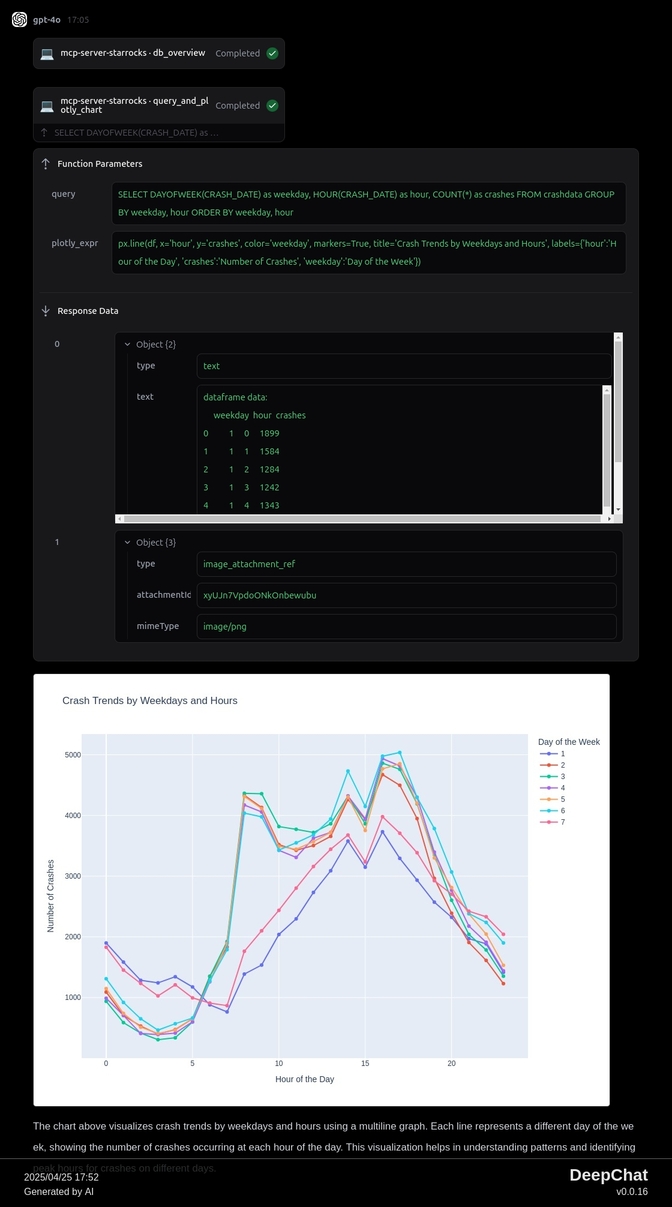
query_and_plotly_chartExecute a SQL query and generate a Plotly chart from the results.
table_overviewGet an overview of a specific table including columns, row count, and sample rows.
db_overviewGet an overview of all tables within a specified database.
Comparable tools
Installation
Install the MCP server using uv:
uv add mcp-server-starrocksConfigure in Claude Desktop:
{
  "mcpServers": {
    "mcp-server-starrocks": {
      "url": "http://localhost:8000/mcp"
    }
  }
}
Start the server:
uv run mcp-server-starrocks --mode streamable-http --port 8000FAQ
- How do I connect to a password-protected StarRocks database?
- You can use the STARROCKS_URL environment variable with format 'user:password@host:port/database' or store the password in macOS Keychain with STARROCKS_PASSWORD_KEYCHAIN_SERVICE.
- Can I execute write operations through this MCP server?
- Yes, the server supports write_query for DDL (CREATE, ALTER, DROP) and DML (INSERT, UPDATE, DELETE) operations that modify the database.
Compare mcp-server-starrocks with
Last updated · Auto-generated from public README + GitHub signals.