brainstorm-mcp
by spranab·★ 57·Score 47
MCP server for multi-model AI brainstorming debates with structured synthesis and cross-model code review.
Overview
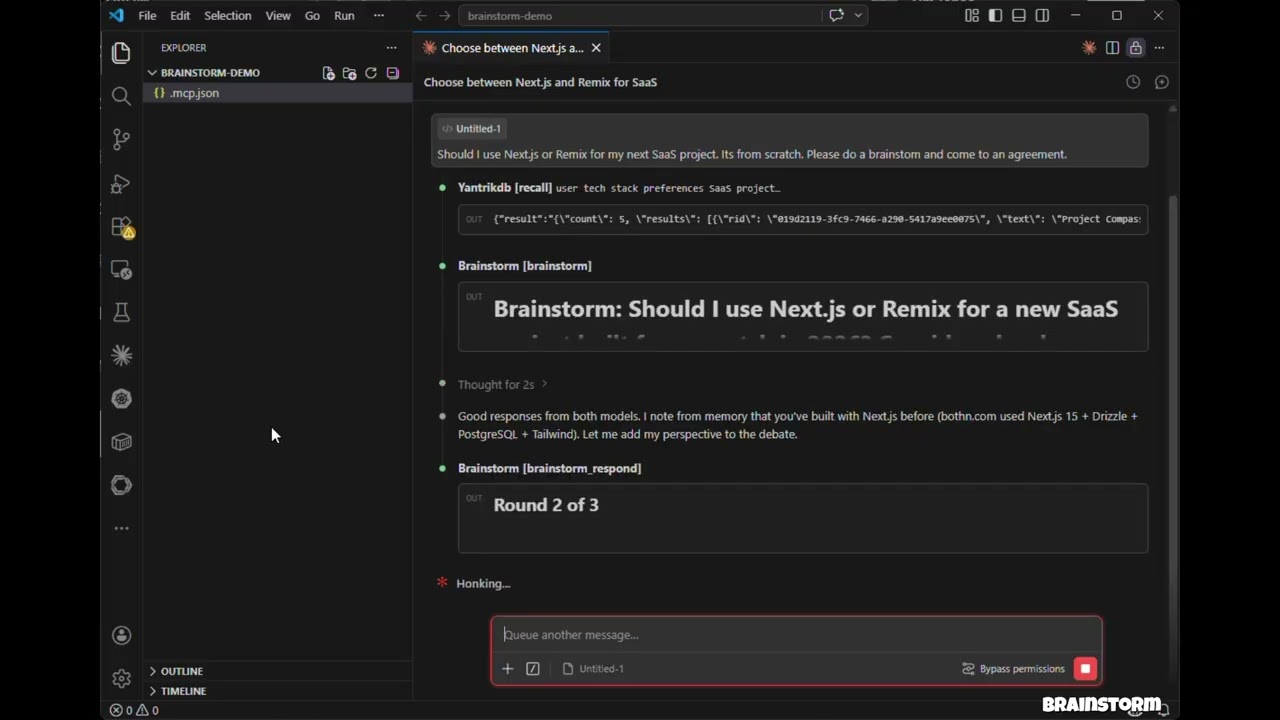
brainstorm-mcp is a sophisticated MCP server that orchestrates debates between multiple AI models including GPT, Gemini, DeepSeek, Claude, and Ollama. It operates in two modes: API mode for direct calls to external providers, and hosted mode that uses models already available in the user's environment. The server enables structured multi-round debates where models critique each other's responses, followed by synthesis that provides a 3-bullet verdict with recommendation, key tradeoffs, and strongest disagreement. Features include parallel execution for quick insights, error resilience when one model fails, and support for different debate styles including freeform, red-team (adversarial), and Socratic approaches.
Try asking AI
After installing, here are 5 things you can ask your AI assistant:
When to choose this
When you need to compare perspectives from multiple AI models on technical decisions or code reviews, and want structured analysis of their disagreements.
When NOT to choose this
If you're looking for a single-model assistant or when your use case requires fast, single-model responses rather than multi-model debates.
Tools this server exposes
7 tools extracted from the READMEbrainstormMulti-round debate between AI models (API or hosted mode)
brainstorm_quickInstant multi-model perspectives — parallel, no rounds
brainstorm_reviewMulti-model code review with findings, severity, verdict
brainstorm_respondSubmit Claude's response in an interactive session
brainstorm_collectSubmit model responses in a hosted session
list_providersShow configured providers and API key status
add_providerAdd a new AI provider at runtime
Comparable tools
Installation
Claude Code
Add to your project's .mcp.json:
{
  "mcpServers": {
    "brainstorm": {
      "command": "npx",
      "args": ["-y", "brainstorm-mcp"],
      "env": {
        "OPENAI_API_KEY": "sk-...",
        "GEMINI_API_KEY": "AIza...",
        "DEEPSEEK_API_KEY": "sk-..."
      }
    }
  }
}
Claude Desktop
Add to claude_desktop_config.json:
{
  "mcpServers": {
    "brainstorm": {
      "command": "npx",
      "args": ["-y", "brainstorm-mcp"],
      "env": {
        "OPENAI_API_KEY": "sk-...",
        "DEEPSEEK_API_KEY": "sk-..."
      }
    }
  }
}
Manual Install
npm install -g brainstorm-mcp
brainstorm-mcp
FAQ
- Does this require API keys to work?
- No, it has a hosted mode that works without API keys by using models already available in your environment (Claude Opus/Sonnet/Haiku via sub-agents). API mode requires keys for external providers.
- Can I use custom models not listed in the documentation?
- Yes, you can add custom providers at runtime using the `add_provider` tool or through the configuration file by specifying a custom baseURL and model name.
On Hacker News
Recent discussion from the developer community.
- Story by spranab · 2026-02-24
Compare brainstorm-mcp with
Last updated · Auto-generated from public README + GitHub signals.