mcpproxy-go
by smart-mcp-proxy·★ 218·Score 51
MCPProxy is a smart proxy server that federates multiple MCP servers with security, token savings, and tool discovery.
Overview
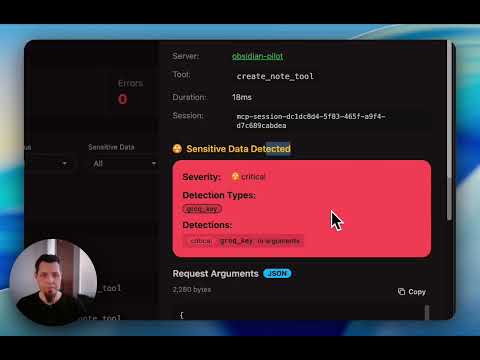
MCPProxy is a Go-based desktop application that acts as an intelligent proxy for MCP servers, addressing key limitations of direct MCP connections. It enables users to federate hundreds of MCP servers while bypassing tool limits imposed by platforms like Cursor and OpenAI. The proxy provides significant token savings by loading only one 'retrieve_tools' function instead of hundreds of schemas, with research showing approximately 99% token reduction and 43% accuracy improvement. Additionally, it includes security features like automatic quarantine to block Tool Poisoning Attacks until manual approval of new servers.
Try asking AI
After installing, here are 5 things you can ask your AI assistant:
When to choose this
Choose MCPProxy when you need to scale AI agents beyond platform limits while maximizing token efficiency and requiring strong security protections against malicious MCP servers.
When NOT to choose this
Don't choose MCPProxy if you only need a simple MCP server connection without the overhead of a proxy, or if you're working in a strictly air-gapped environment without internet access.
Tools this server exposes
1 tool extracted from the READMEretrieve_toolsRetrieve a limited set of tools from the proxy based on relevance and usage patterns
Note: MCPProxy acts as a proxy that exposes a limited 'retrieve_tools' function to clients rather than exposing the full set of tools from upstream servers directly. The actual tools available depend on the configuration of upstream servers.
Comparable tools
Installation
Installation
**macOS (Recommended - DMG Installer):**
- Apple Silicon (M1/M2): Download
mcpproxy-*-darwin-arm64.dmg - Intel Mac: Download
mcpproxy-*-darwin-amd64.dmg
**Windows (Recommended - Installer):**
- x64 (64-bit): Download
mcpproxy-setup-*-amd64.exe - ARM64: Download
mcpproxy-setup-*-arm64.exe
**Alternative install methods:**
# macOS (Homebrew)
brew install smart-mcp-proxy/mcpproxy/mcpproxy

# Linux (Debian/Ubuntu)
sudo apt update && sudo apt install mcpproxy

# With Go
go install github.com/smart-mcp-proxy/mcpproxy-go/cmd/mcpproxy@latest
Claude Desktop Configuration
Add to Claude Desktop config:
{
  "mcpServers": {
    "MCPProxy": {
      "command": "mcpproxy",
      "args": ["serve"]
    }
  }
}
FAQ
- How does MCPProxy save tokens?
- MCPProxy loads just one 'retrieve_tools' function instead of hundreds of individual tool schemas, reducing token usage by approximately 99% while improving accuracy by 43%.
- What security features does MCPProxy provide?
- MCPProxy includes automatic quarantine that blocks potentially malicious MCP servers until manual approval, protecting against Tool Poisoning Attacks. It also uses OS-native keyring for secure secrets management.
Compare mcpproxy-go with
Last updated · Auto-generated from public README + GitHub signals.