Overture
by SixHq·★ 621·Score 53
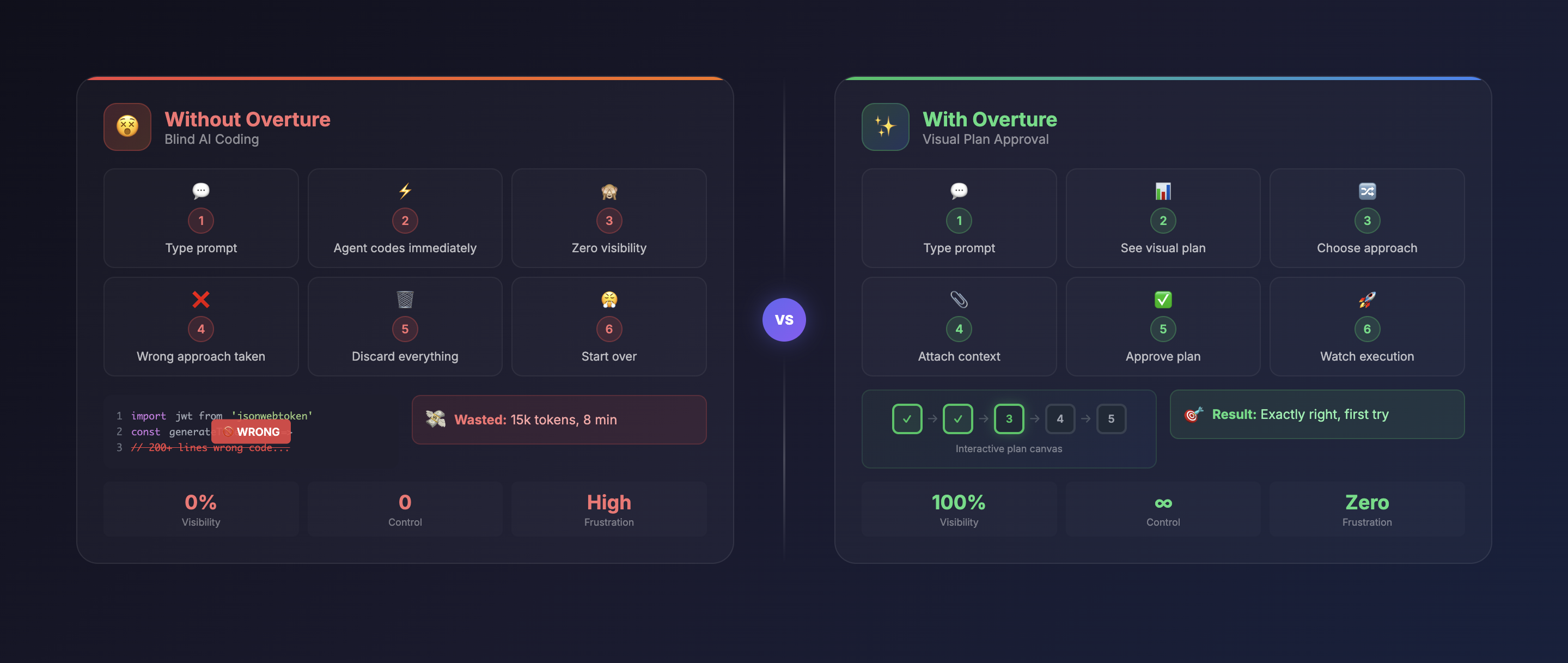
Overture is an MCP server that visualizes AI coding agent execution plans as interactive flowcharts before code is written.
Overview
Overture acts as an MCP server that intercepts AI coding agents during their planning phase, rendering their plans as interactive visual flowcharts. This allows developers to review, approve, and modify the entire execution workflow before any code is generated. The tool provides real-time visualization of the agent's planning process with features like node details, dynamic fields, file attachments, and branch selection. Users can pause, resume, or modify the execution plan mid-flight, providing unprecedented control over AI-assisted coding workflows.
Try asking AI
After installing, here are 7 things you can ask your AI assistant:
When to choose this
Choose Overture when you need visibility into and control over AI coding agent workflows, especially for complex projects where understanding the execution plan before code generation is valuable.
When NOT to choose this
Avoid Overture if you prefer direct AI coding without planning visualization, or if you're working with a non-MCP compatible AI agent that doesn't support the MCP protocol.
Tools this server exposes
12 tools extracted from the READMEapprove_planApprove the AI agent's execution plan to begin code writing
pause_executionPause the AI agent's code execution mid-process
resume_executionResume a previously paused AI agent's code execution
re_run_nodeRe-run a specific node that failed or needs to be repeated
re_run_from_hereRe-execute the plan from a specific node to the end
attach_fileAttach a file to a specific node for context
add_instructionAdd custom instructions to a specific node before execution
select_branchChoose between different execution branches proposed by the AI
provide_inputFill in required dynamic fields for a node before execution
view_node_outputView the detailed output of a completed node
insert_nodeInsert a new node into the plan between existing nodes
browse_mcp_serversBrowse and discover MCP servers in the marketplace
Note: Tools were inferred from the UI descriptions and functionality sections of the README, as there wasn't a dedicated 'Tools' section. The server appears to expose UI interaction tools rather than traditional MCP API tools.
Comparable tools
Installation
Overture is an MCP server that can be installed with various AI coding agents:
# Claude Code
claude mcp add overture-mcp -- npx overture-mcp

# Cursor (add to ~/.cursor/mcp.json)
{
  "mcpServers": {
    "overture": {
      "command": "npx",
      "args": ["overture-mcp"]
    }
  }
}

# GitHub Copilot (create .vscode/mcp.json)
{
  "servers": {
    "overture": {
      "command": "npx",
      "args": ["overture-mcp"]
    }
  }
}

# Global installation (optional)
npm install -g overture-mcp
FAQ
- How does Overture intercept AI agent planning?
- Overture works as an MCP server that captures the planning phase of compatible AI coding agents before they begin writing code, rendering their plan as an interactive flowchart.
- Can I modify the AI's plan in Overture?
- Yes, you can add files, instructions, dynamic fields, select different branches, and modify the plan before approving execution.
- What AI coding agents support Overture?
- Overture supports Claude Code, Cursor, Cline, Copilot, and other MCP-compatible coding agents.
On Hacker News
Recent discussion from the developer community.
- Story by AdewoleJasper · 2026-02-27
- Story by PreciousH · 2026-03-09
- Story by AdewoleJasper · 2026-02-22
Compare Overture with
Last updated · Auto-generated from public README + GitHub signals.