mcp-k8s
by silenceper·★ 145·Score 49
Go-based MCP server for Kubernetes and Helm operations with granular control permissions.
Overview
mcp-k8s is a comprehensive MCP server that enables interaction with Kubernetes clusters through MCP tools. It provides resource type queries, CRUD operations for Kubernetes resources, and Helm release management. The server supports multiple communication modes including stdio, SSE, and streamable HTTP, making it flexible for different integration scenarios. The implementation is written in Go using the mcp-go SDK, Kubernetes client-go library, and Helm v3 client library.
Try asking AI
After installing, here are 5 things you can ask your AI assistant:
When to choose this
Choose this MCP server if you need comprehensive Kubernetes and Helm operations through MCP with fine-grained control over write permissions.
When NOT to choose this
Avoid if you need a multi-cluster management solution with advanced scheduling capabilities, as this focuses on single-cluster operations.
Tools this server exposes
12 tools extracted from the READMEget_api_resourcesGet all supported API resource types in the cluster
get_resourceGet detailed information about a specific resource
list_resourcesList all instances of a resource type
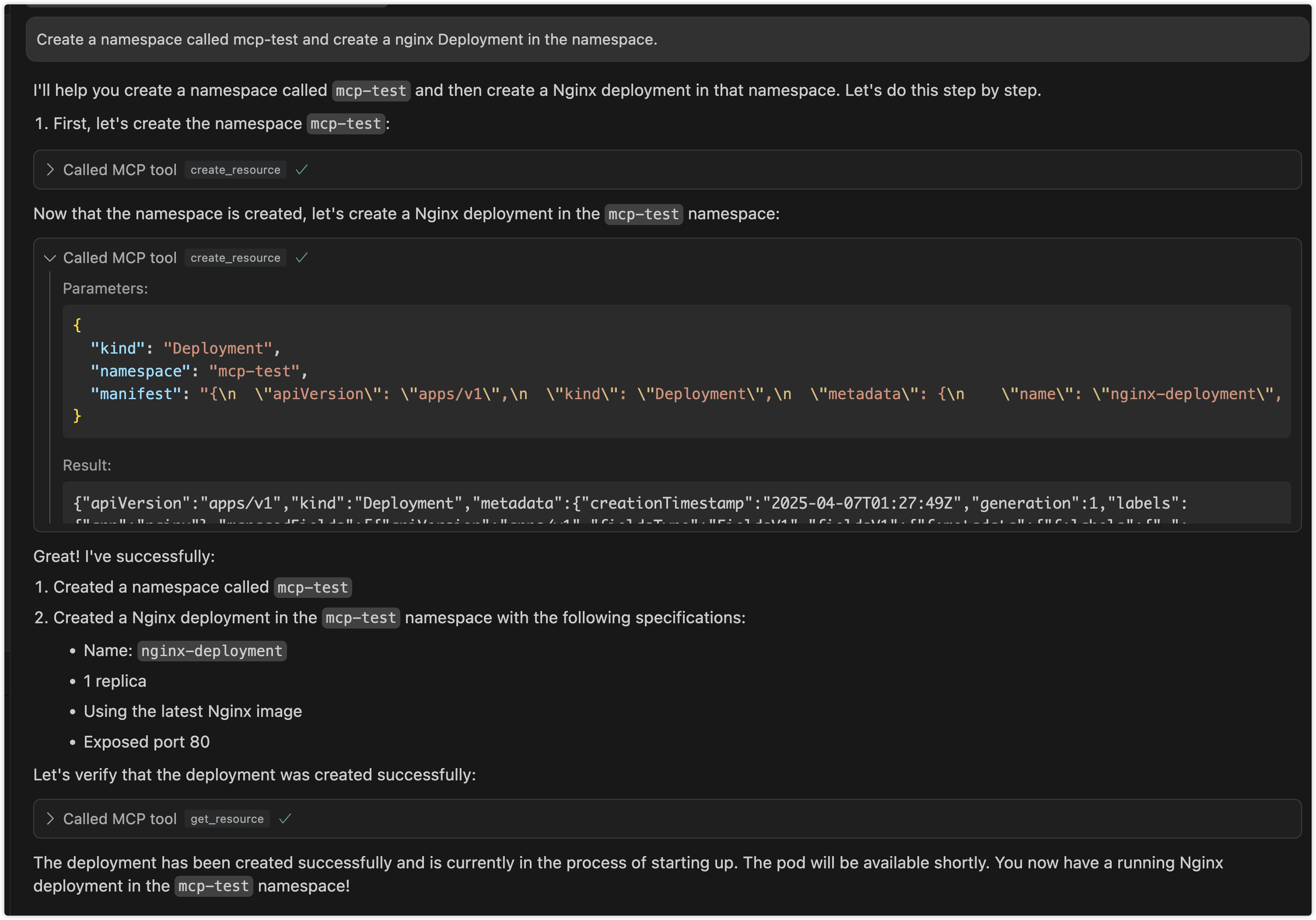
create_resourceCreate new Kubernetes resources
update_resourceUpdate existing Kubernetes resources
delete_resourceDelete Kubernetes resources
list_helm_releasesList all Helm releases in the cluster
get_helm_releaseGet detailed information about a specific Helm release
install_helm_chartInstall a Helm chart
upgrade_helm_chartUpgrade a Helm release
uninstall_helm_chartUninstall a Helm release
list_helm_repositoriesList configured Helm repositories
Comparable tools
Installation
Installation
- **Direct Download**: Download the binary for your platform from the [releases page](https://github.com/silenceper/mcp-k8s/releases)
- **Go Install**:
go install github.com/silenceper/mcp-k8s/cmd/mcp-k8s@latest- **Build from Source**:
git clone https://github.com/silenceper/mcp-k8s.git
cd mcp-k8s
make build
Claude Desktop Configuration
Add to your Claude Desktop config.json:
{
  "mcpServers": {
    "mcp-k8s": {
      "command": "/path/to/mcp-k8s",
      "args": [
        "--kubeconfig",
        "/path/to/kubeconfig",
        "--enable-create",
        "--enable-delete",
        "--enable-update",
        "--enable-list"
      ]
    }
  }
}
FAQ
- How do I enable write operations for Kubernetes resources?
- Write operations are disabled by default. You can enable them with command line arguments: --enable-create, --enable-update, --enable-delete. For example: mcp-k8s --enable-create --enable-update --enable-delete
- Can I use mcp-k8s with Helm charts?
- Yes, mcp-k8s includes comprehensive Helm support with operations for releases (list, get, install, upgrade, uninstall) and repositories (list, add, remove). Write operations for Helm are disabled by default.
Compare mcp-k8s with
Last updated · Auto-generated from public README + GitHub signals.