kindly-web-search-mcp-server
by Shelpuk-AI-Technology-Consulting·★ 325·Score 50
Web search MCP server with robust content retrieval for AI coding tools and agents.
Overview
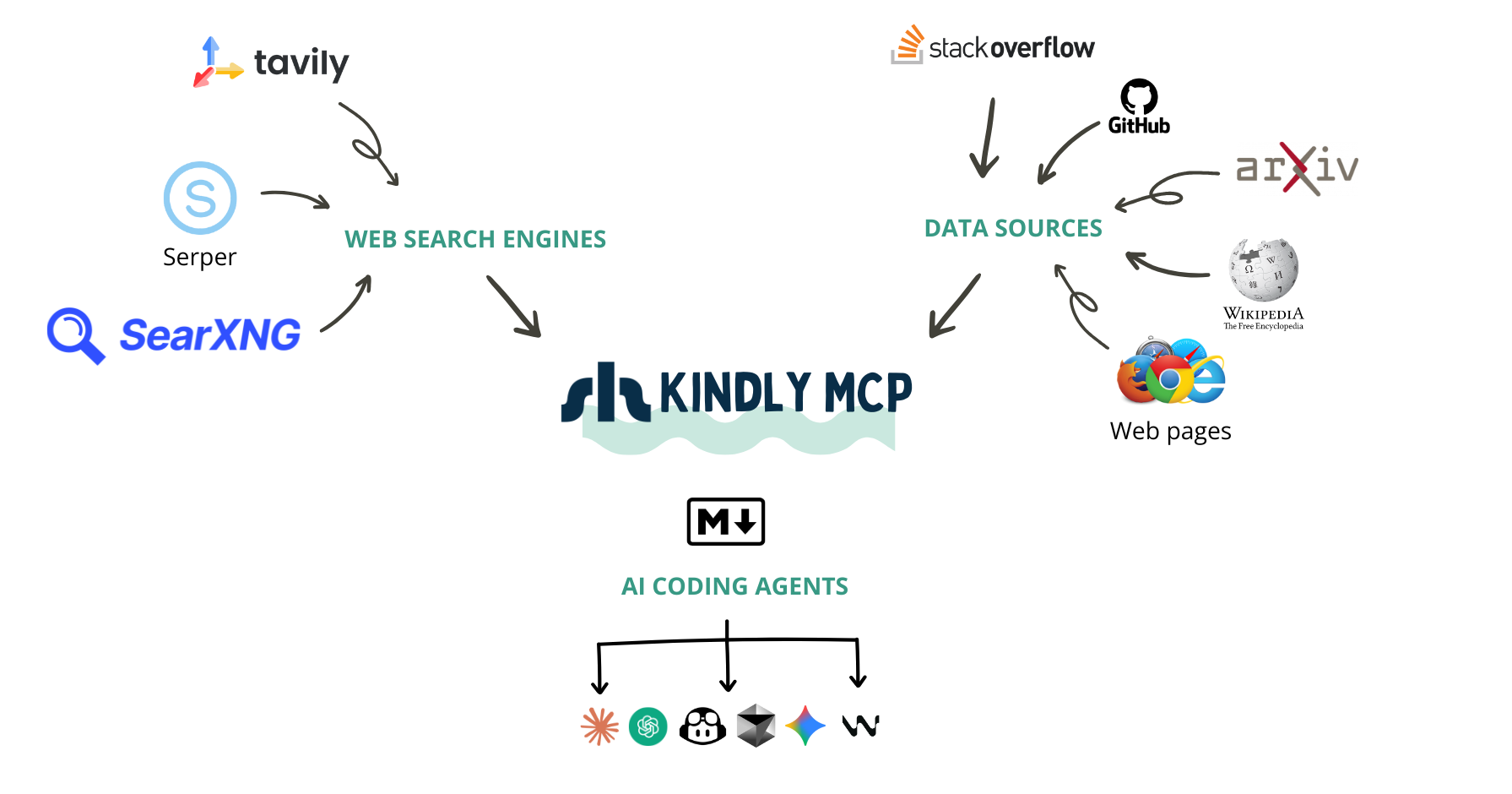
Kindly Web Search MCP Server is a comprehensive web search tool that provides complete content from sources like StackExchange, GitHub Issues, Wikipedia, and arXiv in optimized formats for AI assistants. Unlike basic search MCP servers, it returns the full conversation in a single call including questions, answers, comments, and metadata. The server integrates directly with APIs for specialized sources and uses a headless browser for real-time parsing of any webpage, supporting multiple search providers with intelligent fallback.
Try asking AI
After installing, here are 5 things you can ask your AI assistant:
When to choose this
Choose Kindly when you need comprehensive content retrieval beyond basic search results, especially for coding assistants that need full conversations, GitHub issues, or documentation rather than just URLs and snippets.
When NOT to choose this
Don't choose Kindly if you only need simple web search results, want to avoid installing a browser, or prefer solutions with fewer dependencies and API key requirements.
Tools this server exposes
2 tools extracted from the READMEweb_searchweb_search(query, num_results=3)Searches the web and returns top results with title, link, snippet, and page content
get_contentget_content(url)Retrieves and extracts content from a specific URL in Markdown format
Comparable tools
Installation
Installation
- Install
uvx:
curl -LsSf https://astral.sh/uv/install.sh | sh- Install a Chromium-based browser (required for
page_content)
- Set your search API key (Serper, Tavily, or SearXNG)
- Run the MCP server:
uvx --from git+https://github.com/Shelpuk-AI-Technology-Consulting/kindly-web-search-mcp-server \
  kindly-web-search-mcp-server start-mcp-server
Claude Desktop Configuration
Add to your config.json:
{
  "mcpServers": {
    "kindly-web-search": {
      "command": "uvx",
      "args": ["--from", "git+https://github.com/Shelpuk-AI-Technology-Consulting/kindly-web-search-mcp-server", "kindly-web-search-mcp-server", "start-mcp-server"],
      "env": {
        "SERPER_API_KEY": "your-serper-key",
        "GITHUB_TOKEN": "your-github-token"
      }
    }
  }
}
FAQ
- Which search providers does Kindly support?
- Kindly supports Serper (primary), Tavily, and self-hosted SearXNG with intelligent fallback between them.
- Do I need a Chromium browser?
- Yes, for universal HTML content extraction. However, specialized sources (StackOverflow, GitHub Issues, Wikipedia, arXiv) work well without a browser.
Compare kindly-web-search-mcp-server with
Last updated · Auto-generated from public README + GitHub signals.