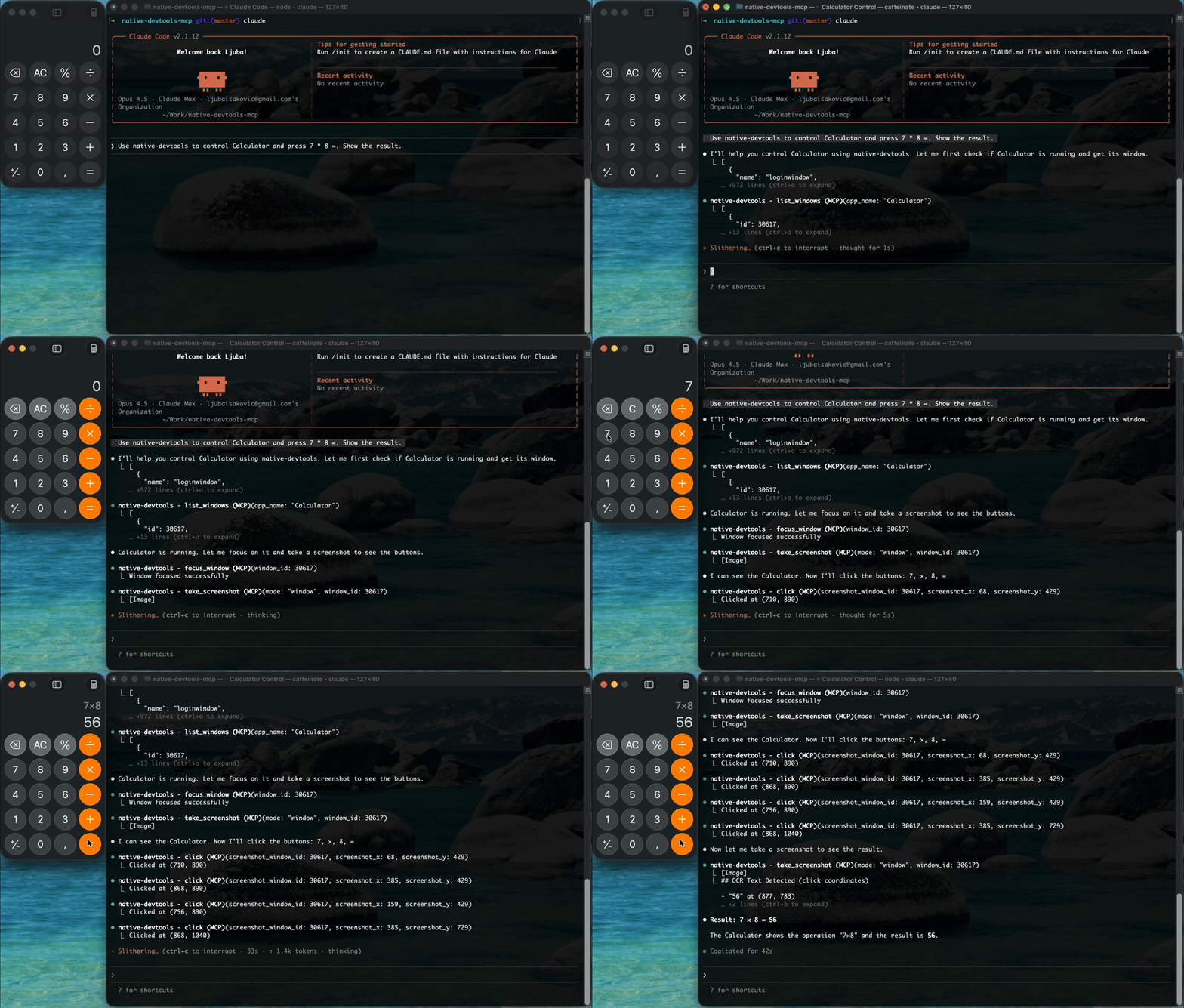
native-devtools-mcp
by sh3ll3x3c·★ 99·Score 47
Multi-platform MCP server for desktop automation with screenshots, OCR, input simulation, browser automation via CDP, and Android support.
Overview
native-devtools-mcp is a comprehensive MCP server providing direct control over native desktop applications, Chrome/Electron browsers, and Android devices. It offers multiple interaction approaches including visual element detection, precise macOS Accessibility API dispatch, and Chrome DevTools Protocol integration. The server enables AI agents to take screenshots, perform OCR, simulate mouse/keyboard input, manage windows, and automate web content across multiple platforms with all processing happening locally.
Try asking AI
After installing, here are 5 things you can ask your AI assistant:
When to choose this
Choose this when you need cross-platform automation (macOS + Windows + Android) in a single MCP server, especially when element-precise interaction with native macOS apps without moving the cursor is required.
When NOT to choose this
Don't choose this if you need Linux support, iOS automation, or are working exclusively with Firefox/WebKit browsers which aren't supported.
Tools this server exposes
12 tools extracted from the READMEtake_screenshotCapture screenshot of screen, window, or region with OCR
clickSimulate mouse click at screen coordinates or relative to window
type_textType text at current cursor position or specified location
find_textFind text on screen using OCR coordinates
find_imageFind an image on screen using template matching
take_ax_snapshotTake accessibility snapshot of macOS apps
ax_clickClick element in accessibility tree without moving mouse
ax_set_valueSet value of text field in accessibility tree
cdp_connectConnect to Chrome/Electron app via DevTools Protocol
cdp_clickClick element in DOM via DevTools Protocol
cdp_fillFill form field in DOM via DevTools Protocol
android_connectConnect to Android device via ADB
Comparable tools
Installation
Installation
**Option 1: Run with npx (no install needed)**
npx -y native-devtools-mcp**Option 2: Global install**
npm install -g native-devtools-mcp**Option 3: Build from source (Rust)**
git clone https://github.com/sh3ll3x3c/native-devtools-mcp
cd native-devtools-mcp
cargo build --release
**Claude Desktop Configuration**
macOS:
{
  "mcpServers": {
    "native-devtools": {
      "command": "/Applications/NativeDevtools.app/Contents/MacOS/native-devtools-mcp"
    }
  }
}
Windows:
{
  "mcpServers": {
    "native-devtools": {
      "command": "npx",
      "args": ["-y", "native-devtools-mcp"]
    }
  }
}
Run setup after installation:
npx native-devtools-mcp setupFAQ
- What platforms are supported?
- macOS, Windows, and Android. Linux is not currently supported but contributions are welcome.
- Does this server support browser automation?
- Yes, it supports Chrome and Electron apps via Chrome DevTools Protocol (CDP) for DOM-level automation.
On Hacker News
Recent discussion from the developer community.
- Story by sh3ll3x3c · 2026-01-29
Compare native-devtools-mcp with
Last updated · Auto-generated from public README + GitHub signals.