mcp-monitor
by seekrays·★ 82·Score 43
Go-based MCP server exposing system metrics including CPU, memory, disk, network, and process information.
Overview
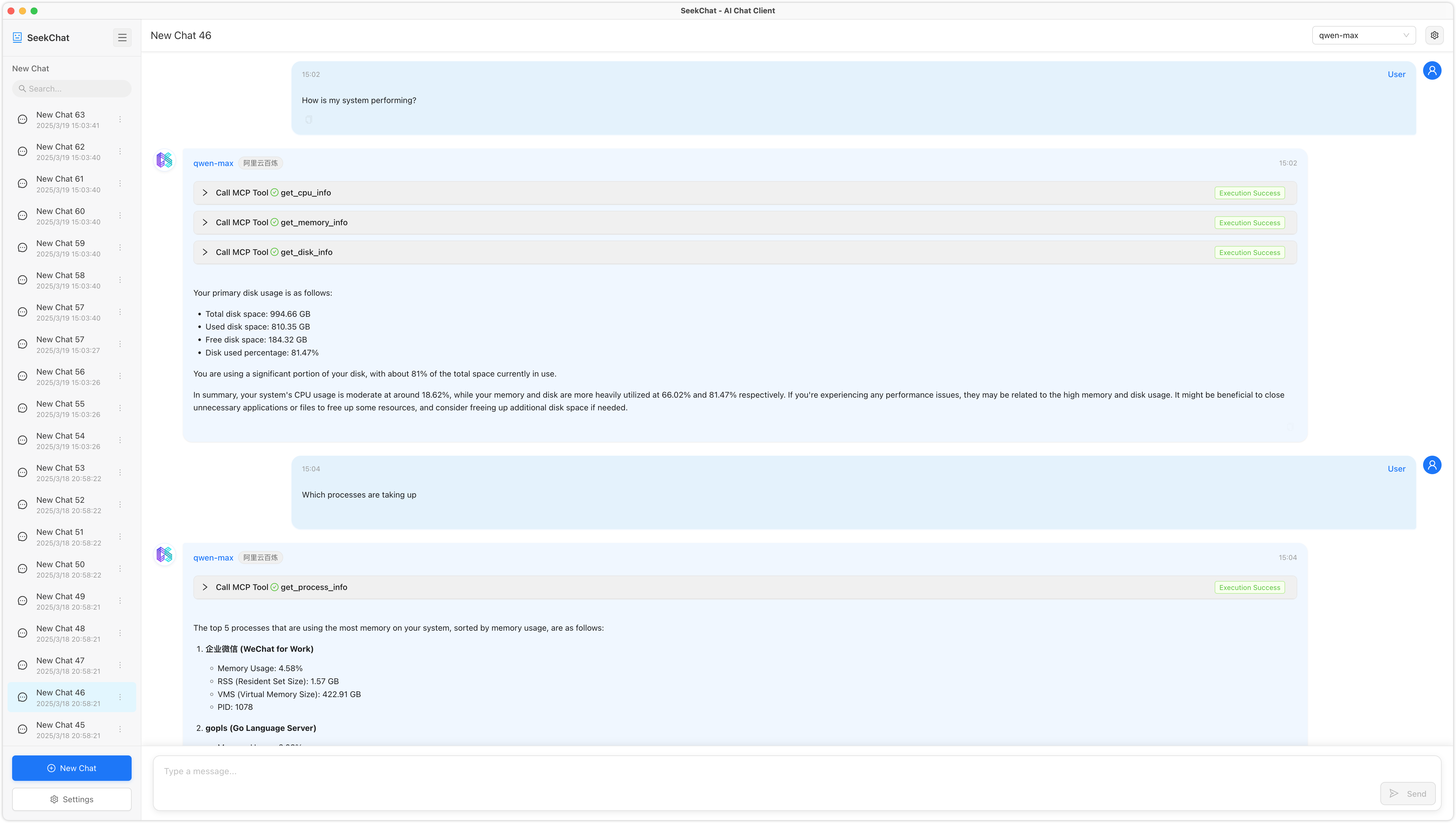
MCP System Monitor is a comprehensive monitoring solution that exposes system metrics via the Model Context Protocol. It allows LLMs to retrieve real-time information about CPU usage, memory consumption, disk I/O, network traffic, and running processes. The server is written in Go and provides a clean, stdio-based interface that integrates seamlessly with MCP-compatible clients. Each tool is well-documented with clear parameter descriptions and return value specifications.
Try asking AI
After installing, here are 5 things you can ask your AI assistant:
When to choose this
Choose this MCP server when you need basic system metrics monitoring through an MCP interface without complex setup, especially for server administration tasks.
When NOT to choose this
Don't choose this if you need advanced monitoring with historical data, alerting, or if you require authentication/authorization features as it lacks these capabilities.
Tools this server exposes
6 tools extracted from the READMEget_cpu_infoget_cpu_info(per_cpu: boolean = false)Get CPU information and usage
get_memory_infoget_memory_info()Get system memory usage information
get_disk_infoget_disk_info(path: string = '/', all_partitions: boolean = false)Get disk usage information
get_network_infoget_network_info(interface: string?)Get network interface and traffic information
get_host_infoget_host_info()Get host system information
get_process_infoget_process_info(pid: number?, limit: number = 10, sort_by: string = 'cpu')Get process information
Comparable tools
Installation
# Build from source
git clone https://github.com/seekrays/mcp-monitor.git
cd mcp-monitor
make build

# Run the server
./mcp-monitor
For Claude Desktop, add to config.json:
{
  "mcpServers": {
    "system-monitor": {
      "command": "path/to/mcp-monitor"
    }
  }
}
FAQ
- What operating systems are supported?
- The server is implemented in Go and should work on major operating systems including Linux, macOS, and Windows.
- How are the system metrics accessed?
- Metrics are accessed through six dedicated MCP tools: get_cpu_info, get_memory_info, get_disk_info, get_network_info, get_host_info, and get_process_info.
Compare mcp-monitor with
Last updated · Auto-generated from public README + GitHub signals.