mcphub
by samanhappy·★ 2,082·Score 57
MCPHub is a unified management platform for orchestrating multiple MCP servers with flexible routing and centralized dashboard.
Overview
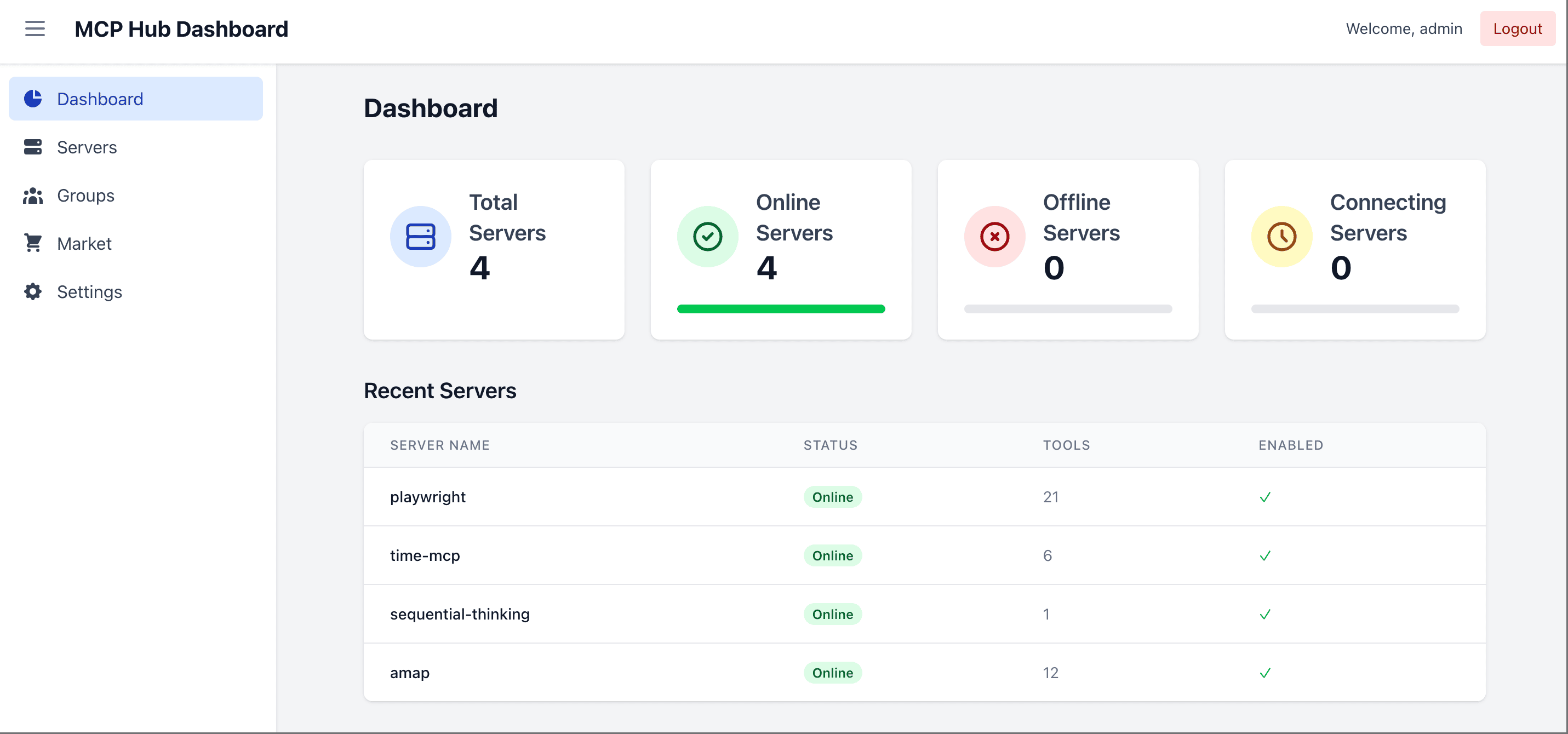
MCPHub provides a centralized solution for managing multiple MCP servers through Streamable HTTP (SSE) endpoints. It allows users to organize servers into logical groups with granular visibility controls for tools, prompts, and resources. The platform features a dashboard for monitoring and control, smart routing with AI-powered tool discovery, hot-swappable configurations, and OAuth 2.0 authentication support. It can be deployed via Docker with persistent data storage and is compatible with major AI clients like Claude Desktop and Cursor.
Try asking AI
After installing, here are 5 things you can ask your AI assistant:
When to choose this
Choose MCPHub when you need to manage multiple MCP servers in production with enterprise features like authentication, routing controls, and monitoring.
When NOT to choose this
Avoid if you only need to run a single MCP server or want a lightweight solution without dashboard complexity.
Comparable tools
Installation
Docker Installation (Recommended)
# Run with custom config (recommended)
docker run -p 3000:3000 -v ./mcp_settings.json:/app/mcp_settings.json -v ./data:/app/data samanhappy/mcphub

# Or run with default settings
docker run -p 3000:3000 samanhappy/mcphub
Claude Desktop Configuration
Add to Claude Desktop's config.json:
{
  "mcpServers": {
    "mcphub": {
      "command": "http",
      "args": ["http://localhost:3000/mcp"]
    }
  }
}
Local Development
git clone https://github.com/samanhappy/mcphub.git
cd mcphub
pnpm install
pnpm dev
FAQ
- How do I secure my MCPHub instance?
- Set a strong admin password using the ADMIN_PASSWORD environment variable. Enable OAuth 2.0 authentication for secure dashboard login and MCP endpoint access.
- Can I run MCPHub without the web dashboard?
- Yes, set DISABLE_WEB=true to run in headless mode with only the backend/API and MCP endpoints active.
Compare mcphub with
Last updated · Auto-generated from public README + GitHub signals.