welink
by runzhliu·★ 142·Score 48
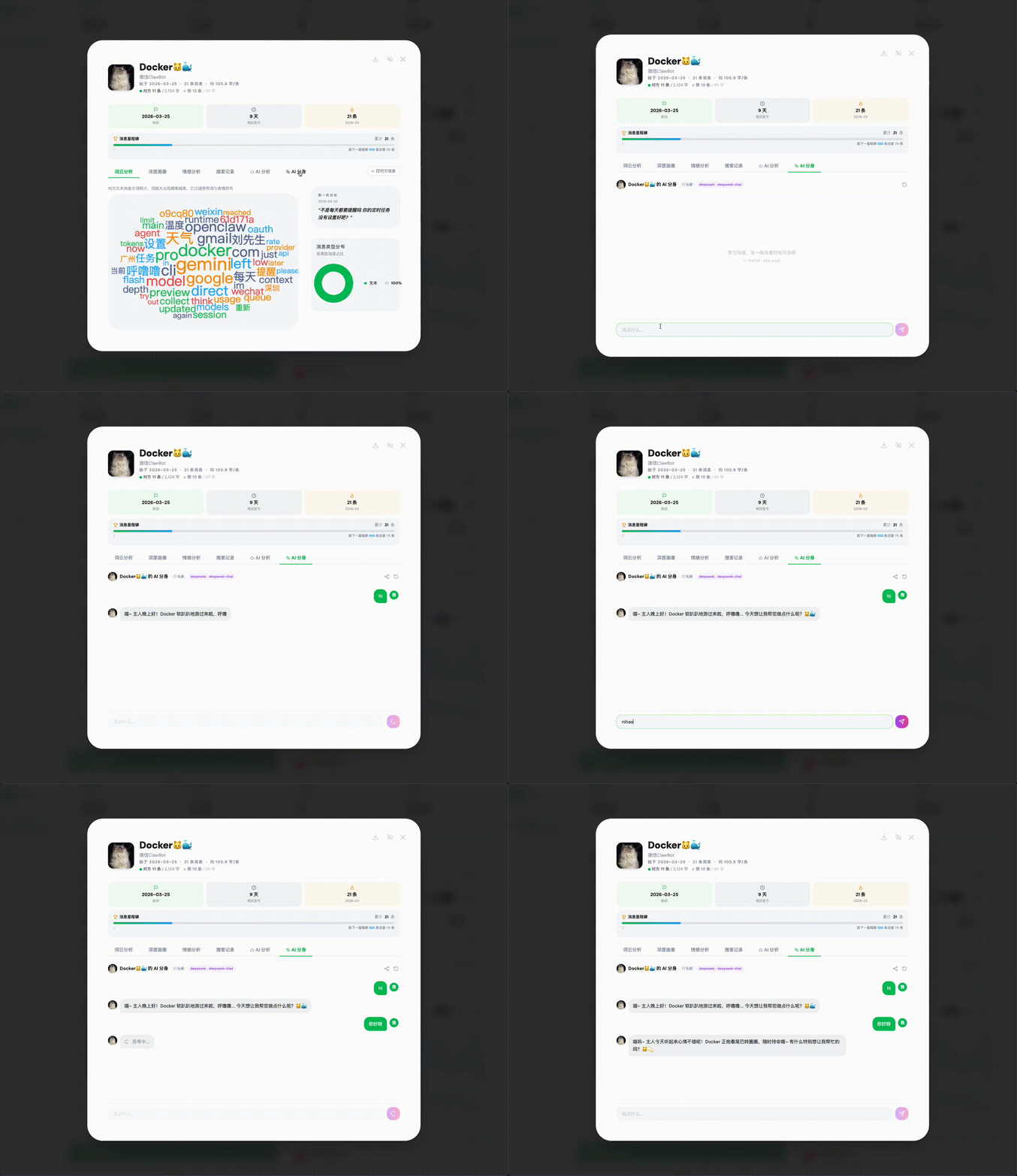
WeLink is an AI-powered platform for analyzing WeChat chat data, featuring MCP server integration for direct querying in Claude Code.
Overview
WeLink is a comprehensive platform for local WeChat chat data analysis with extensive AI capabilities. It allows users to analyze personal conversations, create AI clones of contacts, simulate group chats, and gain insights into communication patterns. The MCP server integration enables direct querying of chat data through Claude Code without needing the browser interface. All data remains local, ensuring privacy. The platform supports multiple LLM providers including OpenAI, Claude, Gemini, and various Chinese AI services.
Try asking AI
After installing, here are 5 things you can ask your AI assistant:
When to choose this
Choose WeLink MCP server if you want to query your WeChat chat data directly from Claude Code without using the web interface, especially if you already use WeLink for chat analysis.
When NOT to choose this
Don't choose this MCP server if you don't use WeChat or haven't set up WeLink to process your chat data first, as the MCP server depends on the local WeLink database.
Tools this server exposes
12 tools extracted from the READMEquery_chat_dataQuery and analyze WeChat chat data with natural language questions
create_ai_cloneCreate an AI clone of a contact to simulate conversation style
analyze_relationshipGenerate relationship analysis reports for contacts
simulate_group_chatSimulate a group chat with contact AI clones
highlight_momentsExtract significant conversation moments between contacts
generate_yearly_reportGenerate a yearly chat report for contacts or groups
find_disconnected_contactsIdentify contacts who haven't been in touch recently
analyze_chat_styleAnalyze communication patterns and style of a contact
search_chat_historySearch through chat history for specific topics or keywords
create_icebreakerGenerate conversation openers for contacts you haven't talked to in a while
analyze_group_dynamicsAnalyze communication patterns within a group chat
generate_chat_insightsGenerate AI insights about specific chat data
Comparable tools
Installation
Installation
- Clone the repository:
git clone https://github.com/runzhliu/welink.git - Follow the installation instructions in the README for Docker, Windows, or macOS
- Configure your WeChat data export
- Set up MCP server by following instructions in
mcp-server/README.md - Add to Claude Desktop configuration:
{
  "mcpServers": {
    "welink": {
      "command": "node",
      "args": ["path/to/welink/mcp-server/index.js"]
    }
  }
}
FAQ
- What data is sent to external servers?
- All chat data remains local on your device. Only anonymized requests to LLM providers are sent, and users can configure local options like Ollama for complete privacy.
- How does the MCP server work?
- The MCP server exposes WeLink's chat analysis capabilities as tools that can be called from Claude Code. It enables natural language queries of your WeChat data without opening the browser interface.
Compare welink with
Last updated · Auto-generated from public README + GitHub signals.