kubectl-mcp-server
by rohitg00·★ 888·Score 54
A comprehensive MCP server for Kubernetes infrastructure management through natural language.
Overview
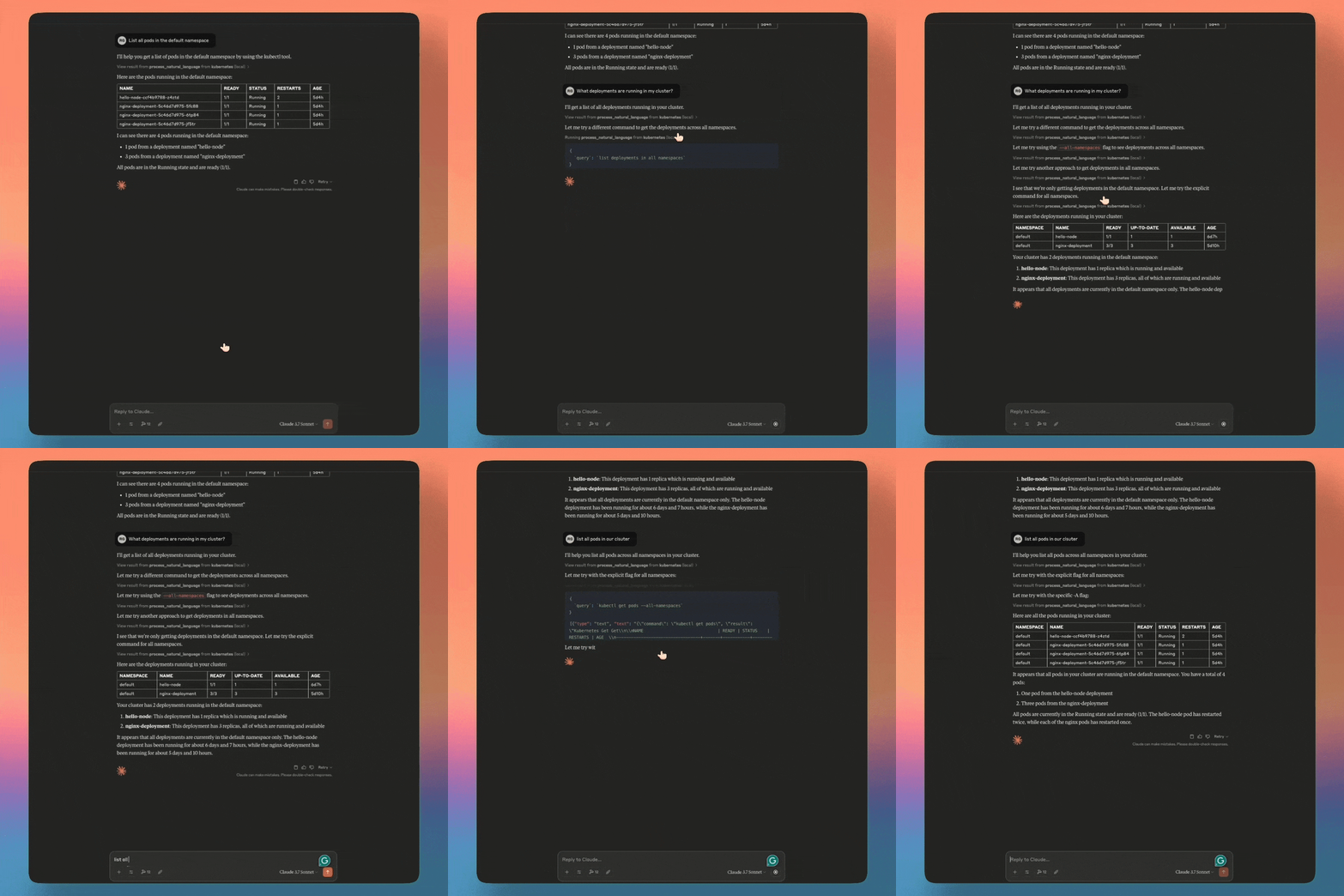
kubectl-mcp-server provides 253 powerful tools for Kubernetes cluster management through natural language interaction with AI assistants. It enables users to debug pods, deploy applications, optimize costs, audit security, manage Helm charts, and visualize dashboards without memorizing kubectl commands. The server supports multiple AI assistants including Claude, Cursor, Windsurf, and Copilot with both npx and Python installation options.
Try asking AI
After installing, here are 5 things you can ask your AI assistant:
When to choose this
Choose this when you need to manage Kubernetes through natural language and already use an AI assistant like Claude or Cursor for development work.
When NOT to choose this
Avoid if you need fine-grained control over kubectl commands or require features beyond what MCP protocol can expose.
Tools this server exposes
12 tools extracted from the READMEget_podsRetrieves information about pods in the Kubernetes cluster
get_logsRetrieves logs from specified pods
create_deploymentCreates a new deployment in the Kubernetes cluster
scale_deploymentScales an existing deployment to a specified replica count
get_servicesRetrieves information about services in the cluster
diagnose_network_connectivityDiagnoses network connectivity issues between services
audit_rbac_permissionsAudits RBAC permissions across the cluster
check_secrets_securityChecks for insecure secrets and configurations
get_cluster_infoRetrieves general information about the Kubernetes cluster
get_deploymentsRetrieves information about deployments in the cluster
get_ingressRetrieves information about Ingress resources in the cluster
exec_in_podExecutes commands inside a running pod
Comparable tools
Installation
Quick Start with npx (Recommended)
npx -y kubectl-mcp-serverInstall with Python
pip install kubectl-mcp-server[ui]Claude Desktop Configuration
Add to ~/Library/Application Support/Claude/claude_desktop_config.json:
{
  "mcpServers": {
    "kubernetes": {
      "command": "npx",
      "args": ["-y", "kubectl-mcp-server"]
    }
  }
}
FAQ
- What AI assistants are supported?
- The server works with Claude Desktop/Claude Code, Cursor, Windsurf, GitHub Copilot, and 15+ other MCP-compatible AI assistants.
- Can I use it in a production environment?
- Yes, the server includes OAuth 2.1 authentication, RBAC validation, non-destructive mode, secret masking, and can be deployed in-cluster with kMCP.
On Hacker News
Recent discussion from the developer community.
- Story by rohitghumare · 2025-03-26
Compare kubectl-mcp-server with
Last updated · Auto-generated from public README + GitHub signals.