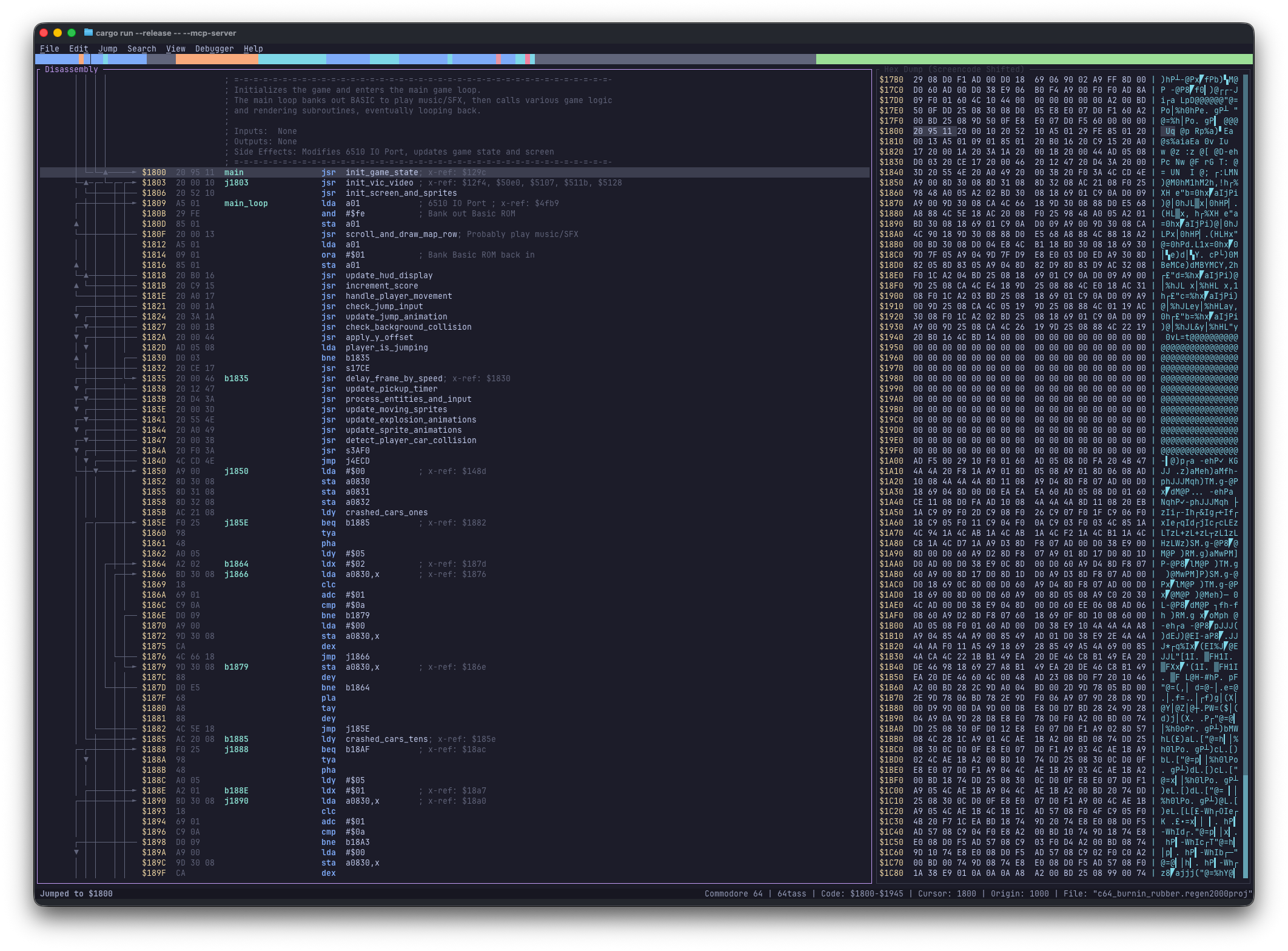
regenerator2000
by ricardoquesada·★ 158·Score 48
Interactive 6502 disassembler with MCP server for AI-assisted reverse engineering.
Overview
Regenerator 2000 is a modern, interactive disassembler for Commodore 8-bit machines with built-in MCP server support. It combines manual analysis through a keyboard-centric TUI with AI-driven automated analysis via the Model Context Protocol. The tool offers extensive features including disassembly, hex dump, sprites, bitmap, charset views, debugger integration, and cross-references. Its MCP server enables programmatic access through HTTP or stdio transport, allowing AI assistants to perform disassembly manipulation, memory search, and block operations with bundled analysis skills for automated block classification, routine tracing, and symbol naming.
Try asking AI
After installing, here are 5 things you can ask your AI assistant:
When to choose this
Choose Regenerator 2000 when working with Commodore 8-bit binaries and need both manual disassembly capabilities and automated analysis through MCP integration.
When NOT to choose this
Don't choose this if you need disassembly support for systems other than Commodore 8-bit computers or require more generalized CPU analysis capabilities.
Tools this server exposes
12 tools extracted from the READMEdisassembleDisassemble 6502 code at specified address
add_labelAdd a label to a specific address
add_commentAdd a comment to a specific address
set_data_typeSet data type for a memory region
find_memorySearch for a specific byte pattern in memory
export_assemblyExport disassembly to assembly file
x_refShow cross-references for a specific label or address
analyze_blocksAutomatically analyze and classify code blocks
trace_routineTrace execution path of a routine starting at address
import_lblImport VICE labels from file
export_htmlExport disassembly to HTML format
connect_viceConnect to VICE debugger at specified address
Note: Tools were inferred from the MCP server description and CLI options. The README mentions MCP server functionality for disassembly manipulation, memory search, and block operations, but doesn't provide explicit tool names or signatures.
Comparable tools
Installation
Install Regenerator 2000:
cargo install regenerator2000To run the MCP server:
regenerator2000 --mcp-serverClaude Desktop configuration:
{
  "mcpServers": {
    "regenerator": {
      "command": "regenerator2000",
      "args": ["--mcp-server-stdio"]
    }
  }
}
FAQ
- What file formats does Regenerator 2000 support?
- It supports PRG, CRT, D64, D71, D81, T64, VSF, RAW/BIN, DIS65, and REGEN2000PROJ formats.
- How do I export assembly code?
- Use the `--export_asm <PATH>` option or export through the UI. It supports 64tass, ACME, Kick Assembler, and ca65 formats.
On Hacker News
Recent discussion from the developer community.
- Story by wslh · 2026-03-20
Compare regenerator2000 with
Last updated · Auto-generated from public README + GitHub signals.