Jira_mcp_streamlit
by pawankumar94·★ 5·Score 34
Streamlit-based Jira assistant with MCP integration for creating, searching, and managing tickets.
Overview
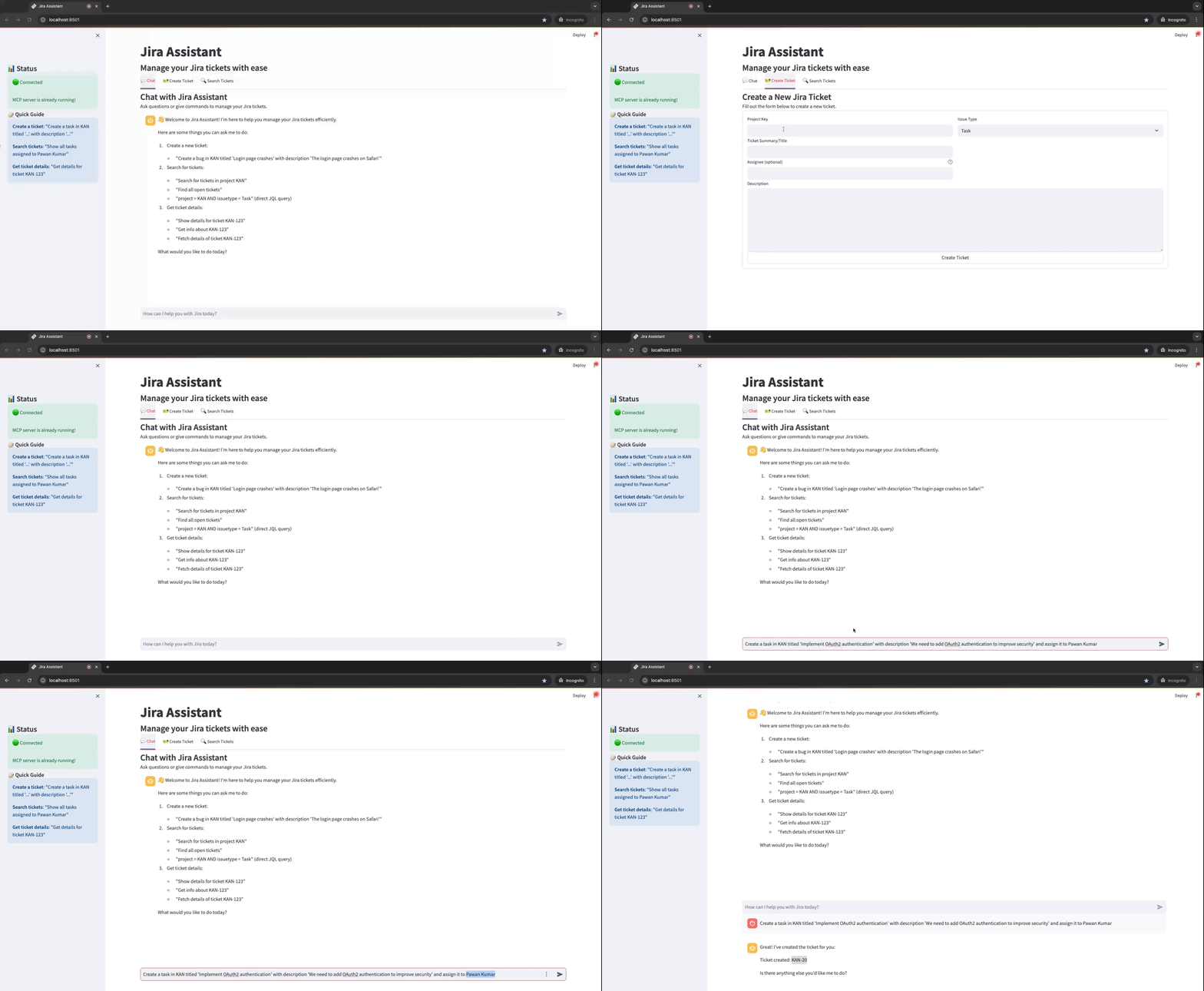
This is a functional MCP server that provides a clean tabbed interface for Jira ticket management. The server integrates with Jira's API through the MCP framework, allowing users to interact with Jira tickets both through natural language commands and direct forms. It offers three main modes: conversational chat interface, form-based ticket creation, and JQL-based search functionality. The project demonstrates good implementation practices with proper error handling, testing scripts, and both a UI and CLI interface.
Try asking AI
After installing, here are 5 things you can ask your AI assistant:
When to choose this
Choose this server if you need a user-friendly interface for Jira ticket management through natural language commands and prefer direct form-based interactions over API calls.
When NOT to choose this
Don't choose this if you need programmatic access to Jira without a UI, or if your workflow requires integration with other systems beyond what MCP provides.
Tools this server exposes
3 tools extracted from the READMEcreate_jira_ticketCreates a new Jira ticket with specified project, summary, description and type.
search_jira_ticketsSearches for Jira tickets using JQL query or natural language.
get_ticket_detailsRetrieves detailed information about a specific Jira ticket.
Note: Tool names inferred from usage examples and CLI commands in the README, as there's no explicit 'Tools' section documenting the MCP server's exposed functions.
Comparable tools
Installation
Installation
- Clone the repository
- Install required packages:
``bash pip install -r requirements.txt ``
- Set up environment variables in a
.envfile:
``env JIRA_URL=https://your-domain.atlassian.net JIRA_EMAIL=your-email@example.com JIRA_API_TOKEN=your-jira-api-token ``
- Start the application:
``bash ./start_jira_assistant.sh ``
FAQ
- How do I connect to my Jira instance?
- Set up your Jira URL, email, and API token in the .env file. The application will automatically use these credentials to connect to your Jira instance.
- Can I use this without an external LLM?
- Yes, the application provides direct form-based ticket creation and search functionality that doesn't rely on external LLMs. The chat interface can work with or without an LLM.
Compare Jira_mcp_streamlit with
Last updated · Auto-generated from public README + GitHub signals.