ask-user-questions-mcp
by paulp-o·★ 108·Score 47
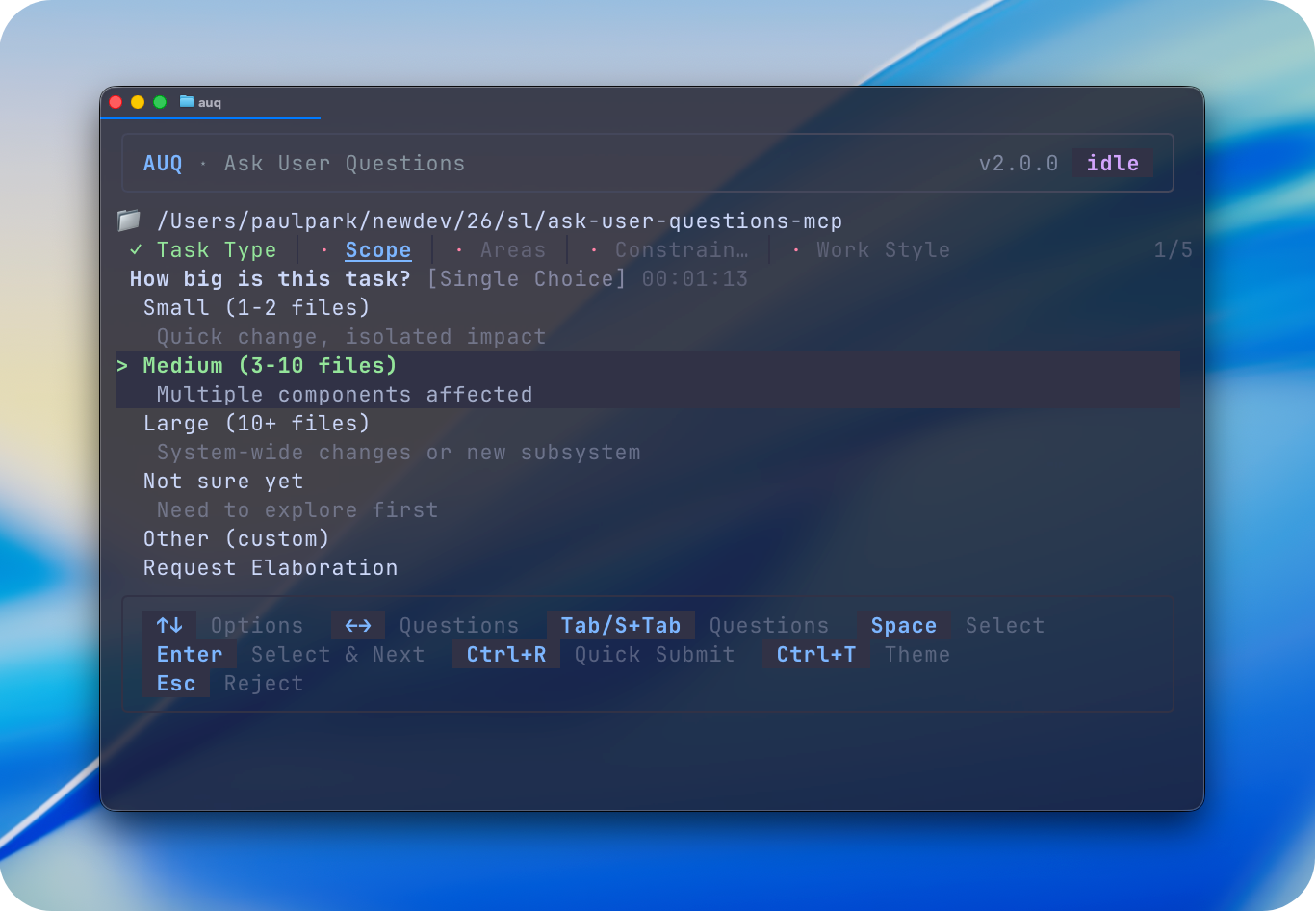
AUQ is an MCP server enabling AI agents to ask clarifying questions via a separate CLI interface for human-in-the-loop workflows.
Overview
AUQ (Ask User Questions) provides a complete toolset for human-in-the-loop AI workflows. It enables AI agents to ask multiple-choice/single-choice questions while waiting for human responses through a separate CLI window without disrupting the workflow. The server supports parallel question handling from multiple agents, question queuing, rejection with explanations, and elaboration requests. It works with MCP clients like Claude Desktop, Cursor, and others, with additional OpenCode plugin support and experimental Agent Skills integration.
Try asking AI
After installing, here are 5 things you can ask your AI assistant:
When to choose this
Choose AUQ when you need advanced human-in-the-loop capabilities for multi-agent workflows, especially when you want non-invasive CLI interaction with support for complex question types and remote usage.
When NOT to choose this
Don't choose AUQ if you need simpler, one-off questions without queuing capabilities, or if you prefer in-editor UI interaction rather than a separate CLI window for answering questions.
Tools this server exposes
1 tool extracted from the READMEaskUserQuestionAsk clarifying questions with multiple/single choice options, custom input, and question queuing
Comparable tools
Installation
Install CLI Tool
Global Installation (Recommended)
**Bun (recommended)**
bun add -g auq-mcp-server**npm**
npm install -g auq-mcp-serverMCP Server Integration
**Claude Desktop** Add to ~/Library/Application Support/Claude/claude_desktop_config.json:
{
  "mcpServers": {
    "ask-user-questions": {
      "command": "bunx",
      "args": ["-y", "auq-mcp-server", "server"]
    }
  }
}
**Claude Code**
claude mcp add --transport stdio ask-user-questions -- bunx -y auq-mcp-server server**Cursor** Use the provided MCP install link or manually configure in Cursor settings.
FAQ
- Why use AUQ instead of built-in questioning tools?
- AUQ provides more features like multi-agent support, question queuing, rejection with explanations, and works through a separate CLI window without disrupting your main workflow.
- Does AUQ work with remote development setups?
- Yes, you can start the AUQ CLI anytime and even use it remotely via SSH while your AI agents run on a local or remote machine.
Compare ask-user-questions-mcp with
Last updated · Auto-generated from public README + GitHub signals.