serena
by oraios·★ 24,287·Score 63
A powerful MCP toolkit providing semantic code retrieval and editing capabilities for AI agents.
Overview
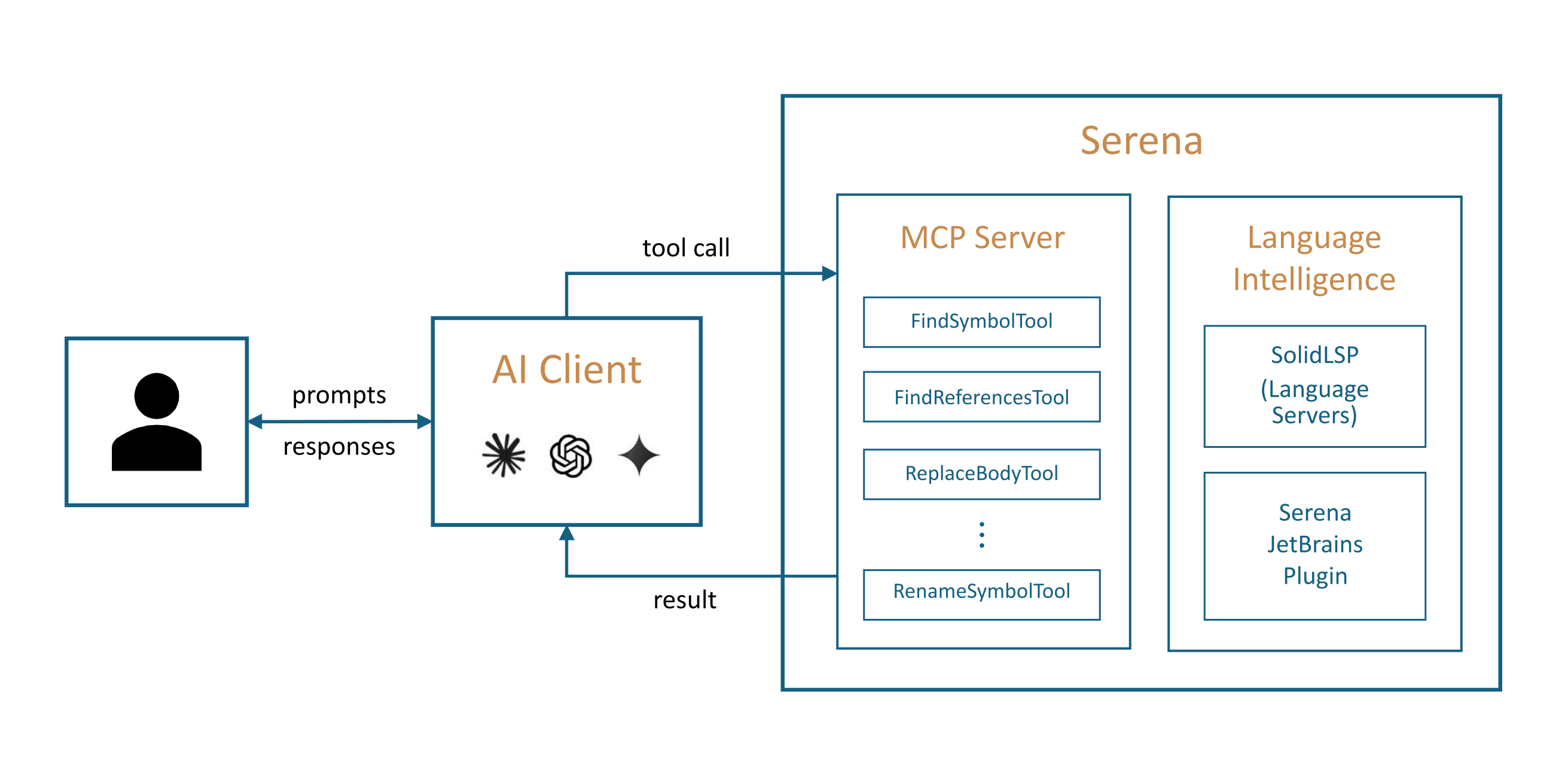
Serena provides essential semantic code retrieval, editing, refactoring and debugging tools similar to an IDE's capabilities, operating at the symbol level and exploiting relational structure. It integrates with any client/LLM via the Model Context Protocol (MCP), enabling agents to operate faster, more efficiently and more reliably, especially in larger and more complex codebases. The toolkit supports over 40 programming languages through language servers and offers a paid JetBrains Plugin for enhanced functionality.
Try asking AI
After installing, here are 5 things you can ask your AI assistant:
When to choose this
Choose Serena when your AI agents need reliable, IDE-level semantic understanding of codebases for refactoring, navigation, and editing, especially in large or complex multi-language projects.
When NOT to choose this
Don't choose Serena if you only need basic file operations or simple text editing, as it provides advanced semantic capabilities that may be overkill for simple tasks.
Tools this server exposes
12 tools extracted from the READMEfind_symbolFind a symbol in the codebase by name
find_referencing_symbolsFind all symbols that reference a given symbol
renameRename a symbol throughout the codebase
replace_symbol_bodyReplace the implementation body of a symbol
insert_after_symbolInsert code after a specified symbol
insert_before_symbolInsert code before a specified symbol
safe_deleteSafely delete a symbol or code section
read_fileRead the content of a file
search_for_patternSearch for a pattern across the codebase
replace_contentReplace content in files using regex or literal text
list_dirList the contents of a directory
find_fileFind files by name or pattern
Comparable tools
Installation
Installation
**Prerequisites**: Serena is managed by *uv*, and [installing uv](https://docs.astral.sh/uv/getting-started/installation/) is required.
- Install Serena via uv:
``bash uv add serena ``
- Configure your MCP client (e.g., Claude Desktop):
``json { "mcpServers": { "serena": { "command": "uv", "args": ["run", "-m", "serena", "serve"], "env": { "SERENA_PROJECT_PATH": "/path/to/your/project" } } } } ``
FAQ
- What programming languages does Serena support?
- Serena supports over 40 programming languages including Python, Java, JavaScript, TypeScript, C++, Go, Rust, and many others through its language server integration.
- Can I use Serena with any LLM client?
- Yes, Serena integrates with any client that supports the Model Context Protocol (MCP), including Claude Code, Codex, VSCode, Cursor, JetBrains IDEs, Claude Desktop, and others.
On Hacker News
Recent discussion from the developer community.
- Story by MischaPanch · 2025-04-03
Compare serena with
Last updated · Auto-generated from public README + GitHub signals.