optuna-mcp
by optuna·★ 76·Score 46
Optuna MCP server automates hyperparameter optimization and analysis via interactive tools.
Overview
The Optuna MCP Server provides a comprehensive interface to Optuna's optimization framework through the Model Context Protocol. It enables automated hyperparameter tuning, interactive analysis of optimization results, and integration with other MCP tools. The server offers a rich set of tools for study management, trial execution, and visualization capabilities.
Try asking AI
After installing, here are 3 things you can ask your AI assistant:
When to choose this
Choose Optuna MCP when you need to integrate automated hyperparameter optimization into an MCP-enabled chat interface, especially for machine learning workflows.
When NOT to choose this
Avoid if you need optimization capabilities outside of MCP clients or require advanced optimization algorithms not supported by Optuna.
Tools this server exposes
12 tools extracted from the READMEcreate_studycreate_study(study_name: string, directions: list[string])Create a new Optuna study with the given study_name and directions.
get_all_study_namesGet all study names from the storage.
askask(search_space: dictionary)Suggest new parameters using Optuna.
telltell(trial_number: integer, values: float | list[float])Report the result of a trial.
plot_optimization_historyplot_optimization_history(target: integer, target_name: string)Return the optimization history plot as an image.
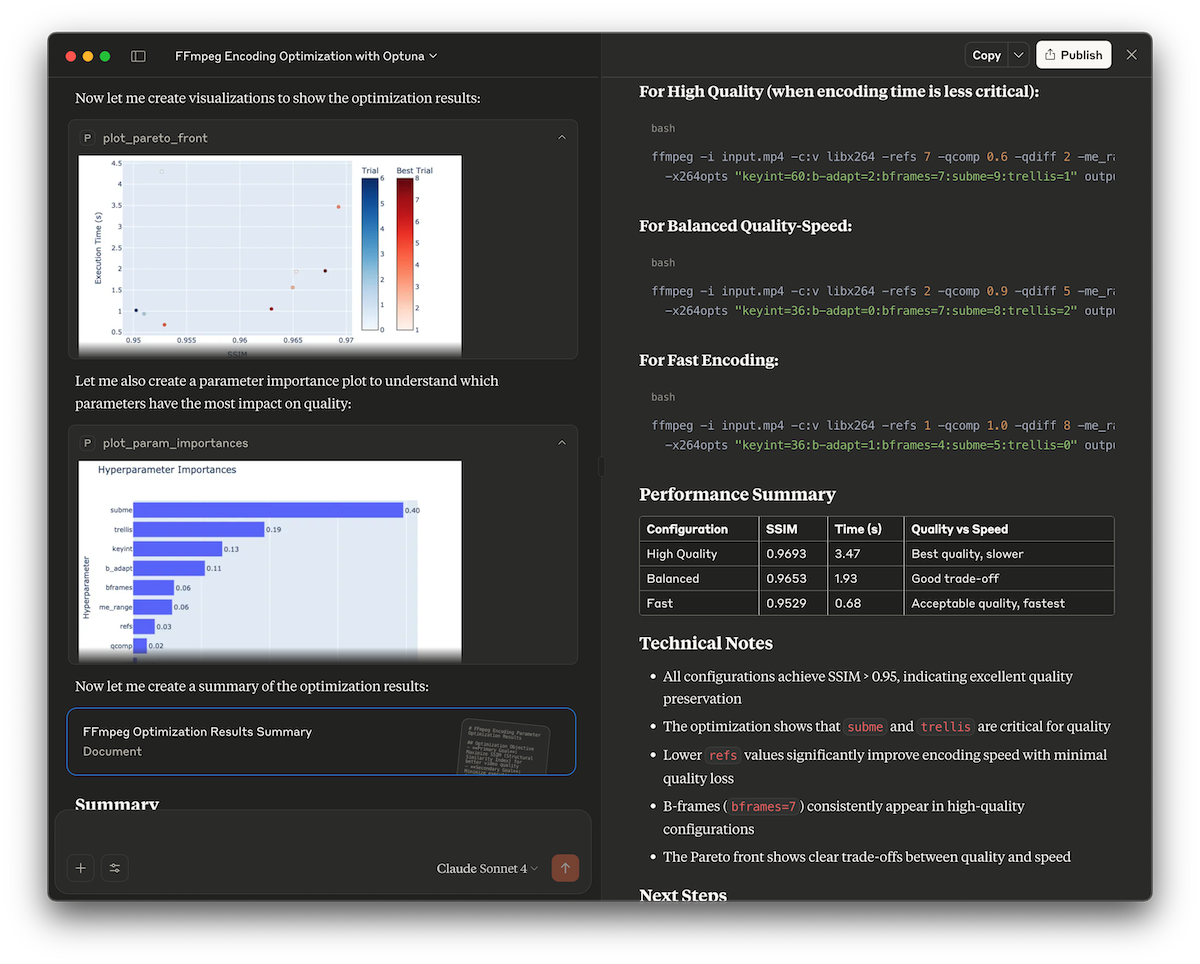
plot_pareto_frontplot_pareto_front(target_names: list[string], include_dominated_trials: boolean, targets: list[integer])Return the Pareto front plot as an image for multi-objective optimization.
plot_contourplot_contour(params: list[string], target: integer, target_name: string)Return the contour plot as an image.
plot_param_importancesplot_param_importances(params: list[string], target: integer, target_name: string)Return the parameter importances plot as an image.
best_trialGet the best trial.
set_trial_user_attrset_trial_user_attr(trial_number: integer, key: string, value: any)Set user attributes for a trial.
launch_optuna_dashboardlaunch_optuna_dashboard(port: integer)Launch the Optuna dashboard.
plot_sliceplot_slice(params: list[string], target: integer, target_name: string)Return the slice plot as an image.
Comparable tools
Installation
Installation
Using uv:
{
  "mcpServers": {
    "Optuna": {
      "command": "/path/to/uvx",
      "args": [
        "optuna-mcp"
      ]
    }
  }
}
Using Docker:
{
  "mcpServers": {
    "Optuna": {
      "command": "docker",
      "args": [
        "run",
        "-i",
        "--rm",
        "--net=host",
        "-v",
        "/PATH/TO/LOCAL/DIRECTORY/WHICH/INCLUDES/DB/FILE:/app/workspace",
        "ghcr.io/optuna/optuna-mcp:latest",
        "--storage",
        "sqlite:////app/workspace/optuna.db"
      ]
    }
  }
}
Compare optuna-mcp with
Last updated · Auto-generated from public README + GitHub signals.