OpenStudy
by OpenStudy-dev·★ 66·Score 46
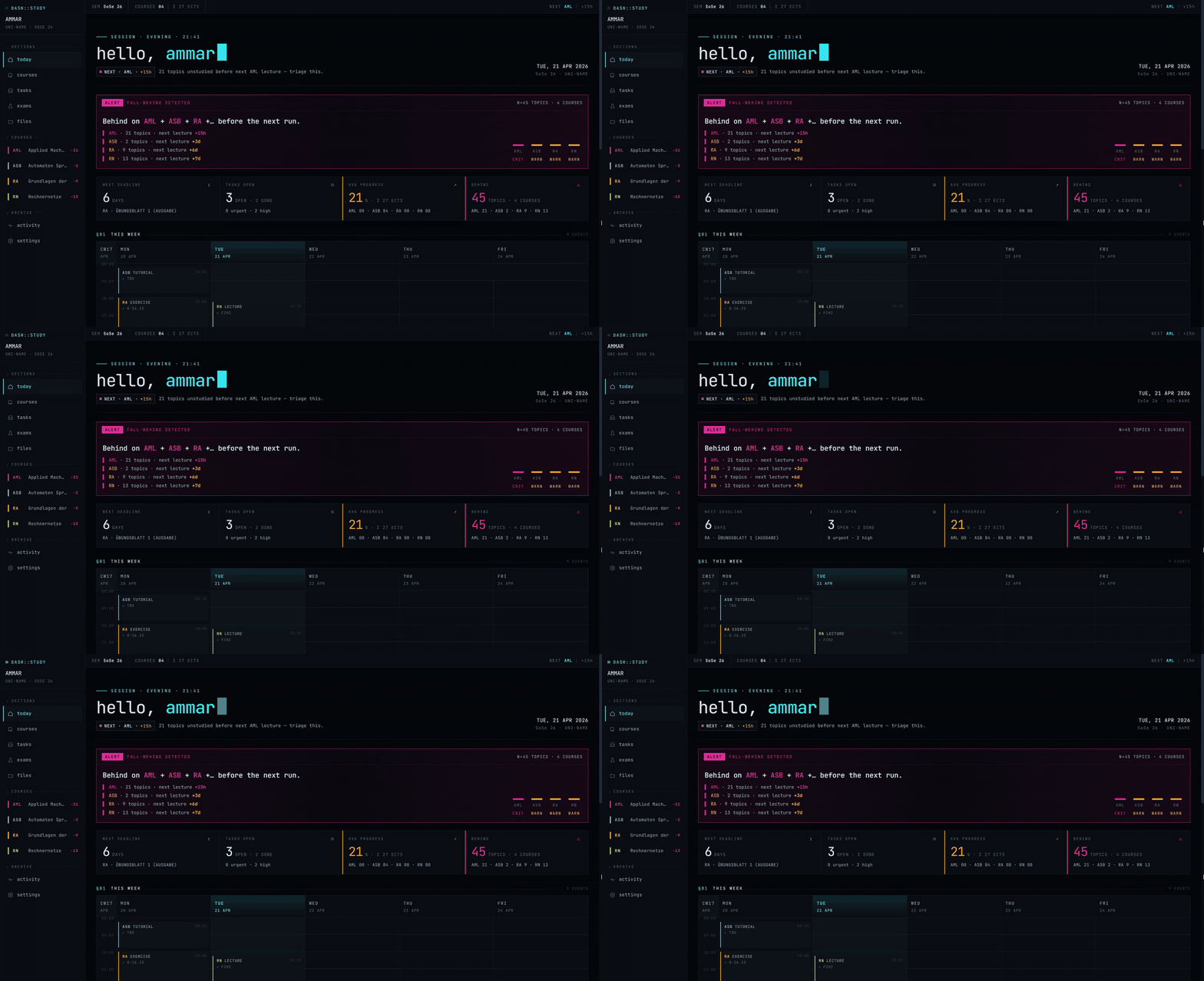
A self-hostable study dashboard with a built-in MCP server that enhances Claude's effectiveness for academic tasks.
Overview
OpenStudy is a comprehensive study dashboard that integrates 44 MCP tools to help students manage courses, schedules, lectures, study topics, and tasks. It connects directly to Claude.ai as a custom connector, allowing students to interact with their study materials through natural language commands. The application features a multi-tenant architecture, supports multiple themes, and provides seamless integration between the web dashboard and Claude's interfaces across browser, mobile, and desktop environments.
Try asking AI
After installing, here are 5 things you can ask your AI assistant:
When to choose this
Choose this if you're a student who wants to integrate AI assistants directly with your study workflow and prefer self-hosted solutions.
When NOT to choose this
Don't choose this if you need multi-user collaboration features or prefer cloud-based study management without self-hosting requirements.
Tools this server exposes
12 tools extracted from the READMElist_course_filesList files in a course's file store
read_course_fileRead and render a course file as images
create_courseCreate a new course with metadata
create_schedule_slotCreate a recurring schedule slot for a course
update_examUpdate exam information for a course
create_deliverableCreate a new assignment or deadline
create_lectureCreate a new lecture entry for a course
create_study_topicCreate a new study topic linked to a lecture
mark_studiedMark a study topic as studied
list_study_topicsList study topics for a course
update_courseUpdate course information
list_falling_behindShow topics that are falling behind schedule
Comparable tools
Installation
Installation Steps
- **Prerequisites**: Docker + Docker Compose v2.30+, Node 20+, pnpm
- **Clone repository**:
git clone https://github.com/openstudy-dev/OpenStudy - **Install dependencies**:
cd OpenStudy && cd web && pnpm install && cd .. - **Setup environment**:
cp .env.example .envand fill in required values - **Deploy**:
./deploy.sh
**Claude Desktop Integration**: Add to Claude Desktop config:
{
  "mcpServers": {
    "openstudy": {
      "command": "uv",
      "args": ["run", "python", "-m", "app.server.mcp"],
      "env": {
        "OPENSTUDY_BASE_URL": "http://localhost:8000"
      }
    }
  }
}
FAQ
- Is this suitable for university-level courses?
- Yes, it's designed for academic use with support for multiple courses, schedules, and exam tracking.
- Can I use it with other AI assistants besides Claude?
- Currently it's designed specifically for Claude.ai integration through MCP.
Compare OpenStudy with
Last updated · Auto-generated from public README + GitHub signals.