Dive
by OpenAgentPlatform·★ 1,792·Score 56
Dive is a cross-platform desktop application serving as an MCP host for integrating various LLMs with AI agent capabilities.
Overview
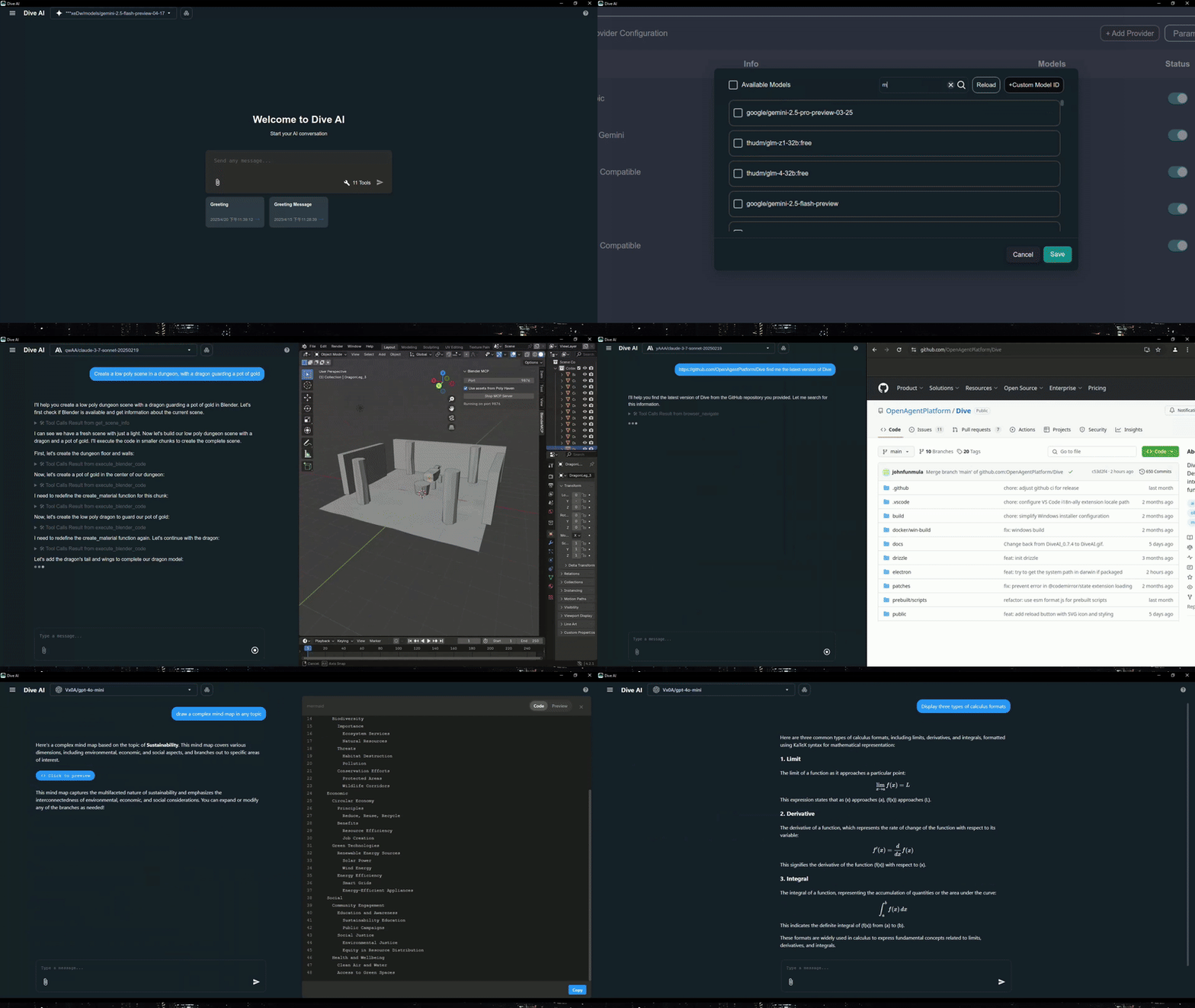
Dive is an open-source MCP Host Desktop Application designed to seamlessly integrate with any LLMs that support function calling capabilities. It provides a universal interface for AI agents to interact with MCP servers, supporting both stdio and SSE modes. The application features a dual architecture with both modern Tauri and traditional Electron versions, ensuring optimal performance across different platforms. Dive includes advanced features like granular tool control, custom instructions, multi-language support, and built-in local tools for file management, web requests, and command execution.
Try asking AI
After installing, here are 5 things you can ask your AI assistant:
When to choose this
Choose Dive when you need a desktop interface to manage MCP servers across multiple LLM providers without complex local deployments.
When NOT to choose this
Don't choose Dive if you need MCP server authentication (currently unstable) or require lightweight resource usage with minimal dependencies.
Tools this server exposes
6 tools extracted from the READMEfetchMake web requests to retrieve data from URLs
file_managerRead and write files on the local system
bashExecute shell commands on the local system
install_mcp_serverInstall and configure MCP servers automatically
search_chat_historySearch through previous chat conversations
skillExecute predefined skills or slash commands
Note: Tool names were inferred from the 'Built-in Local Tools' section and other feature descriptions. The exact signatures and detailed parameters are not provided in the README.
Comparable tools
Installation
Installation Methods
Pre-built Application
- Download the latest release from [GitHub Releases](https://github.com/OpenAgentPlatform/Dive/releases/latest)
- Choose between Tauri (recommended) or Electron versions based on your platform
- Follow the platform-specific installation instructions
Via OAPHub.ai (Easiest)
- Sign up at [OAPHub.ai](https://oaphub.ai/)
- Connect Dive using one-click deep links or configuration files
- Enjoy managed MCP servers with zero setup
Building from Source
git clone https://github.com/OpenAgentPlatform/Dive.git
cd Dive
npm install
npm run dev  # For Electron development
cargo tauri dev  # For Tauri development
FAQ
- What is the difference between Tauri and Electron versions?
- The Tauri version is more modern, has a smaller installer size (<30MB), and uses less system resources. The Electron version is more traditional and fully stable with broader platform compatibility.
- How does Dive integrate with OAPHub.ai?
- OAPHub.ai provides enterprise-grade MCP servers that can be accessed through Dive with one-click configuration. This eliminates the need for complex local Python, Docker, or other dependency management.
On Hacker News
Recent discussion from the developer community.
- Story by biggo_official · 2025-04-21
- Story by biggo_official · 2025-02-11
- Story by biggo_official · 2025-03-10
Compare Dive with
Last updated · Auto-generated from public README + GitHub signals.