LLaMa-MCP-Streamlit
by Nikunj2003·★ 43·Score 36
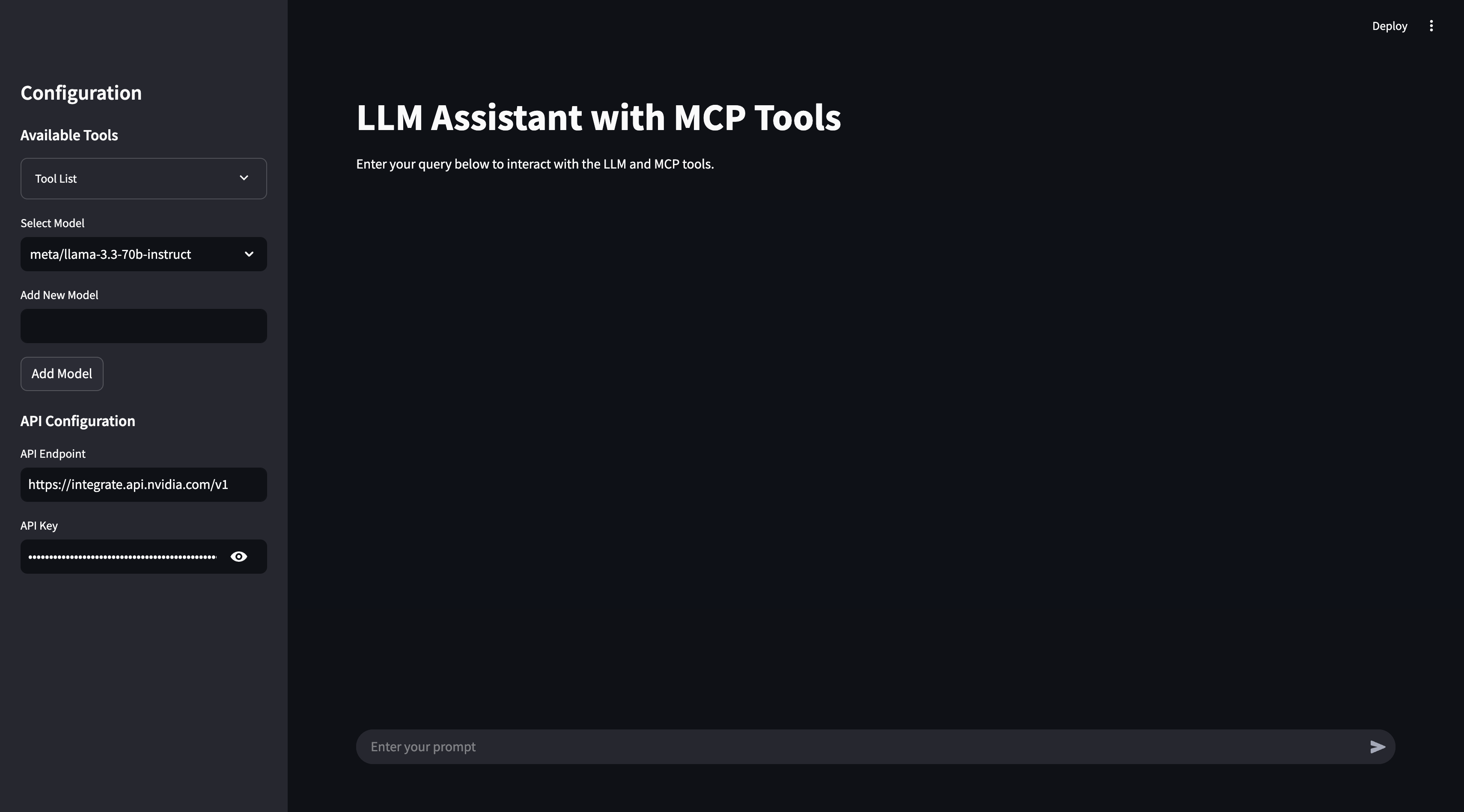
A Streamlit AI assistant using MCP to enable tool interactions with LLaMa 3.3 or Ollama models.
Overview
This project creates a conversational AI interface that leverages Model Control Protocol (MCP) to enable real-time external tool execution. It provides a user-friendly chat experience using Streamlit, with support for both NVIDIA NIM API (LLaMa 3.3:70b) and Ollama backends. The architecture includes MCP client functionality to connect to various external tools and services. The project is well-structured with clear separation of UI components, agent logic, and MCP configuration.
Try asking AI
After installing, here are 5 things you can ask your AI assistant:
When to choose this
Choose this when you need a quick prototype for an MCP-integrated AI assistant with a UI, especially if you're already using Streamlit or Docker.
When NOT to choose this
Don't choose this for production deployment due to limited documentation and the project appears to be a prototype rather than a fully-fledged application.
Comparable tools
Installation
Installation Steps
- Clone the repository
- Set up environment variables in
.envfile:
```bash # NVIDIA NIM API API_ENDPOINT=https://integrate.api.nvidia.com/v1 API_KEY=your_api_key_here
# Ollama API_ENDPOINT=http://localhost:11434/v1/ API_KEY=ollama ```
- Install dependencies using Poetry:
``bash poetry install ``
- Run the Streamlit app:
``bash poetry run streamlit run llama_mcp_streamlit/main.py ``
To use with Claude Desktop, add to claude_desktop_config.json:
{
  "mcpServers": {
    "llama-mcp-streamlit": {
      "command": "python",
      "args": ["path/to/llama_mcp_streamlit/utils/mcp_server.py"]
    }
  }
}
FAQ
- What MCP servers are supported?
- The project supports MCP servers that can be run via NPX or Docker, including the filesystem server (@modelcontextprotocol/server-filesystem). Configuration is modified in the utils/mcp_server.py file.
- Can I use this with other LLM providers?
- The project currently supports NVIDIA NIM (LLaMa 3.3:70B) and Ollama. Additional providers would require modifying the API configuration in the agent.py file.
Compare LLaMa-MCP-Streamlit with
Last updated · Auto-generated from public README + GitHub signals.