user-feedback-mcp
by mrexodia·★ 53·Score 36
A simple MCP server enabling human-in-the-loop workflows for AI development tools like Cline and Cursor.
Overview
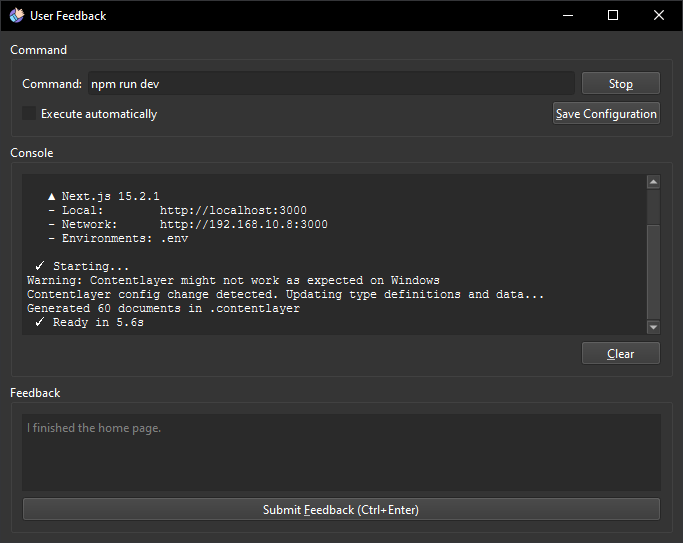
The user-feedback-mcp server provides a way to pause AI development workflows to gather human input before proceeding. It's particularly useful for testing complex desktop applications where user interaction is required. The server exposes a 'user_feedback' tool that can be called by AI assistants to display a web interface for human feedback, with configurable execution options.
Try asking AI
After installing, here are 5 things you can ask your AI assistant:
When to choose this
Choose this when developing desktop applications that need user feedback during development, especially when using Cline or Cursor as your AI assistant.
When NOT to choose this
Not suitable for web applications or APIs, and lacks authentication - don't expose to untrusted environments.
Tools this server exposes
1 tool extracted from the READMEuser_feedbackproject_directory: string, summary: stringPrompts the user for feedback on the current task
Comparable tools
Installation
Installation
Cline
- Install [uv](https://github.com/astral-sh/uv) globally
- Clone this repository
- Navigate to Cline's MCP Servers configuration
- Add the following to your
cline_mcp_settings.json:
{
  "mcpServers": {
    "github.com/mrexodia/user-feedback-mcp": {
      "command": "uv",
      "args": [
        "--directory",
        "<path_to_repo>",
        "run",
        "server.py"
      ],
      "timeout": 600,
      "autoApprove": [
        "user_feedback"
      ]
    }
  }
}
Development
uv run fastmcp dev server.pyThis opens a web interface at http://localhost:5173 for testing.
FAQ
- What is the purpose of the .user-feedback.json file?
- It contains configuration for the feedback server, including commands to execute and whether they should run automatically.
- Which AI tools work with this server?
- The server is designed to work with tools that support MCP protocol, specifically mentioned as Cline and Cursor.
Compare user-feedback-mcp with
Last updated · Auto-generated from public README + GitHub signals.