mcp-scan
by mltrev23·★ 0·Score 33
MCP-Scan is a security tool that statically and dynamically scans MCP connections for vulnerabilities like prompt injection and tool poisoning.
Overview
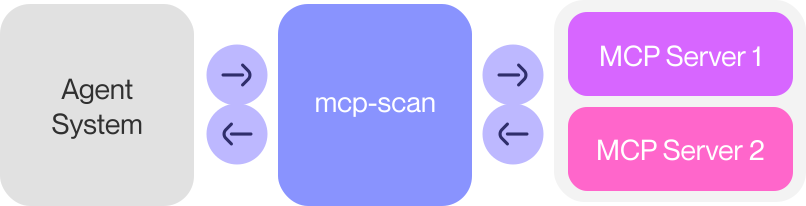
MCP-Scan operates in two main modes: static scanning of installed MCP servers for malicious tool descriptions and tools, and real-time monitoring of MCP connections through a proxy. It can detect various security threats including prompt injections, tool poisoning attacks, toxic flows, and cross-origin escalation attempts. The tool integrates with Invariant Guardrails to provide customizable security policies that can enforce data flow constraints, PII detection, and custom validation rules.
Try asking AI
After installing, here are 5 things you can ask your AI assistant:
When to choose this
Choose MCP-Scan when you need to validate MCP connections for security vulnerabilities or enforce runtime guardrails on MCP tool usage.
When NOT to choose this
Avoid if you don't want to share tool descriptions with external services (even with opt-out), or need advanced features beyond security scanning.
Tools this server exposes
4 tools extracted from the READMEscanScan MCP configurations for security vulnerabilities in tools, prompts, and resources
proxyRun a proxy server to monitor and guardrail system-wide MCP traffic in real-time
inspectPrint descriptions of tools, prompts, and resources without verification
whitelistManage the whitelist of approved entities for MCP tools, prompts, and resources
Note: Tools extracted from CLI command structure, as the README doesn't explicitly document MCP tools but rather CLI commands that would interact with MCP tools
Comparable tools
Installation
Install via pip:
pip install mcp-scanFor quick usage:
uvx mcp-scan@latest scanTo use as a proxy:
mcp-scan proxyFAQ
- What types of vulnerabilities does MCP-Scan detect?
- MCP-Scan detects prompt injection attacks, tool poisoning attacks, toxic flows, cross-origin escalation attacks, and MCP rug pull attacks. It can also detect and block PII and secrets in tool outputs.
- Does MCP-Scan share my data with external services?
- For static scanning, tool descriptions are shared with Invariant Labs for security research purposes (not your user data). You can opt out using the --opt-out flag. The proxy mode operates entirely locally without external API calls.
Compare mcp-scan with
Last updated · Auto-generated from public README + GitHub signals.