env-doctor
by mitulgarg·★ 142·Score 48
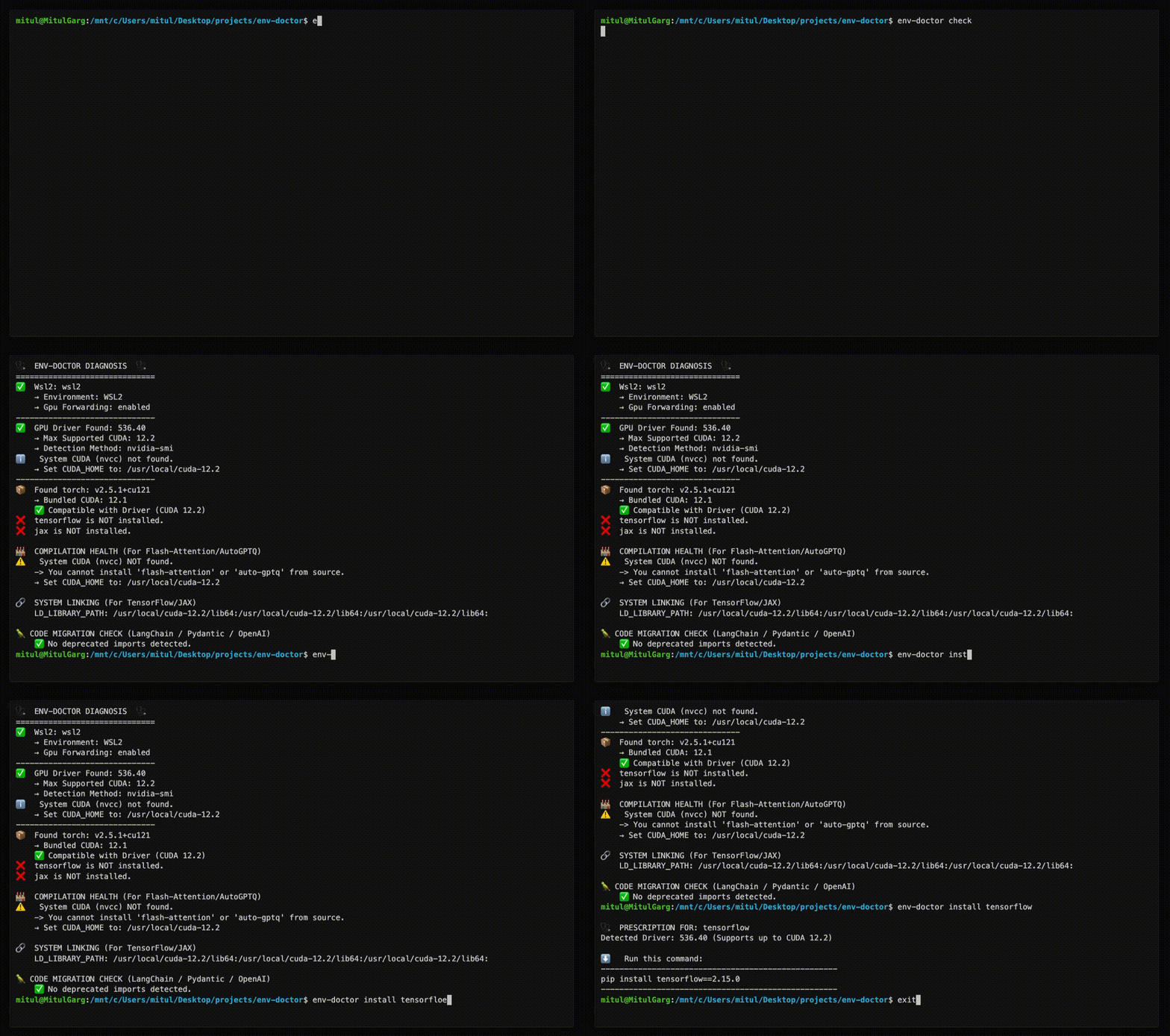
Env-Doctor MCP server provides AI assistants with tools to diagnose and fix CUDA/GPU environment compatibility issues.
Overview
Env-Doctor is a comprehensive tool that diagnoses and fixes GPU environment compatibility issues, particularly focusing on CUDA version mismatches between NVIDIA drivers, system toolkits, cuDNN, and Python AI libraries. The MCP server exposes 11 diagnostic tools to AI assistants like Claude Desktop, enabling them to check GPU environments, validate Dockerfiles, determine model compatibility, and provide remediation solutions. It works across local systems, Docker containers, and CI/CD pipelines with support for WSL2 and multiple cloud platforms.
Try asking AI
After installing, here are 5 things you can ask your AI assistant:
When to choose this
Choose Env-Doctor when you need to diagnose or fix GPU/CUDA compatibility issues, especially for AI/ML workflows, or when integrating GPU diagnostics into AI assistants via MCP.
When NOT to choose this
Avoid if you only need basic GPU information (it's more complex than necessary), or if you're looking for cross-platform compatibility beyond the listed supported systems.
Tools this server exposes
12 tools extracted from the READMEcheckPerform full environment compatibility diagnosis between GPU driver, CUDA toolkit, cuDNN, and Python libraries.
python-compatCheck Python version compatibility with AI libraries and detect dependency cascade issues.
cuda-installInstall CUDA Toolkit with automatic platform detection and verification.
installGet safe installation commands for AI libraries that match your CUDA version.
modelCheck if AI models fit in GPU memory and get cloud GPU recommendations.
dockerfileValidate Dockerfiles for GPU configuration and Python library compatibility.
docker-composeValidate docker-compose.yml files for GPU configuration issues.
cuda-infoProvide detailed analysis of CUDA toolkit installation and configuration.
cudnn-infoAnalyze cuDNN library installation and compatibility with CUDA.
scanScan code for deprecated CUDA-related imports.
debugProvide verbose diagnostic output for troubleshooting environment issues.
initGenerate CI/CD workflow files for GPU environment monitoring.
Comparable tools
Installation
Installation
pip install env-doctorMCP Server Configuration
Add to Claude Desktop config (~/.config/Claude/claude_desktop_config.json):
{
  "mcpServers": {
    "env-doctor": {
      "command": "env-doctor-mcp"
    }
  }
}
FAQ
- What problems does Env-Doctor solve?
- It diagnoses and fixes GPU/CUDA compatibility issues, particularly version mismatches between NVIDIA drivers, CUDA toolkit, cuDNN, and Python AI libraries like PyTorch and TensorFlow.
- How does the MCP server integrate with AI assistants?
- It exposes 11 diagnostic tools to AI assistants through the Model Context Protocol, enabling them to check GPU environments, validate configurations, and suggest fixes.
Compare env-doctor with
Last updated · Auto-generated from public README + GitHub signals.