cupertino
by mihaelamj·★ 742·Score 55
A Swift-based MCP server that indexes and serves Apple's developer documentation to AI agents.
Overview
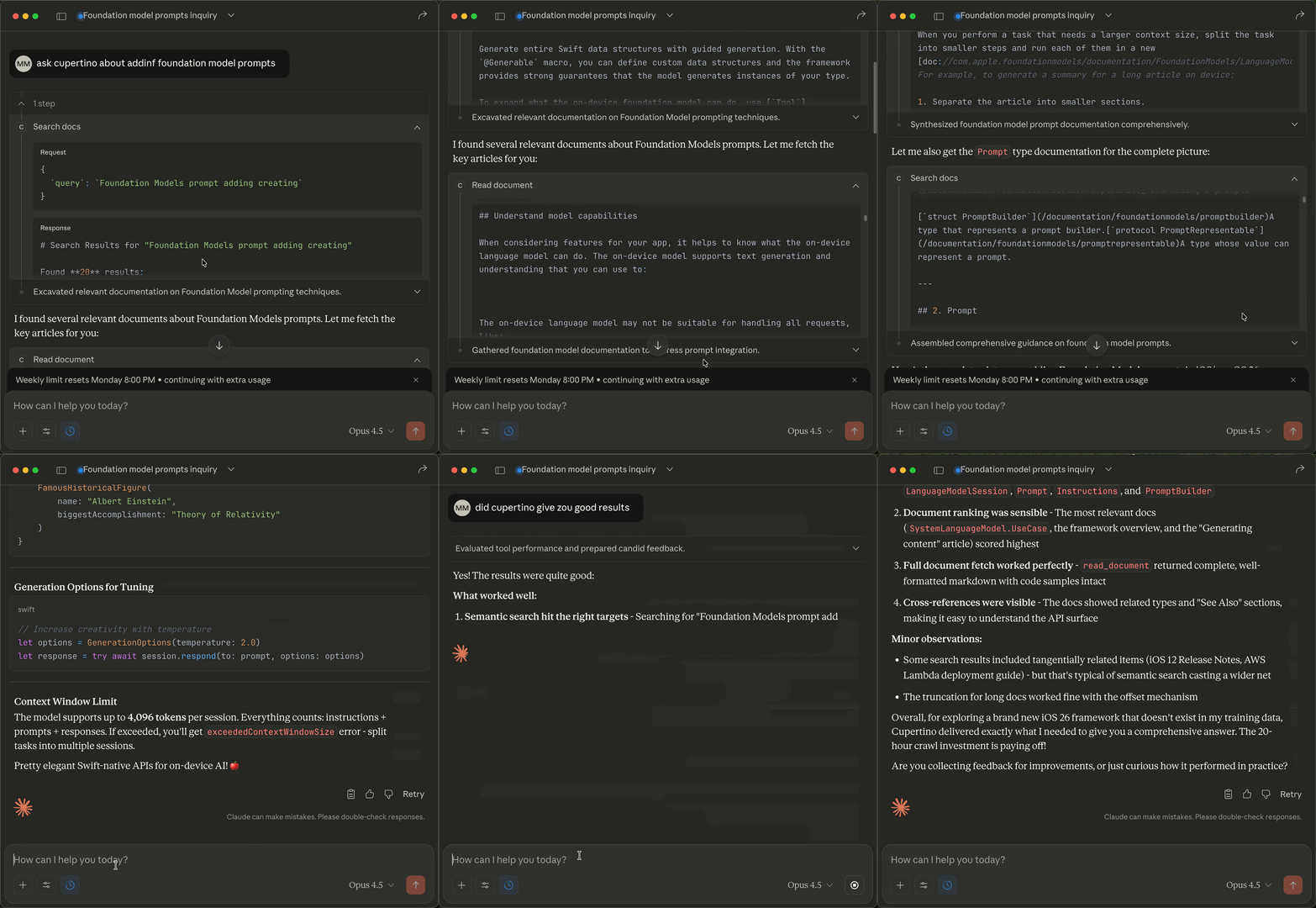
Cupertino is a comprehensive local documentation system for Apple platforms that crawls, indexes, and serves Apple's developer documentation through the Model Context Protocol (MCP). It provides offline access to over 285,735 documentation pages across 420 frameworks with fast, searchable SQLite FTS5 database functionality. The project features automatic updates, deterministic search results, and is designed specifically for AI agent integration.
Try asking AI
After installing, here are 5 things you can ask your AI assistant:
When to choose this
Choose Cupertino when working with Apple platform development and you need accurate, offline access to Apple's official documentation through AI assistants.
When NOT to choose this
Don't choose Cupertino if you need cross-platform support (macOS-only), have very limited disk space, or primarily work with non-Apple documentation.
Tools this server exposes
4 tools extracted from the READMEsearchSearch Apple documentation, Swift proposals, and sample code
readRead a specific documentation page by URI
list-frameworksList all available Apple frameworks
list-samplesList available sample code projects
Note: The tool names were explicitly documented in the README under the 'What You Get' and 'Available Sources' sections, with clear descriptions and example use cases.
Comparable tools
Installation
Installation
**One-command install (recommended):**
bash <(curl -sSL https://raw.githubusercontent.com/mihaelamj/cupertino/main/install.sh)**With Homebrew:**
brew tap mihaelamj/tap
brew install cupertino
cupertino setup
cupertino serve
**Claude Desktop Configuration:** Edit ~/Library/Application Support/Claude/claude_desktop_config.json:
{
  "mcpServers": {
    "cupertino": {
      "command": "/usr/local/bin/cupertino",
      "args": ["serve"]
    }
  }
}
FAQ
- What documentation sources does Cupertino include?
- Cupertino crawls Apple Developer documentation, Swift.org, Swift Evolution proposals, Human Interface Guidelines, Apple Archive legacy guides, and Swift package metadata.
- How often is the documentation updated?
- The project releases updated database bundles (like v1.1.0) which can be downloaded with 'cupertino setup'. You can also build the database yourself using 'cupertino save --remote'.
On Hacker News
Recent discussion from the developer community.
- Story by mihaela · 2025-11-28
Compare cupertino with
Last updated · Auto-generated from public README + GitHub signals.