hormuz-strait-mcp
by mcp-use·★ 1·Score 37
MCP server providing tactical maritime situation dashboard for Strait of Hormuz with interactive maps and ship tracking tools.
Overview
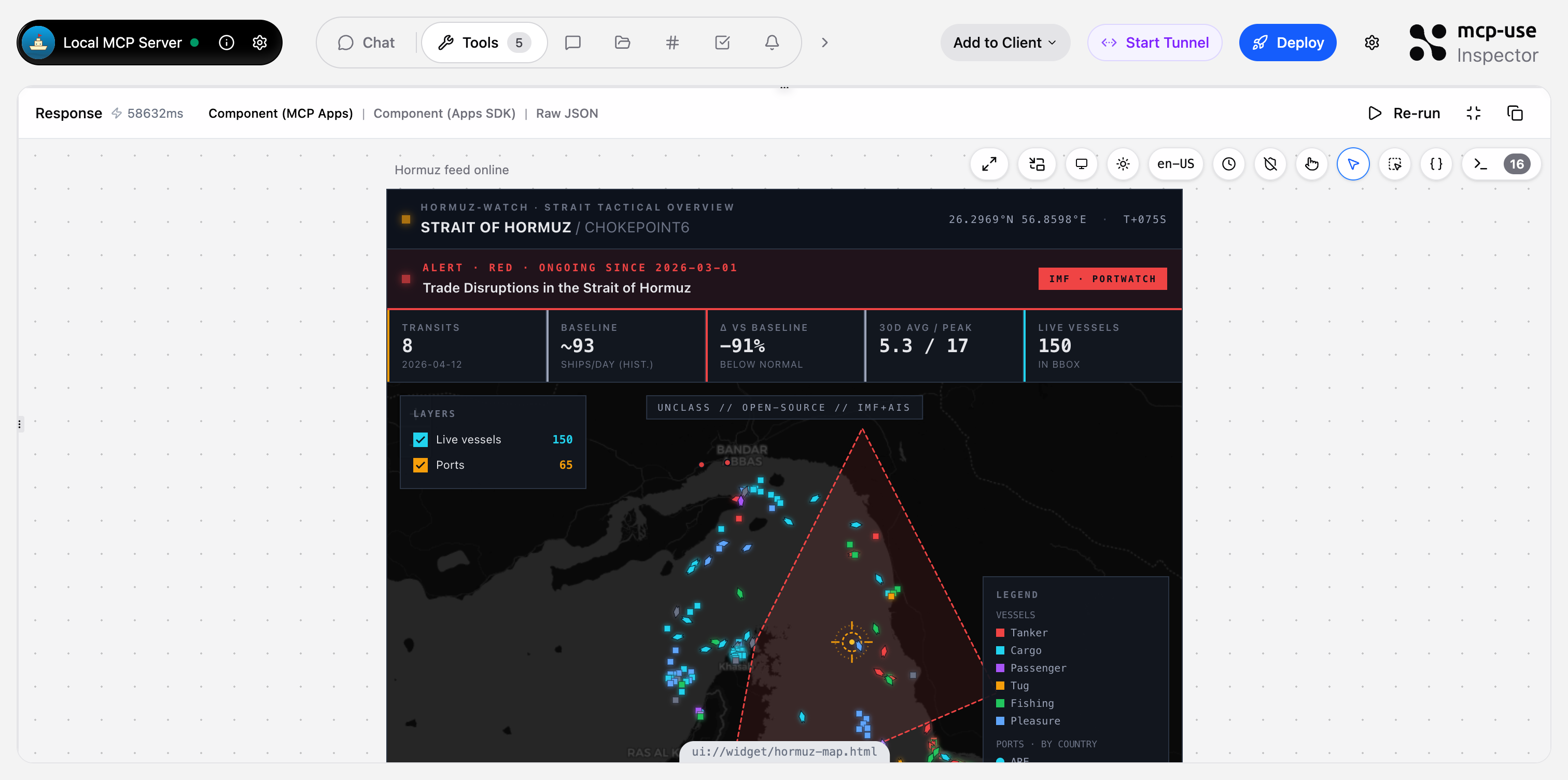
This MCP server delivers a comprehensive maritime situation dashboard specifically for the Strait of Hormuz region. It features two interactive Leaflet map widgets showing live AIS vessel positions, port locations, and disruption zones, plus three JSON tools for querying detailed maritime data. The server fuses IMF PortWatch chokepoint statistics with live vessel positions to create a tactical overview that can be queried through natural language interfaces like Claude or ChatGPT.
Try asking AI
After installing, here are 5 things you can ask your AI assistant:
When to choose this
Choose Hormuz Watch for specialized maritime situational awareness of the Strait of Hormuz with visual map interfaces and real-time AIS tracking capabilities.
When NOT to choose this
Don't choose if you need maritime data for regions outside the Strait of Hormuz, or if you require a commercial-grade AIS API (the current VesselFinder integration may be rate-limited).
Tools this server exposes
5 tools extracted from the READMEshow-hormuz-situationPrimary dashboard — full strait overview with live AIS, ports, disruptions, trend.
show-port-live-mapRadius-scan AIS map around one Gulf port (e.g. Fujairah, Jebel Ali, Dubai).
get-hormuz-disruptionsActive/recent IMF trade-disruption events affecting Hormuz with alert level, dates, description.
get-port-trafficDaily ship-call history for one Gulf port with per-vessel-type breakdown.
compare-chokepointsLatest daily transits across all 28 global chokepoints, rankable by total or by vessel type.
Comparable tools
Installation
# Install dependencies
npm install

# Run in development mode
npm run dev

# Deploy to production
npm run deploy
To use with Claude Desktop, add to your config:
{
  "mcpServers": {
    "hormuz-strait": {
      "command": "npx",
      "args": ["hormuz-strait-mcp"]
    }
  }
}
For ChatGPT, add the MCP endpoint as a custom connector.
FAQ
- What data sources does this MCP server use?
- The server primarily uses IMF PortWatch (via ArcGIS FeatureServer) for chokepoint statistics and disruption data, and VesselFinder for live AIS vessel positions. Data is cached to improve performance.
- Is this suitable for commercial use?
- The current implementation uses a free, undocumented VesselFinder endpoint which may be rate-limited or break. For production deployment, the README recommends switching to a commercial AIS API like Datalastic, Spire, or VesselFinder's paid tier.
Compare hormuz-strait-mcp with
Last updated · Auto-generated from public README + GitHub signals.