esp32_nat_router
by martin-ger·★ 1,956·Score 54
ESP32 NAT Router firmware with MCP Bridge for AI-controlled networking features.
Overview
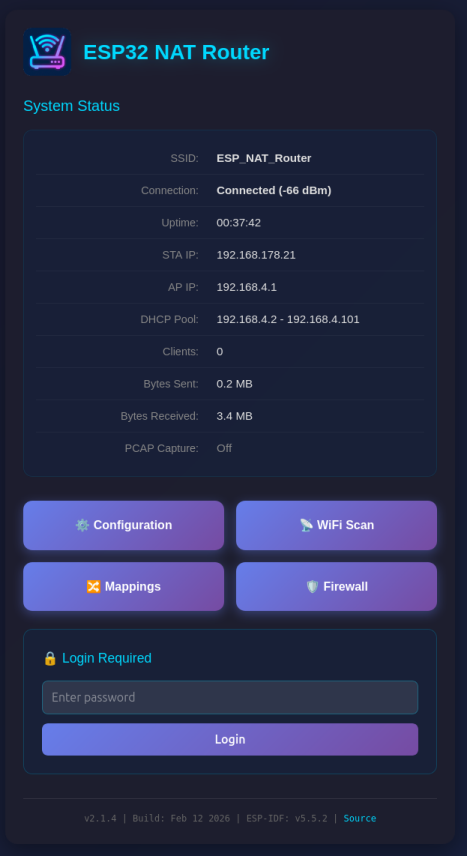
The ESP32 NAT Router is a firmware project that transforms the ESP32 microcontroller into a fully functional NAT router with advanced networking capabilities. It features WiFi routing, VPN support via WireGuard, DHCP reservations, port forwarding, firewall functionality, and packet capture. A significant aspect is its MCP Bridge implementation (currently in BETA), which enables control of the router through AI assistants like Claude via the Model Context Protocol. The project provides multiple hardware variants including support for Ethernet, dual-band WiFi, and various LED/OLED display options.
Try asking AI
After installing, here are 5 things you can ask your AI assistant:
When to choose this
Choose this if you need a low-cost network router with AI control capabilities, especially for IoT environments or small networks, and want to leverage the ESP32's flexibility with MCP integration.
When NOT to choose this
Don't choose this for high-performance networks, as it has limited throughput (5-15 Mbps) and is not intended as a replacement for professional home routers.
Tools this server exposes
12 tools extracted from the READMEget_network_statusRetrieve current network status and router information
set_firewall_ruleAdd or modify firewall rules to control network access
port_forwardConfigure port forwarding to expose internal devices to the internet
start_packet_captureBegin capturing network packets for analysis
configure_vpnSet up WireGuard VPN tunnel configuration
list_clientsShow all connected clients with their details
reboot_deviceReboot the ESP32 router
backup_configurationExport current router configuration
restore_configurationRestore router configuration from a backup
dhcp_reservationSet up static IP assignments for specific devices
update_firmwarePerform OTA firmware update
mqtt_publish_statsPublish router statistics to MQTT server
Note: Tools were inferred from the feature descriptions in the README, particularly from the 'Key Features' section and the documentation table. The actual MCP tool names and signatures are not explicitly documented in the provided text.
Comparable tools
Installation
Installation
- Flash the firmware to your ESP32 using one of these methods:
- Web Installer (easiest): Visit [https://martin-ger.github.io/esp32_nat_router/](https://martin-ger.github.io/esp32_nat_router/) - Command Line with esptool: Use the pre-built binaries
- First boot configuration:
- Connect to the 'ESP32_NAT_Router' WiFi network - Open http://esp32-nat-router.local in your browser - Configure upstream WiFi and AP settings - Click 'Save & Reboot'
Claude Desktop Configuration
Add to Claude Desktop config.json:
{
  "mcpServers": {
    "esp32-nat-router": {
      "command": "npx",
      "args": ["@martin-ger/esp32-nat-router-mcp"]
    }
  }
}
FAQ
- What MCP tools does this server provide?
- The server provides MCP tools for network management, including device status monitoring, firewall rule configuration, DHCP reservation management, and port forwarding setup. It allows AI assistants to interact with the router's features programmatically.
- What are the hardware requirements?
- The project supports various ESP32 boards including ESP32, ESP32-C3, ESP32-C5, ESP32-C6, ESP32-S3, and WT32-ETH01. For Ethernet functionality, a W32-ET01 board with LAN8720 PHY is required. The maximum number of WiFi clients depends on the ESP32 model (8 for ESP32, 5 for ESP32-C3).
On Hacker News
Recent discussion from the developer community.
- Story by lnyan · 2021-07-29
Compare esp32_nat_router with
Last updated · Auto-generated from public README + GitHub signals.