gimp-mcp
by maorcc·★ 110·Score 49
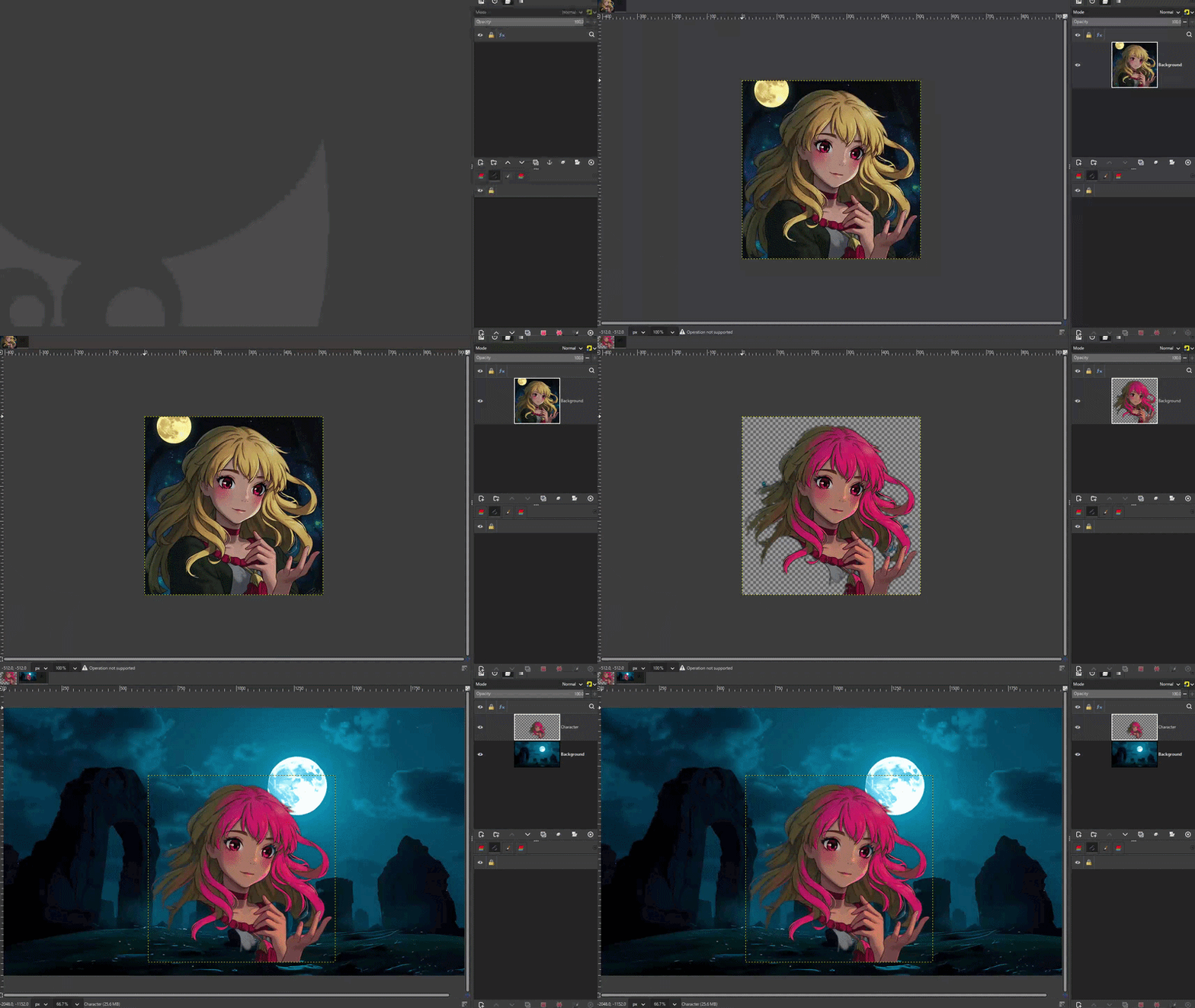
GIMP MCP server lets AI assistants edit images through 56 specialized tools with live visual feedback.
Overview
GIMP MCP bridges GIMP's professional image editing capabilities with AI assistants through the Model Context Protocol. It enables users to edit images by describing what they want in natural language, with the AI able to verify each change through live visual feedback. The server supports fully autonomous multi-step workflows, from opening and editing images to verification and export. Key features include 56 dedicated tool commands covering all major GIMP operations and the ability to get state snapshots without saving to disk.
Try asking AI
After installing, here are 6 things you can ask your AI assistant:
When to choose this
Choose this when you need AI-powered image editing with visual verification, especially for complex multi-step workflows requiring iterative feedback.
When NOT to choose this
Don't choose this if you need non-destructive editing workflows or if you're locked into the Creative Cloud ecosystem.
Tools this server exposes
12 tools extracted from the READMEget_state_snapshotget_state_snapshot(image_index, max_size, region, label)Returns a live PNG of the current image state
adjust_brightness_contrastAdjust brightness and contrast of the image
scale_imageScale the image to exact dimensions
select_rectangleCreate a rectangular selection
create_layerCreate a new empty layer
fill_selectionFill the current selection with a color
add_textAdd a text layer to the image
apply_gaussian_blurApply a Gaussian blur filter to the image
open_imageOpen an image file
export_imageExport the image to a file
get_image_metadataGet metadata about the current image
get_context_stateGet current GIMP context state including colors and brush settings
Comparable tools
Installation
Installation
Prerequisites
- GIMP 3.2+ (tested on 3.2.2)
- Python 3.8+
- uv (Python package manager)
- MCP-compatible AI client (Claude Desktop, Claude Code, etc.)
Steps
- Clone and install dependencies:
git clone https://github.com/maorcc/gimp-mcp.git
cd gimp-mcp
uv sync- Install the GIMP plugin by copying
gimp-mcp-plugin.pyto GIMP's plug-ins directory:
**Linux:**
mkdir -p ~/.config/GIMP/3.0/plug-ins/gimp-mcp-plugin
cp gimp-mcp-plugin.py ~/.config/GIMP/3.0/plug-ins/gimp-mcp-plugin/
chmod +x ~/.config/GIMP/3.0/plug-ins/gimp-mcp-plugin/gimp-mcp-plugin.py
**macOS:**
mkdir -p ~/Library/Application\ Support/GIMP/3.0/plug-ins/gimp-mcp-plugin
cp gimp-mcp-plugin.py ~/Library/Application\ Support/GIMP/3.0/plug-ins/gimp-mcp-plugin/
chmod +x ~/Library/Application\ Support/GIMP/3.0/plug-ins/gimp-mcp-plugin/gimp-mcp-plugin.py
**Windows:** Copy to %APPDATA%\GIMP\3.2\plug-ins\gimp-mcp-plugin\gimp-mcp-plugin.py
- Start the MCP server in GIMP: Open an image > Tools > Start MCP Server
- Configure your MCP client. For Claude Desktop:
{
  "mcpServers": {
    "gimp": {
      "command": "uv",
      "args": ["run", "--directory", "/full/path/to/gimp-mcp", "gimp_mcp_server.py"]
    }
  }
}
FAQ
- What makes GIMP MCP different from other GIMP integrations?
- Unlike other integrations, the AI can see the image at any point without saving to disk using `get_state_snapshot`, supports autonomous multi-step workflows, and provides 56 dedicated tool commands covering all major GIMP operations.
- Which versions of GIMP are supported?
- GIMP MCP is fully compatible with GIMP 3.2.x, with all breaking API changes resolved and tested (56/56 tools passing).
- What AI clients work with GIMP MCP?
- GIMP MCP is universal MCP-compatible and works with Claude Desktop, Claude Code, Gemini CLI, PydanticAI, and other MCP-compliant AI assistants.
Compare gimp-mcp with
Last updated · Auto-generated from public README + GitHub signals.