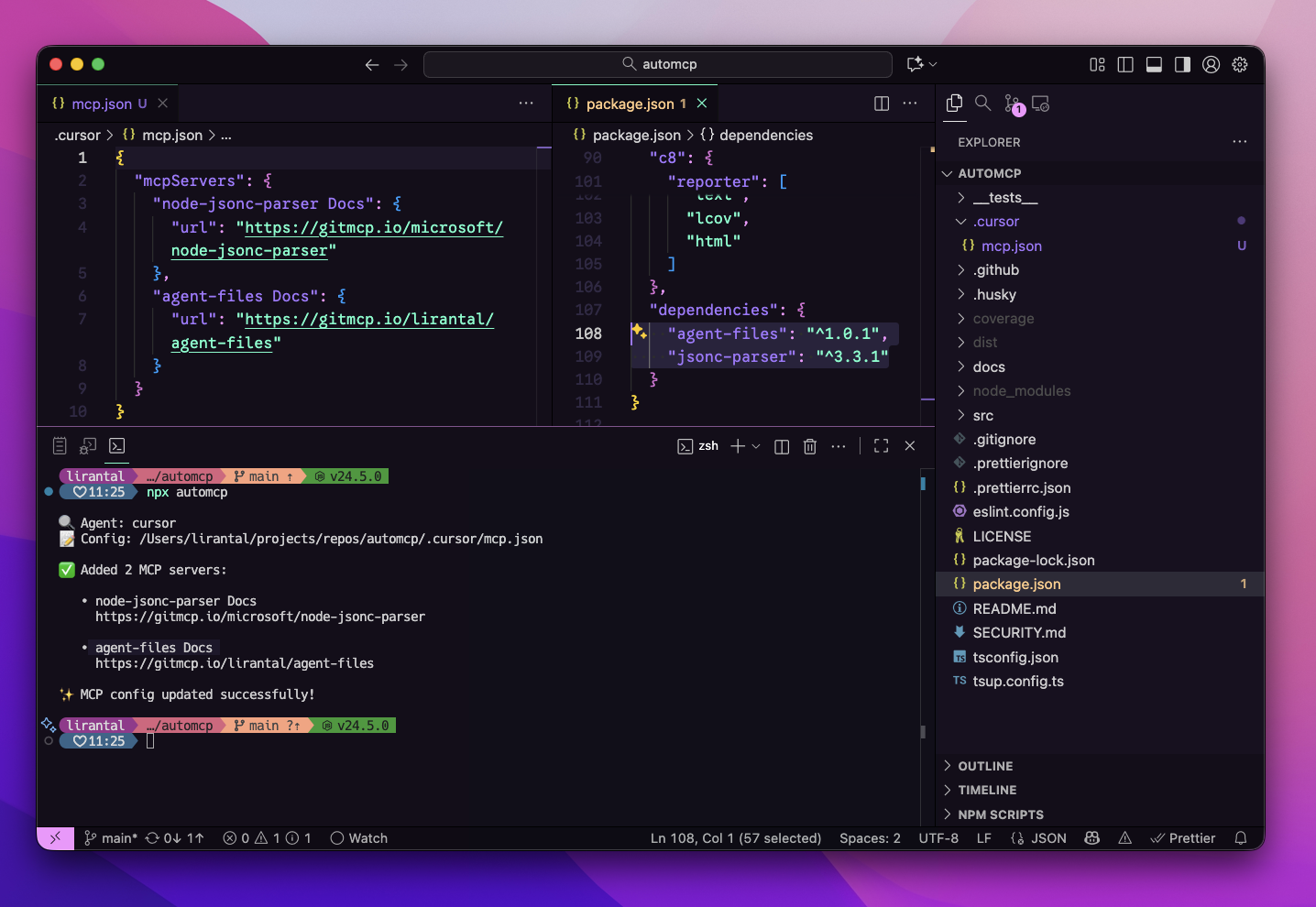
automcp
by lirantal·★ 5·Score 40
AutoMCP automatically detects your package.json dependencies and configures MCP servers for your coding agents.
Overview
AutoMCP is a CLI tool that scans your project's package.json file, resolves each dependency to its GitHub repository, and automatically generates MCP server configurations for popular coding agents like Cursor and VS Code. It works by detecting the agent configuration files in your project directory, resolving dependencies, and adding GitMCP URLs to your MCP config without overwriting existing entries. The tool supports dry-run mode for preview, prevents duplicates, and can include devDependencies if needed.
Try asking AI
After installing, here are 5 things you can ask your AI assistant:
When to choose this
Choose AutoMCP when you have multiple Node.js projects with many dependencies and want to automatically configure relevant MCP servers without manual setup.
When NOT to choose this
Avoid AutoMCP if you need fine-grained control over server configuration, work with non-GitHub dependencies, or prefer manually managing your MCP servers.
Tools this server exposes
1 tool extracted from the READMEautomcpautomcp [options]Auto-detects coding agents and generates MCP server configurations based on package.json dependencies
Note: Tool name inferred from the CLI command, but the README primarily documents it as a CLI tool rather than an MCP server with exposed tools. No explicit MCP tools section found in the documentation.
Comparable tools
Installation
Installation
Run with npx (no install required):
npx automcpOr add as a dev dependency:
npm add -D automcpUsage
# Basic usage
npx automcp

# Preview changes
npx automcp --dry-run

# Include devDependencies
npx automcp --include-dev

# Target specific agent
npx automcp --agent cursor
Configuration
AutoMCP automatically detects agent configuration files:
- Cursor:
.cursor/mcp.jsonin project directory - VS Code:
.vscode/mcp.jsonin project directory
The tool will add GitMCP servers to your existing configuration without overwriting existing entries.
FAQ
- Does AutoMCP modify global agent configurations?
- No, AutoMCP only updates local project configurations (e.g., `.cursor/mcp.json` or `.vscode/mcp.json` in your project directory). It does not modify global configurations in your home directory.
- What happens if a package doesn't have a GitHub repository?
- Packages without a GitHub repository or with non-GitHub URLs will be skipped. Only packages with valid GitHub repository fields are supported.
Compare automcp with
Last updated · Auto-generated from public README + GitHub signals.