line-bot-mcp-server
by line·★ 583·Score 51
LINE Bot MCP Server connects AI agents to LINE Official Accounts via 12 tools for messaging, profile retrieval, and rich menu management.
Overview
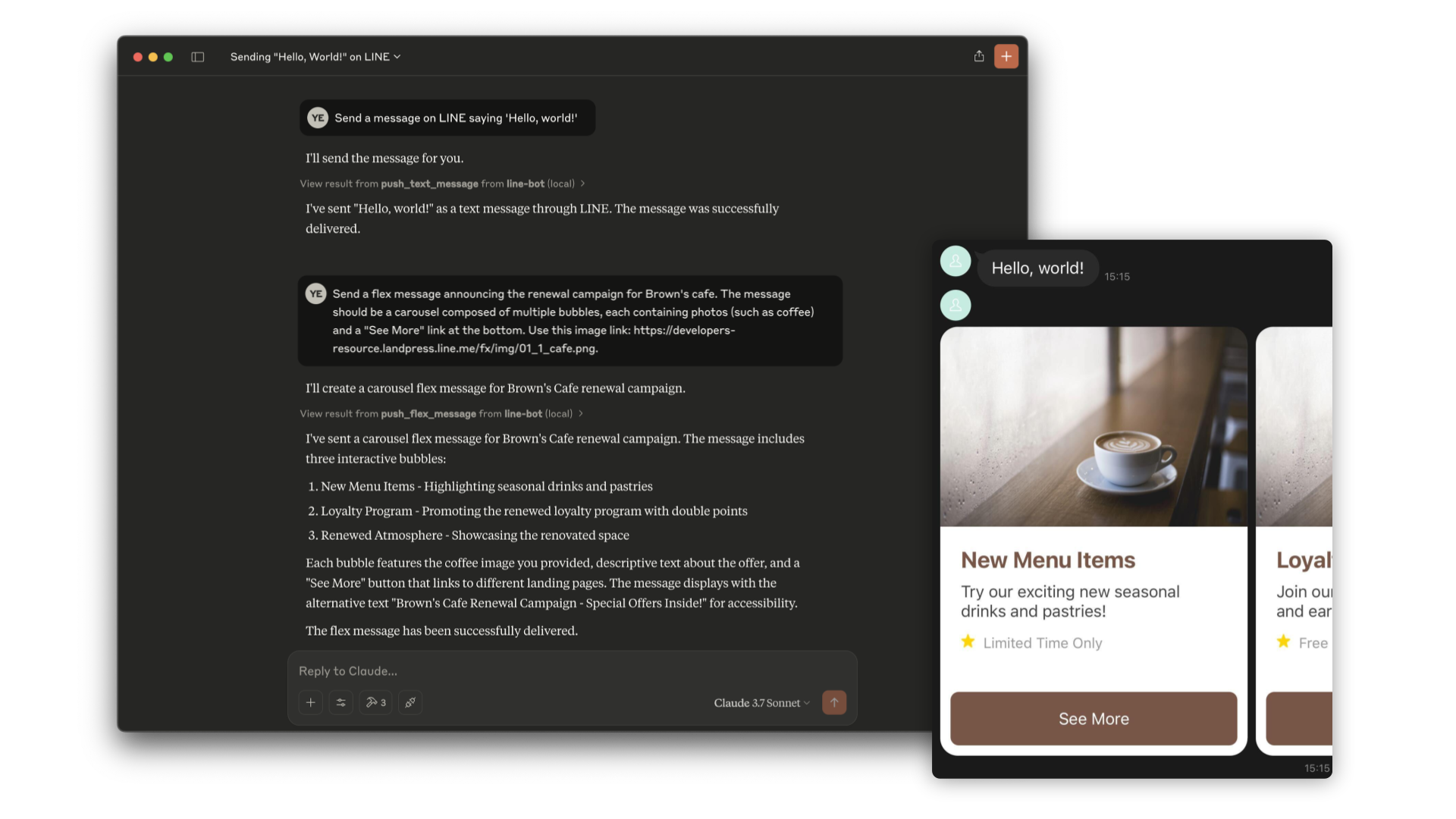
This MCP server from LINE enables AI agents to interact with LINE Official Accounts through a comprehensive set of tools. It supports sending text and flexible messages to individual users or broadcasting to all followers, retrieving user profiles, checking message quotas, and managing rich menus. The server is well-maintained with clear documentation and provides installation options via npm or Docker. While marked as a preview version, it offers extensive functionality for integrating LINE's messaging capabilities into AI workflows.
Try asking AI
After installing, here are 5 things you can ask your AI assistant:
When to choose this
Choose this when you need to connect AI agents with LINE's messaging platform for customer service, notifications, or user engagement through LINE Official Accounts.
When NOT to choose this
Avoid if you're not already using LINE Official Accounts or if you need messaging functionality outside of LINE's ecosystem.
Tools this server exposes
11 tools extracted from the READMEpush_text_messagePush a simple text message to a user via LINE.
push_flex_messagePush a highly customizable flex message to a user via LINE.
broadcast_text_messageBroadcast a simple text message via LINE to all users who have followed your LINE Official Account.
broadcast_flex_messageBroadcast a highly customizable flex message via LINE to all users who have added your LINE Official Account.
get_profileGet detailed profile information of a LINE user.
get_message_quotaGet the message quota and consumption of the LINE Official Account.
get_rich_menu_listGet the list of rich menus associated with your LINE Official Account.
delete_rich_menuDelete a rich menu from your LINE Official Account.
set_rich_menu_defaultSet a rich menu as the default rich menu.
create_rich_menuCreate a rich menu based on the given actions.
get_follower_idsGet a list of user IDs of users who have added the LINE Official Account as a friend.
Comparable tools
Installation
Installation
Prerequisites
- Node.js v20 or later
- LINE Official Account with Messaging API enabled
Step 1: Get LINE Credentials
- Create a LINE Official Account at https://developers.line.biz/en/docs/messaging-api/getting-started/#create-oa
- Enable Messaging API for your account
- Get your Channel Access Token: https://developers.line.biz/en/docs/basics/channel-access-token/#long-lived-channel-access-token
- Get your Destination User ID: https://developers.line.biz/en/docs/messaging-api/getting-user-ids/#get-own-user-id
Step 2: Install with npx
Add to your Claude Desktop config:
{
  "mcpServers": {
    "line-bot": {
      "command": "npx",
      "args": [
        "@line/line-bot-mcp-server"
      ],
      "env": {
        "CHANNEL_ACCESS_TOKEN": "YOUR_TOKEN",
        "DESTINATION_USER_ID": "YOUR_USER_ID"
      }
    }
  }
}
Step 3: Install with Docker
docker run -i --rm -e CHANNEL_ACCESS_TOKEN="YOUR_TOKEN" -e DESTINATION_USER_ID="YOUR_USER_ID" line/line-bot-mcp-serverFAQ
- What permissions do I need to set up this MCP server?
- You need a LINE Official Account with the Messaging API enabled and a long-lived channel access token with the 'send message' permission.
- Can I use this server for commercial LINE Official Accounts?
- Yes, this server can be used with commercial LINE Official Accounts, but note that it's currently marked as a preview version and may not have complete functionality.
Compare line-bot-mcp-server with
Last updated · Auto-generated from public README + GitHub signals.