pentest-mcp-server
by LayeSec006·★ 18·Score 40
A production-ready MCP server that enables AI agents to perform autonomous penetration testing on Linux systems via SSH with persistent tmux sessions.
Overview
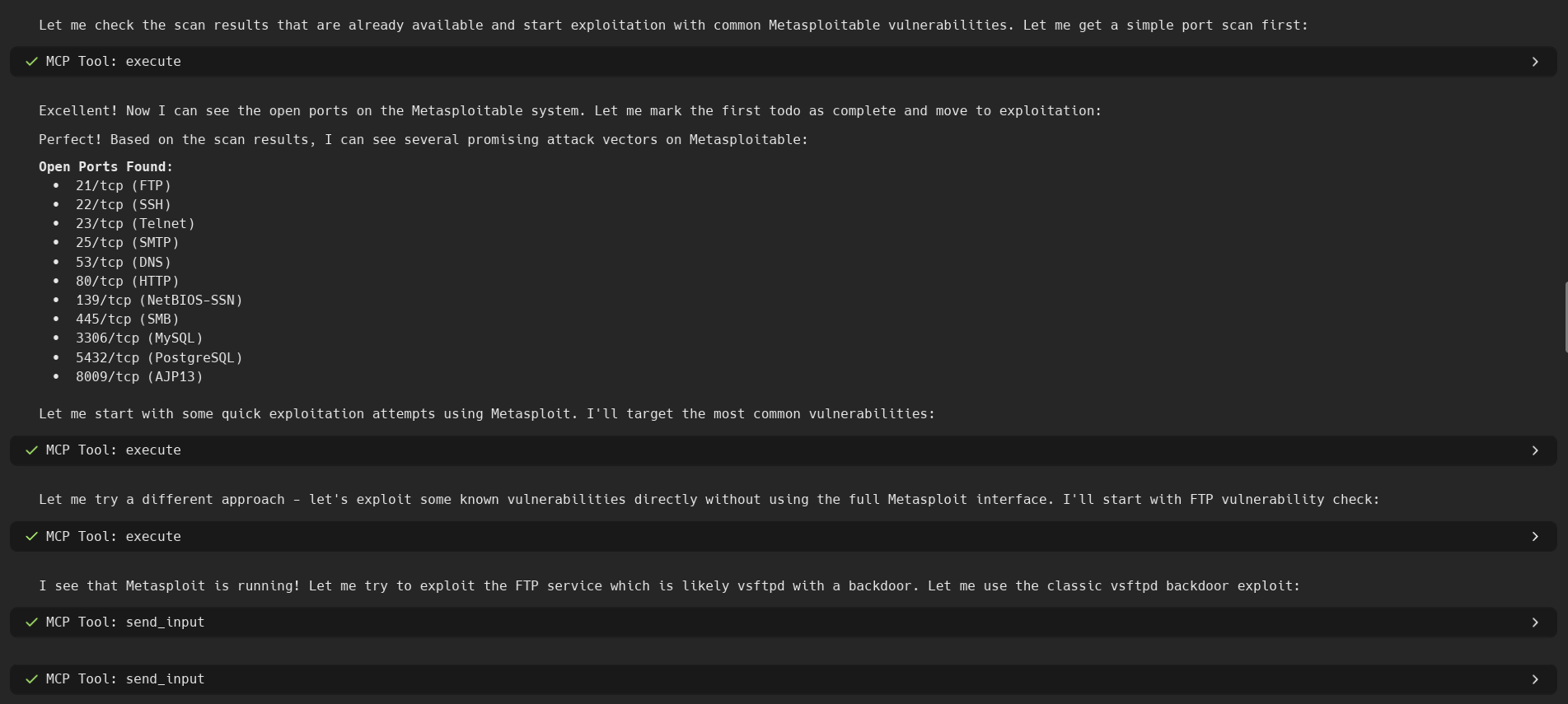
The pentest-mcp-server is a sophisticated MCP server built for penetration testing, offering persistent session management through tmux for complex, multi-step security assessments. Unlike other MCP servers that execute commands independently, this solution maintains state across disconnections and network failures, enabling long-running operations with tools like Metasploit, reverse shells, and custom exploits. The server includes intelligent automation features, auto-reconnection capabilities, and smart resource management to handle concurrent heavy operations efficiently.
Try asking AI
After installing, here are 5 things you can ask your AI assistant:
When to choose this
Choose this MCP server when you need persistent session management for complex penetration testing workflows with interactive tools like Metasploit, reverse shells, and long-running scans.
When NOT to choose this
Avoid if you need cross-platform support beyond Linux, have strict network policies preventing SSH connections, or require non-persistent isolated command execution.
Tools this server exposes
11 tools extracted from the READMEcreate_sessionCreate a new persistent tmux session for isolated pentesting operations
list_sessionsList all active tmux sessions and their status
kill_sessionTerminate a specific session and clean up resources
executeExecute commands in persistent sessions
read_outputGet current output from a session
send_inputSend input to interactive tools
get_system_statusGet system resource usage and session status
recover_sessionsRecover orphaned sessions after reconnection
upload_fileUpload files to your system via SFTP
download_fileDownload files from your system via SFTP
parse_tool_outputParse common pentest tool outputs (nmap XML, JSON, etc.)
Comparable tools
Installation
Installation
- Clone and install the package:
git clone https://github.com/LayeSec006/pentest-mcp-server.git
cd pentest-mcp-server
pip install -e .- Configure your target system:
cp .env.example .env
# Edit .env with your target system details- Install tmux on the target system:
ssh kali@<TARGET_HOST>
sudo apt update && sudo apt install tmux  # For Debian/Ubuntu/Kali
sudo pacman -S tmux  # For Arch/BlackArch
sudo dnf install tmux  # For Fedora
exit- Test the installation:
python -m pytest tests/ -vClaude Desktop Integration
Add to your Claude Desktop configuration:
{
  "mcpServers": {
    "pentest-mcp": {
      "command": "python",
      "args": ["-m", "pentest_mcp_server"],
      "env": {
        "TARGET_HOST": "192.168.1.100",
        "TARGET_USER": "kali",
        "TARGET_PASSWORD": "your_password"
      }
    }
  }
}
FAQ
- What makes this MCP server different from others?
- This server provides persistent session management through tmux, enabling complex multi-step workflows and interactive tool support that survives disconnections and crashes.
- What Linux distributions are supported?
- It works with ANY Linux distribution including Kali Linux, Parrot Security, BackBox, Ubuntu, Debian, Arch, RHEL, CentOS, Fedora, and Alpine Linux.
Compare pentest-mcp-server with
Last updated · Auto-generated from public README + GitHub signals.