mcp-dashboards
by KyuRish·★ 22·Score 45
MCP server that renders interactive data visualizations and dashboards inside AI conversations.
Overview
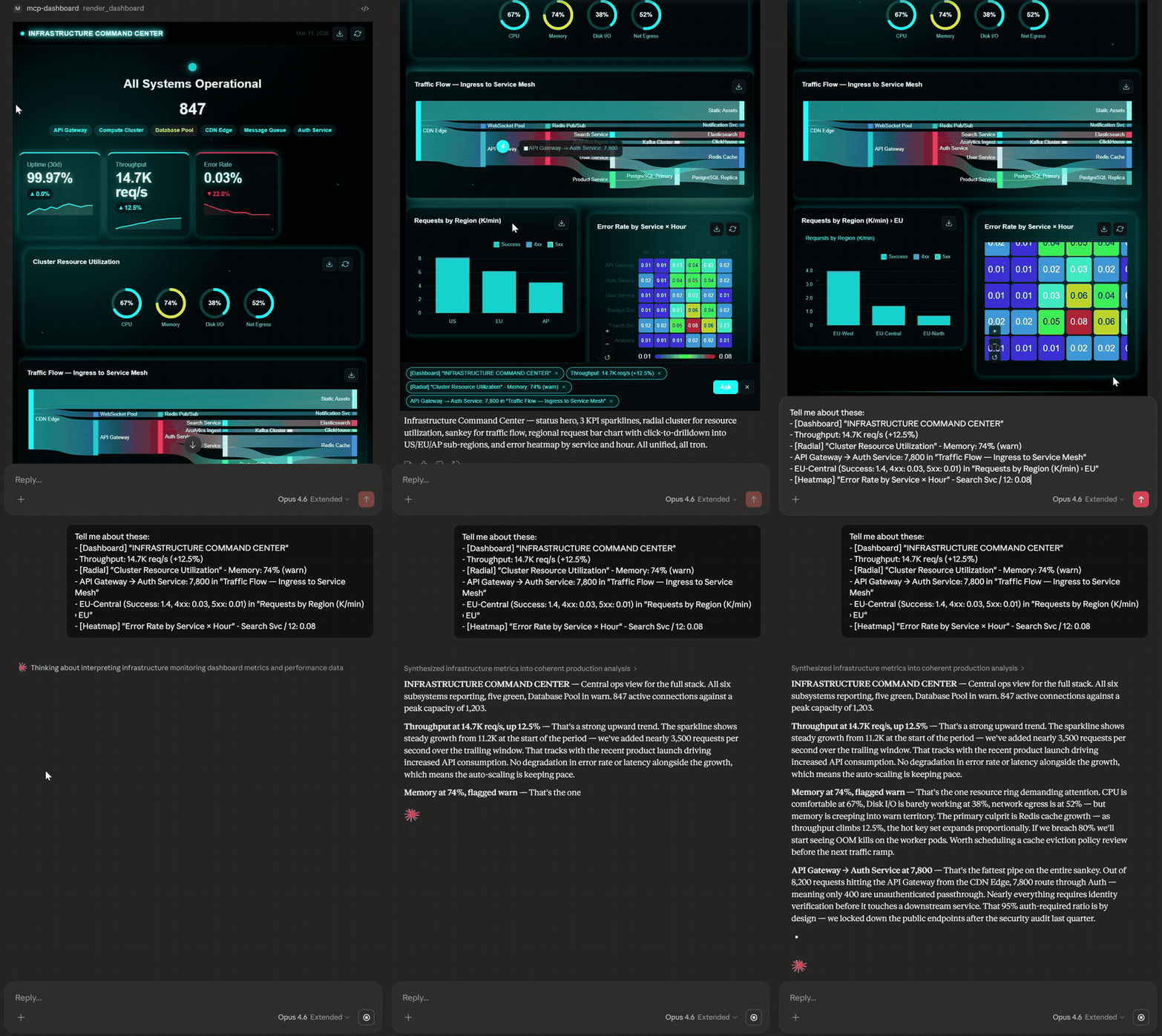
MCP Dashboards is a comprehensive MCP server that transforms data into interactive charts, dashboards, and KPI widgets directly within AI conversations. It provides 31 tools covering 44+ chart subtypes with 21 built-in themes, enabling users to create everything from simple bar charts to complex dashboards without leaving their AI environment. The server supports live polling from APIs, exports to various formats (PPT, A4, PNG), and works across multiple AI clients including Claude Desktop, VS Code, and others.
Try asking AI
After installing, here are 6 things you can ask your AI assistant:
When to choose this
Choose MCP Dashboards when you need rich data visualization within AI conversations without switching context to a separate BI tool.
When NOT to choose this
Avoid if you need a BI platform with advanced data transformation, write capabilities to databases, or require commercial licensing for a competitive product.
Tools this server exposes
12 tools extracted from the READMErender_pie_chartCreates pie/donut charts for composition data
render_bar_chartCreates bar charts for comparison data
render_line_chartCreates line/area charts for trends
render_dashboardCreates multi-chart dashboards with responsive grid
render_geo_chartCreates geographic/chloropleth maps
render_live_chartCreates real-time charts that auto-update from APIs
render_funnel_chartCreates conversion funnel charts
render_radar_chartCreates radar charts for multi-axis comparison
render_from_jsonAuto-detects best chart for JSON data
poll_httpFetches JSON from HTTP endpoints for data visualization
render_from_urlFetches and visualizes data directly from a URL
render_hero_metricCreates KPI widgets in 11 different styles
Comparable tools
Installation
Installation
Claude Desktop
Add to your claude_desktop_config.json:
- **Windows:**
%APPDATA%\Claude\claude_desktop_config.json - **macOS:**
~/Library/Application Support/Claude/claude_desktop_config.json
{
  "mcpServers": {
    "dashboard": {
      "command": "npx",
      "args": ["-y", "mcp-dashboards", "--stdio"]
    }
  }
}
Claude Code / VS Code
claude mcp add dashboard -- npx -y mcp-dashboards --stdioRemote (HTTP)
npx mcp-dashboards
# Server starts on http://localhost:3001/mcp
FAQ
- Which AI clients support MCP Dashboards?
- It works in Claude Desktop, Claude Web, VS Code (GitHub Copilot), Goose, Postman, and MCPJam. ChatGPT support is rolling out.
- Can I use custom themes in my visualizations?
- Yes, there are 21 built-in themes with options to customize palette, typography (8 options), and effects (5 presets).
- Is there a way to access visualizations outside the AI client?
- Yes, when the server detects your client can't render inline, it provides a localhost URL and a standalone HTML file for offline access.
Compare mcp-dashboards with
Last updated · Auto-generated from public README + GitHub signals.