bgg-mcp
by kkjdaniel·★ 40·Score 45
BGG MCP provides BoardGameGeek API access through MCP with tools for searching, collections, pricing, and recommendations.
Overview
BGG MCP is a Go-based server that provides comprehensive access to BoardGameGeek's API through the Model Context Protocol. It offers tools for searching games, retrieving detailed information, querying user collections, getting hotness rankings, checking prices, finding trading opportunities, getting game recommendations, and accessing forum threads. The server integrates with BoardGamePrices.co.uk for pricing data and Recommend.Games for algorithmic recommendations. It includes both core and experimental tools, along with pre-configured prompts for common workflows.
Try asking AI
After installing, here are 3 things you can ask your AI assistant:
When to choose this
Choose BGG MCP if you're a board game enthusiast who wants to integrate BGG data into AI workflows for collection management, trading, or research.
When NOT to choose this
Avoid if you need extensive write capabilities to BGG, as this server is primarily read-only, or if you prefer a language other than Go for your MCP servers.
Tools this server exposes
10 tools extracted from the READMEbgg-searchSearch for board games with type filtering (base games, expansions, or all)
bgg-detailsGet detailed information about a specific board game
bgg-collectionQuery and filter a user's game collection with extensive filtering options
bgg-hotGet the current BGG hotness list
bgg-userGet user profile information
bgg-priceGet current prices from multiple retailers using BGG IDs
bgg-trade-finderFind trading opportunities between two BGG users
bgg-recommenderGet game recommendations based on similarity to a specific game
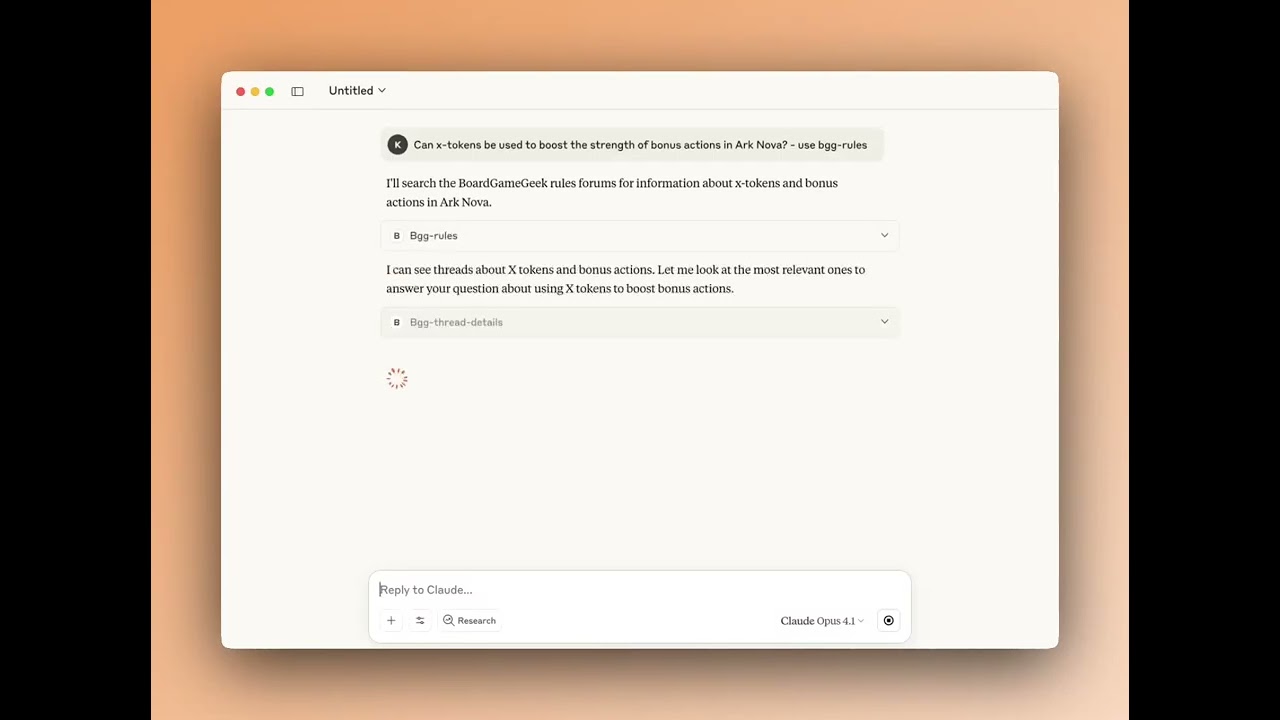
bgg-thread-detailsGet the full content of a specific BGG forum thread including all posts
bgg-rulesAnswer rules questions by searching BGG forums for relevant discussions
Comparable tools
Installation
Installation
Docker (Recommended)
"bgg": {
    "command": "docker",
    "args": ["run", "-i", "--rm",
        "-e", "BGG_API_KEY",
        "-e", "BGG_USERNAME",
        "kdaniel/bgg-mcp"
    ],
    "env": {
        "BGG_API_KEY": "your_api_key_here",
        "BGG_USERNAME": "your_bgg_username"
    }
}
Manual Setup
- Install Go from [go.dev/doc/install](https://go.dev/doc/install)
- Build the application:
make build- Add to your MCP config:
"bgg": {
    "command": "path/to/build/bgg-mcp",
    "args": ["-mode", "stdio"]
}
Compare bgg-mcp with
Last updated · Auto-generated from public README + GitHub signals.