trainingpeaks-mcp
by JamsusMaximus·★ 65·Score 48
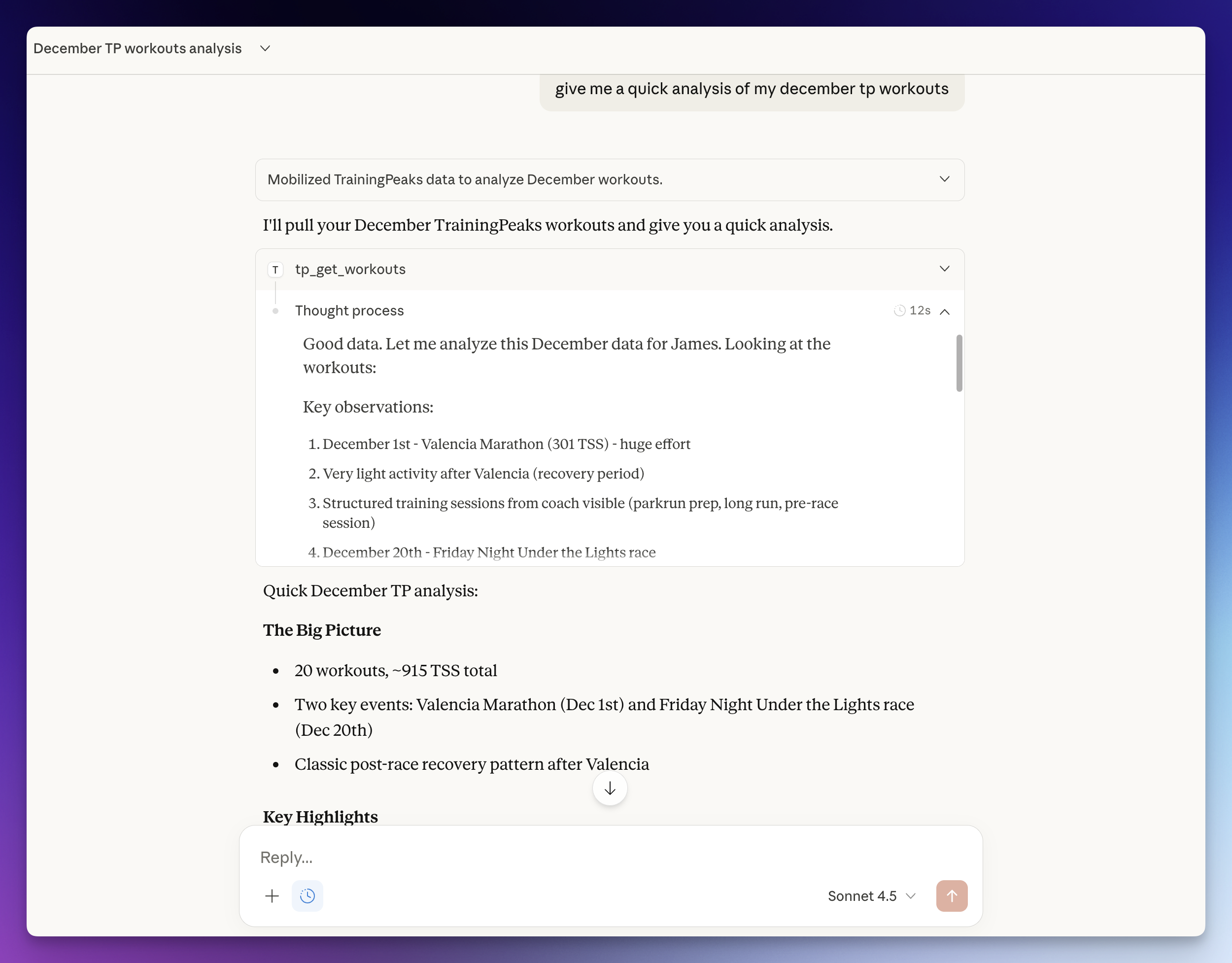
TrainingPeaks MCP server enables querying workouts, fitness data, and PRs via natural language.
Overview
This MCP server connects TrainingPeaks to Claude Desktop, Code and Cowork via the Model Context Protocol. It provides 62 tools for managing workouts, analyzing fitness data, tracking PRs, and updating athlete settings. The server uses secure cookie authentication that works with any TrainingPeaks account without requiring API approval. Your credentials are stored in your system keyring and never transmitted except to TrainingPeaks. The server is actively maintained with recent commits and includes comprehensive documentation.
Try asking AI
After installing, here are 6 things you can ask your AI assistant:
When to choose this
Choose this server if you use TrainingPeaks for fitness tracking and want AI assistance for planning and analyzing your training without going through the API approval process.
When NOT to choose this
Don't choose this if you use a different fitness platform or need official API integration with advanced features not supported by cookie-based authentication.
Tools this server exposes
12 tools extracted from the READMEtp_get_workoutsList workouts in a date range (max 90 days)
tp_get_workoutGet full details for a single workout
tp_create_workoutCreate a workout with optional interval structure
tp_analyze_workoutDetailed analysis with time-series data, zones, and laps
tp_get_fitnessGet CTL, ATL, and TSB trend (fitness, fatigue, form)
tp_get_peaksPower PRs (5s-90min) and running PRs (400m-marathon)
tp_update_ftpUpdate FTP and recalculate the default power zones
tp_log_metricsLog weight, HRV, sleep, steps, SpO2, pulse, RMR, injury
tp_get_eventsList events in a date range
tp_create_eventAdd a race/event with priority and CTL target
tp_get_profileGet athlete profile
tp_auth_statusCheck authentication status
Comparable tools
Installation
Option A: Auto-Setup with Claude Code
If you have [Claude Code](https://claude.ai/code), paste this prompt:
Set up the TrainingPeaks MCP server from https://github.com/JamsusMaximus/trainingpeaks-mcp - clone it, create a venv, install it, then walk me through getting my TrainingPeaks cookie from my browser and run tp-mcp auth. Finally, add it to my Claude Desktop config.Option B: Manual Setup
Step 1: Install
git clone https://github.com/JamsusMaximus/trainingpeaks-mcp.git
cd trainingpeaks-mcp
python3 -m venv .venv
source .venv/bin/activate  # Windows: .venv\Scripts\activate
pip install -e .
Step 2: Authenticate
pip install tp-mcp[browser]  # One-time: install browser support
tp-mcp auth --from-browser chrome  # Or: firefox, safari, edge, auto
Step 3: Add to Claude Desktop
Run this to get your config snippet:
tp-mcp configEdit ~/Library/Application Support/Claude/claude_desktop_config.json (macOS) or %APPDATA%\Claude\claude_desktop_config.json (Windows) and paste it inside mcpServers:
FAQ
- Do I need API approval to use this server?
- No. This server uses secure cookie authentication that works with any TrainingPeaks account, bypassing the API approval requirement.
- How are my credentials stored?
- Your cookie is encrypted and stored in your system keyring, never transmitted anywhere except to TrainingPeaks itself.
Compare trainingpeaks-mcp with
Last updated · Auto-generated from public README + GitHub signals.