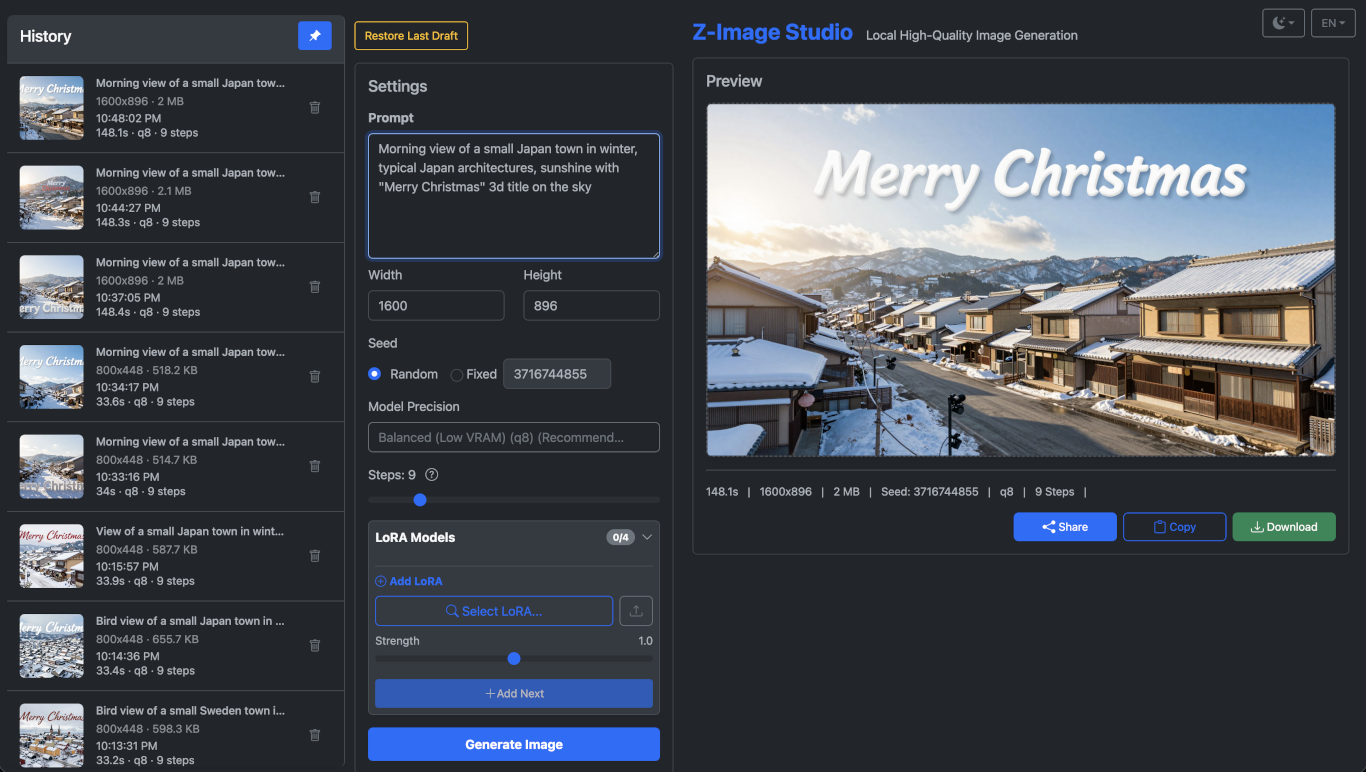
z-image-studio
by iconben·★ 115·Score 49
A comprehensive MCP server for Z-Image-Turbo text-to-image generation with CLI, Web UI, and multiple GPU optimizations.
Overview
Z-Image Studio provides a complete solution for text-to-image generation using the Z-Image-Turbo model. It offers multiple interfaces: a command-line interface for direct image generation, a modern web UI with multilingual support, and an MCP server that allows AI agents to access image generation capabilities. The application is optimized for various hardware configurations including NVIDIA GPUs, AMD GPUs on Linux, Intel XPU, and Apple Silicon with automatic fallbacks to CPU. The MCP server supports multiple transport protocols including stdio, SSE, and Streamable HTTP, ensuring compatibility with various AI client implementations.
Try asking AI
After installing, here are 5 things you can ask your AI assistant:
When to choose this
Choose this MCP server when you need local image generation with support for multiple hardware platforms and want both CLI and web interfaces alongside MCP integration.
When NOT to choose this
Don't choose this if you need cloud-based image generation without local hardware requirements or if you need integration with image generation models other than Z-Image-Turbo.
Tools this server exposes
3 tools extracted from the READMEgenerateGenerate an image from a text prompt
list_modelsList available image generation models
list_historyView past image generation history
Comparable tools
Installation
Installation
**Using uv (recommended):**
uv tool install git+https://github.com/iconben/z-image-studio.git**Using pip:**
pip install z-image-studio**Global CLI Installation:**
uv tool install z-image-studio
# Update:
uv tool upgrade z-image-studio
**MCP Server Configuration:** After installation, the MCP server can be accessed via:
- stdio:
zimg mcporzimg-mcp - SSE:
/mcp-sse - Streamable HTTP:
/mcp
For Claude Desktop, add to config.json:
{
  "mcpServers": {
    "z-image-studio": {
      "command": "zimg",
      "args": ["mcp"]
    }
  }
}
FAQ
- What GPU configurations are supported?
- The application supports NVIDIA (CUDA), AMD on Linux (ROCm), Intel XPU, and Apple Silicon (MPS), with automatic fallback to CPU if no compatible GPU is detected.
- How can I use the MCP server with different AI agents?
- The MCP server supports multiple transport protocols: stdio via `zimg mcp`, SSE at `/mcp-sse`, and Streamable HTTP at `/mcp`. Try the Streamable HTTP first for optimal performance.
Compare z-image-studio with
Last updated · Auto-generated from public README + GitHub signals.