memex
by iamtouchskyer·★ 201·Score 49
Zettelkasten-based persistent memory system for AI coding agents with MCP server integration.
Overview
Memex provides persistent memory for AI coding agents using a Zettelkasten-based approach. It allows agents to remember insights across sessions by saving knowledge cards with bidirectional links. The project offers MCP server integration that exposes 10 tools for various AI platforms including Claude Code, VS Code, Cursor, and others. Instead of using vector databases, it stores knowledge as plain markdown files in ~/.memex/cards/, making it human-readable and easily portable. The system supports cross-platform sharing and git synchronization to keep memories consistent across devices and tools.
Try asking AI
After installing, here are 5 things you can ask your AI assistant:
When to choose this
Choose Memex if you use multiple AI coding tools and want persistent memory that works across all of them with zero configuration.
When NOT to choose this
Don't choose Memex if you need advanced search capabilities beyond basic text search or require enterprise-grade security features.
Tools this server exposes
8 tools extracted from the READMEmemex_searchSearch for cards or list all cards
memex_readRead a specific card by slug
memex_writeWrite a new card with content from stdin
memex_linksShow link graph statistics for a card
memex_archiveArchive a card
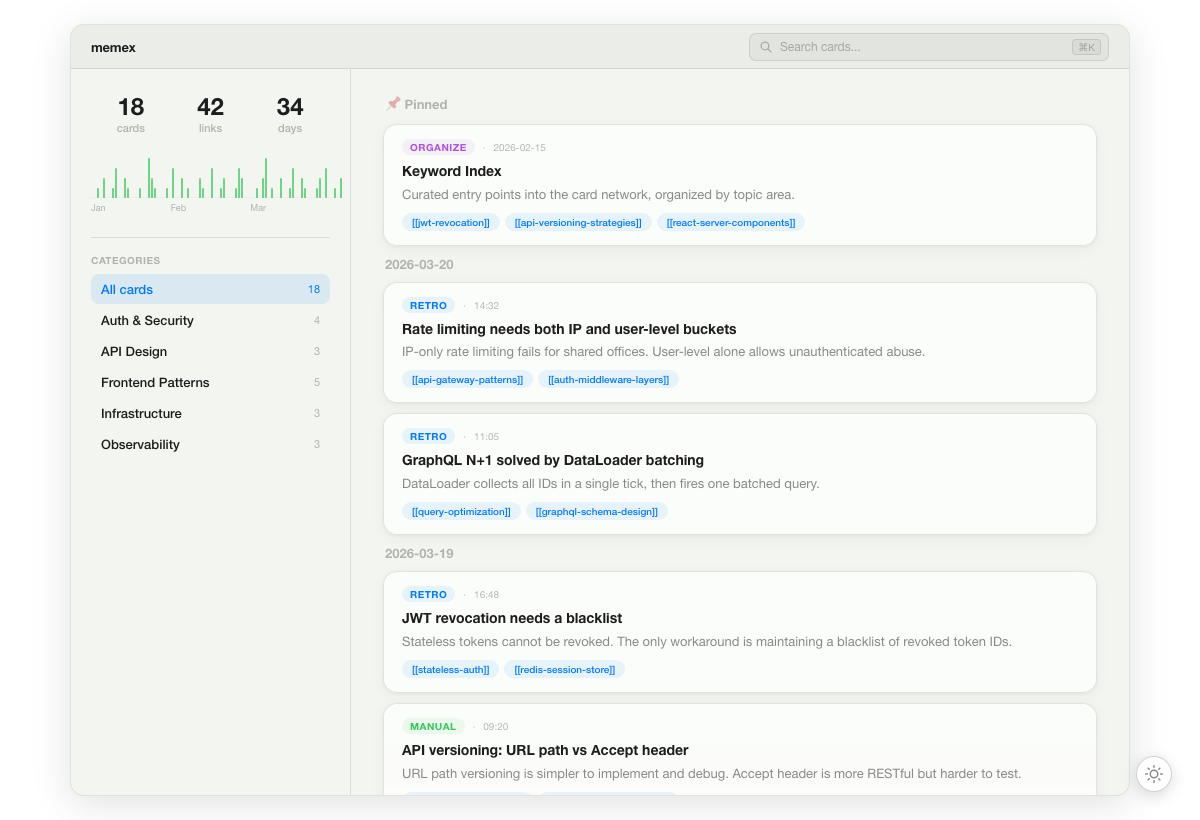
memex_serveStart visual timeline UI to browse memory
memex_syncSync cards via git
memex_mcpStart MCP server (stdio)
Note: Inferred tool names from CLI reference section. The documentation mentions '10 MCP tools' but doesn't explicitly list them all. Tool names are based on the CLI commands that would be exposed via MCP.
Comparable tools
Installation
Installation
**VS Code/Copilot**: Search for 'memex' in VS Code Extensions Marketplace and install
**Claude Code**: Add plugin with /plugin marketplace add iamtouchskyer/memex, then install with /plugin install memex@memex
**Cursor/Codex/Windsurf**: Run npm install -g @touchskyer/memex
**For general MCP client**: Run npm install -g @touchskyer/memex
**MCP Server Configuration** (for Claude Desktop): Add to config.json:
{
  "mcpServers": {
    "memex": {
      "command": "memex",
      "args": ["mcp"]
    }
  }
}
FAQ
- How is Memex different from other memory systems?
- Memex uses Zettelkasten with bidirectional links instead of vector databases or embeddings. It stores knowledge as readable markdown files rather than opaque embeddings, making it human-readable and easily portable.
- Does Memex support multiple AI coding platforms?
- Yes, it supports Claude Code, VS Code/Copilot, Cursor, Codex, Windsurf, and any MCP client. All platforms share the same memory store through ~/.memex/cards/ directory.
Compare memex with
Last updated · Auto-generated from public README + GitHub signals.