weppy-roblox-mcp
by hope1026·★ 21·Score 43
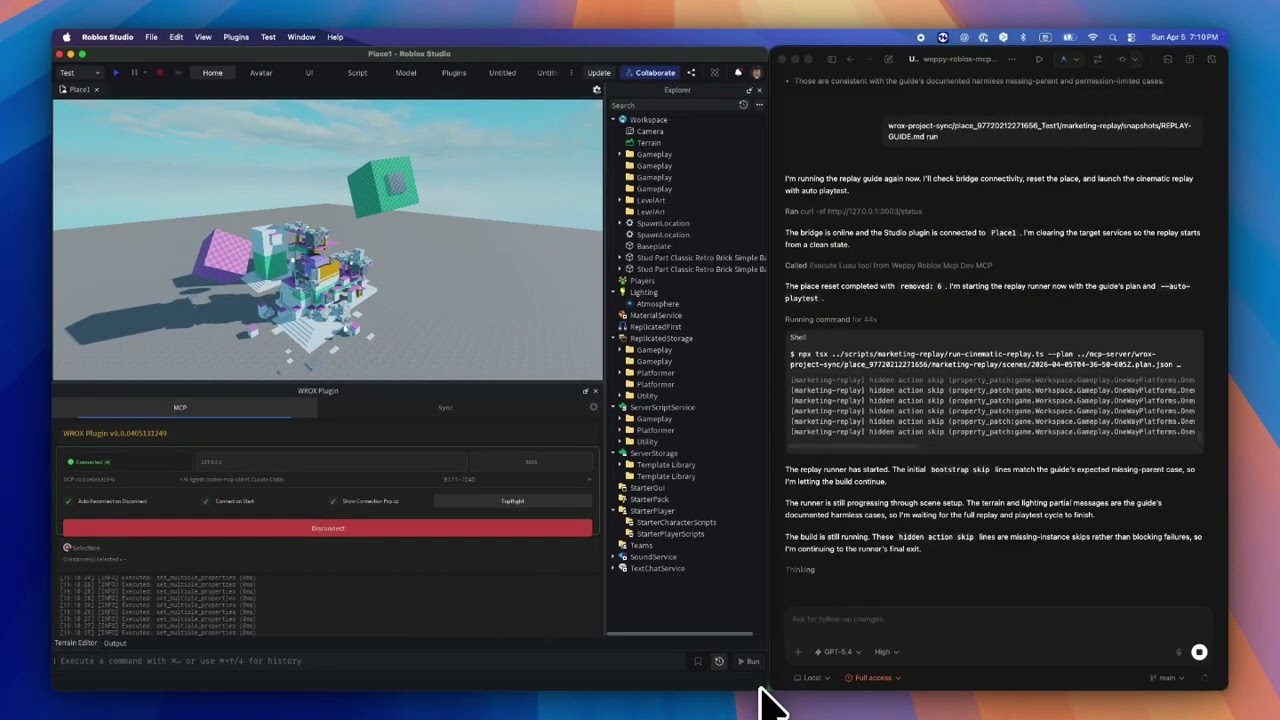
An MCP server that connects AI agents to Roblox Studio, enabling direct manipulation of game elements through natural language.
Overview
WEPPY is an MCP server that bridges AI coding agents with Roblox Studio, allowing direct creation and editing of scripts, instances, terrain, lighting, assets, and more. It features bidirectional project synchronization, automated playtesting, and a dashboard for monitoring AI actions in real-time. The server supports multiple AI clients including Claude Code, Claude Desktop, Cursor, Codex, and Gemini, with both one-click installation and manual configuration options.
Try asking AI
After installing, here are 5 things you can ask your AI assistant:
When to choose this
Choose WEPPY if you're developing Roblox games and want to use AI agents directly within Studio for prototyping, bulk editing, or automated testing of your game components.
When NOT to choose this
Don't choose WEPPY if you need access to Roblox Studio on platforms other than Windows 10+ or macOS 12+, or if you're unwilling to use the AGPL-3.0 licensed version or pay for the Pro upgrade.
Tools this server exposes
10 tools extracted from the READMEcreate_instanceCreates new instances in Roblox Studio with specified properties
modify_propertiesModifies properties of existing Roblox Studio instances
generate_terrainGenerates terrain with mountains, rivers, and other features in Roblox Studio
manage_assetsSearches Creator Store and manages asset insertion in Roblox Studio
start_playtestStarts and manages playtests in Roblox Studio with custom test scripts
create_uiCreates and modifies in-game UI elements in Roblox Studio
sync_projectSynchronizes Roblox Studio project with local files
search_instancesSearches for specific instances in Roblox Studio based on criteria
manage_audioManages audio and sound effects in Roblox Studio
create_animationCreates and manages animations in Roblox Studio
Note: Tool names inferred from use cases and descriptions in the README, as there isn't a dedicated 'Tools' section. The README describes functionality through examples rather than explicit tool definitions.
Comparable tools
Installation
Quick Install
**One-line install:**
# macOS / Linux
curl -fsSL https://raw.githubusercontent.com/hope1026/weppy-roblox-mcp/main/install.sh | bash

# Windows (PowerShell)
irm https://raw.githubusercontent.com/hope1026/weppy-roblox-mcp/main/install.ps1 | iex
**Manual install:**
- Visit the [web install page](https://weppyai.com/en/install) for the Roblox Studio plugin
- Register the MCP server with your AI app:
npx -y @weppy/roblox-mcp@latest**Claude Desktop configuration:** Add to your Claude Desktop config.json:
{
  "mcpServers": {
    "weppy-roblox": {
      "command": "npx",
      "args": ["-y", "@weppy/roblox-mcp@latest"]
    }
  }
}
FAQ
- How do I connect Claude Code to Roblox Studio?
- Install from the web install page or add the WEPPY Roblox AI Toolkit for Claude Code using the commands provided. The WEPPY Roblox AI Toolkit uses 'npx -y @weppy/roblox-mcp@latest' as the MCP server command.
- Can AI build complete Roblox games with this server?
- Yes. AI can create instances, write scripts, generate terrain, set up lighting, insert assets, configure physics, and more - all inside a live Roblox Studio session. It goes beyond code generation to executable actions.
Compare weppy-roblox-mcp with
Last updated · Auto-generated from public README + GitHub signals.