mcp-config-manager
by holstein13·★ 28·Score 43
Cross-platform MCP server configuration manager with GUI for managing servers across Claude, Gemini & other AI systems.
Overview
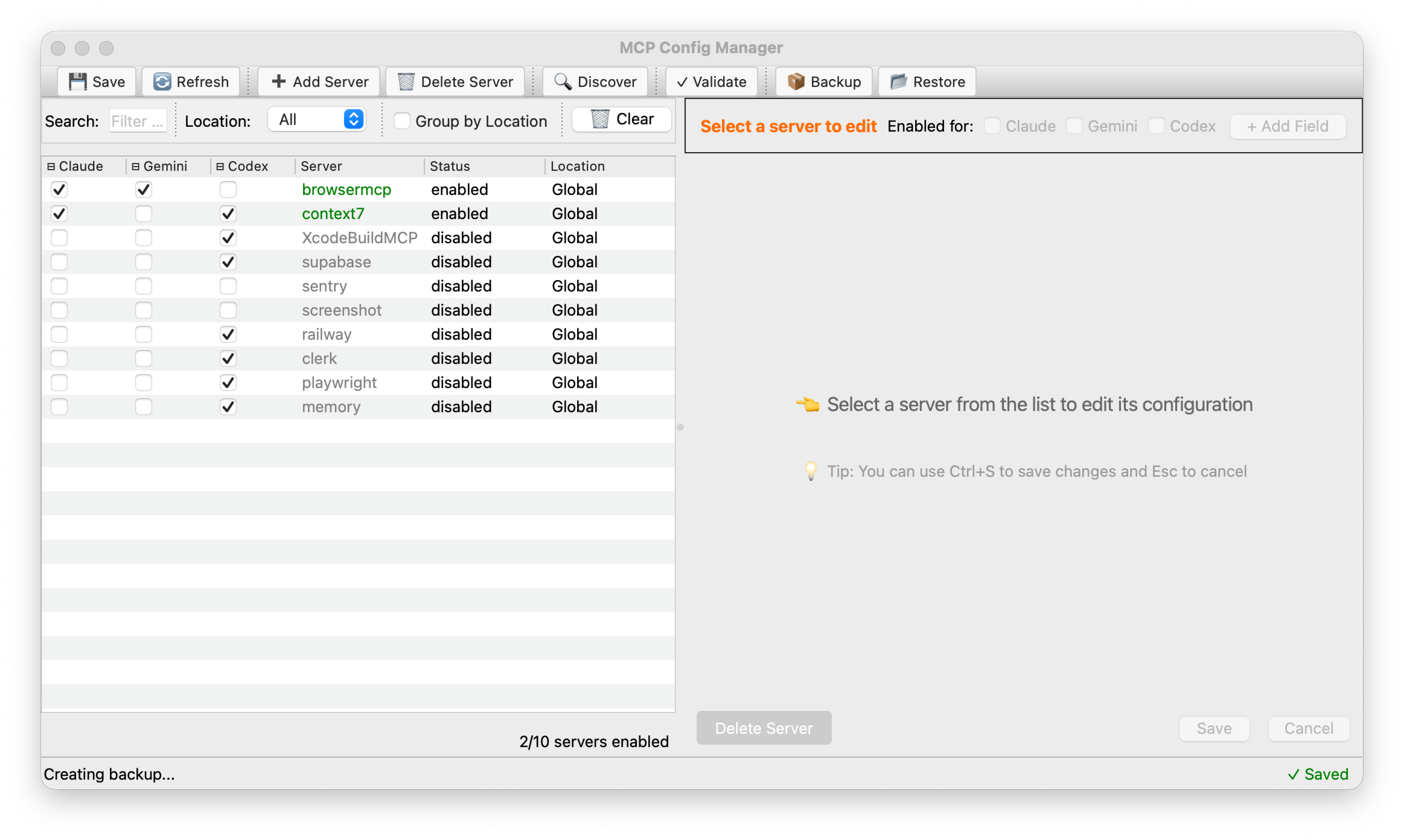
MCP Config Manager is a comprehensive utility for managing Model Context Protocol server configurations across multiple AI systems. It provides both a graphical user interface and interactive CLI for enabling/disabling servers, managing presets, and synchronizing configurations between different clients. The application features a dual GUI backend with PyQt6 for rich styling and automatic fallback to tkinter if PyQt6 is not available. It supports configuration validation, automatic backups, project discovery, and bulk operations.
Try asking AI
After installing, here are 7 things you can ask your AI assistant:
When to choose this
Choose this tool if you manage MCP servers across multiple AI clients and want a visual interface for configuration management without editing JSON files manually.
When NOT to choose this
Don't choose this if you only use a single AI client with MCP servers and prefer direct configuration file editing.
Tools this server exposes
12 tools extracted from the READMEenableenable(server-name)Enable a specific MCP server
disabledisable(server-name)Disable a specific MCP server
enable-allenable-all()Enable all MCP servers
disable-alldisable-all()Disable all MCP servers
backupbackup()Create a timestamped backup of configurations
restorerestore(backup-file)Restore configurations from a backup file
add-serveradd-server(server-name, config-file)Add a new MCP server from a configuration file
delete-serverdelete-server(server-name)Delete a MCP server permanently
presetpreset(preset-name)Apply a preset configuration mode
validatevalidate(config-file)Validate a configuration file
statusstatus()Show current MCP server status
syncsync()Synchronize configurations between different AI systems
Comparable tools
Installation
Quick Install
One-command installation:
curl -fsSL https://raw.githubusercontent.com/holstein13/mcp-config-manager/master/install.sh | bashManual installation:
git clone https://github.com/holstein13/mcp-config-manager.git
cd mcp-config-manager
pip install -e .
# Optional: Install PyQt6 for better GUI experience
pip install PyQt6
After installation, launch with:
# Launch GUI
mcp gui
# Interactive CLI mode
mcp interactive
For Claude Desktop, add servers via the GUI or CLI which will manage your ~/.claude.json file directly.
FAQ
- Which AI clients are supported?
- MCP Config Manager supports Claude, Gemini, and Codex configurations. It can synchronize servers between these clients.
- Can I use it without GUI?
- Yes, the application provides both GUI and CLI modes. You can use 'mcp interactive' for command-line based management.
- How do I back up my configurations?
- Use the backup feature either through the GUI's backup button or CLI command 'mcp-config-manager backup'. The app automatically creates timestamped backups before any changes.
On Hacker News
Recent discussion from the developer community.
- Story by holstein13 · 2025-09-08
Compare mcp-config-manager with
Last updated · Auto-generated from public README + GitHub signals.