typo3-mcp-server
by hauptsacheNet·★ 80·Score 46
MCP server for TYPO3 CMS enabling safe AI content management through workspaces with OAuth authentication.
Overview
This extension provides a Model Context Protocol (MCP) server implementation for TYPO3 that allows AI assistants to safely view and manipulate TYPO3 pages and records through TYPO3's workspace system. All content changes are automatically queued in TYPO3 workspaces, making it completely safe for AI assistants to create, update, and modify content without immediately affecting the live website. The server supports both HTTP and stdin/stdout protocols with OAuth authentication for backend users.
Try asking AI
After installing, here are 5 things you can ask your AI assistant:
When to choose this
Choose this if you're using TYPO3 CMS and want AI assistance for content management, SEO optimization, and multilingual site management with safe workspace-based operations.
When NOT to choose this
Avoid if you need fileadmin support or workspace selection features, as these are currently missing, or if you're not using TYPO3 CMS.
Tools this server exposes
12 tools extracted from the READMEtranslate_pagesTranslate TYPO3 pages to different languages
import_documentsImport external documents as TYPO3 content
bulk_update_pagesApply bulk updates to multiple pages
optimize_seoAutomatically generate SEO metadata for pages
analyze_content_toneAnalyze and suggest improvements for content tone
audit_contentFind and analyze content based on specific criteria
apply_templatesApply content templates to specific pages
migrate_contentReorganize and move content between pages
manage_translationsManage multi-language content and translations
read_page_contentRetrieve content from a specific TYPO3 page
update_page_contentUpdate content of a specific page in workspace
navigate_page_treeNavigate and explore the TYPO3 page structure
Note: Tool names were inferred from use cases and descriptions in the README rather than a dedicated 'Tools' section. The README mentions these capabilities but doesn't provide explicit tool names or signatures.
Comparable tools
Installation
Installation
composer require hn/typo3-mcp-server**Requirements:**
- TYPO3 v13.4+
- TYPO3 Workspaces extension (automatically installed as dependency)
Quick Start
Option 1: OAuth Authentication (Recommended)
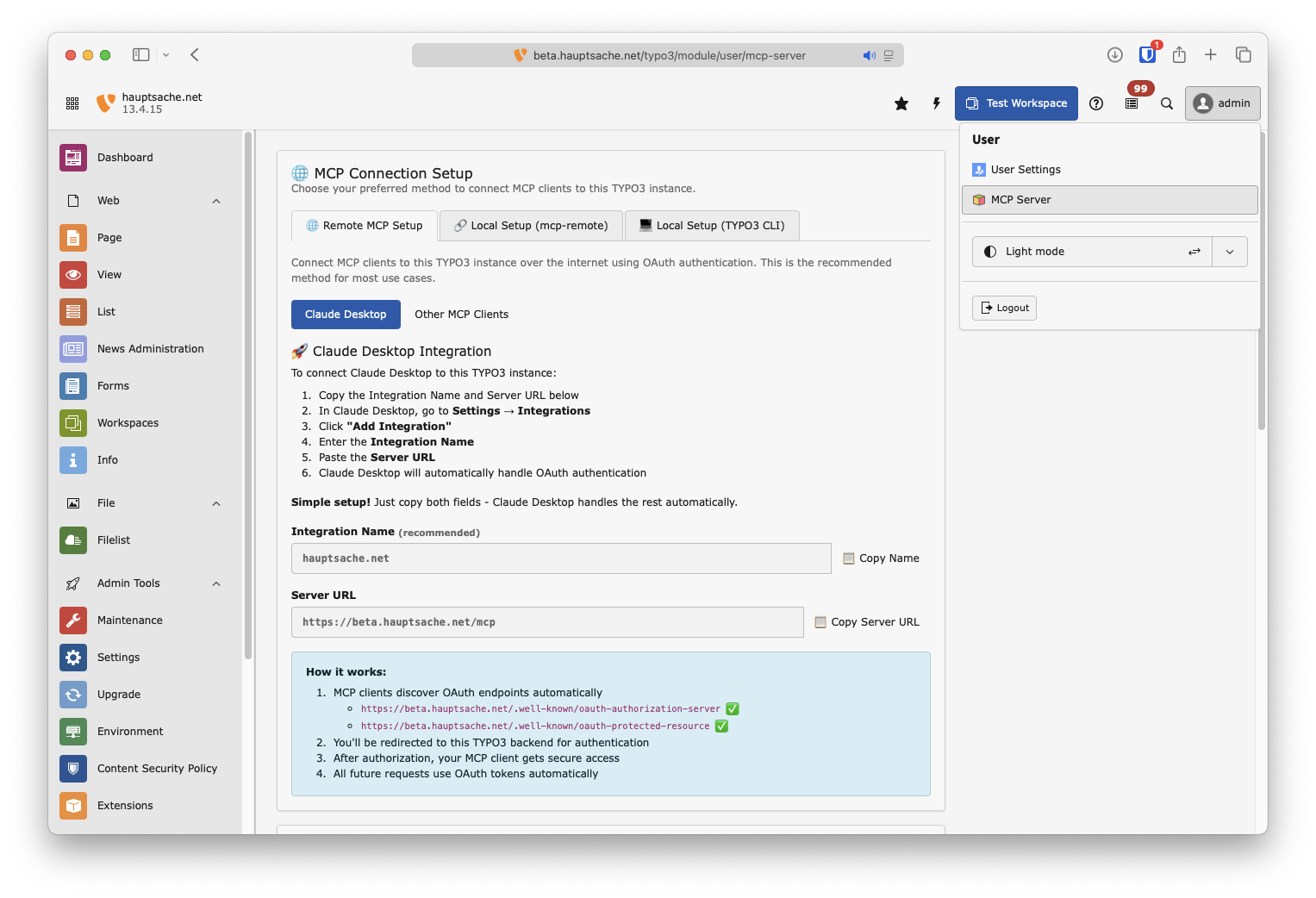
- Go to **[Username] → MCP Server** in your TYPO3 backend
- Copy the Server URL (and optionally the Integration Name)
- Add the Integration to your MCP Client.
Option 2: Local Command Line Connection
Add this to your MCP config file (e.g., Claude Desktop):
{
   "mcpServers": {
      "[your-typo3-name]": {
         "command": "php",
         "args": [
            "vendor/bin/typo3",
            "mcp:server"
         ]
      }
   }
}
FAQ
- Is this MCP server production-ready?
- The MCP server has several implemented features with some marked as experimental (content translation) and others still missing (fileadmin support, workspace selection). It's actively maintained with recent commits and has comprehensive testing.
- What AI models have been tested with this server?
- The extension has been tested with models from Anthropic (Haiku-4.5), OpenAI (GPT-5.4-mini, GPT-oss-120b), Mistral (Mistral-large-2512), and Google (Gemini-3-flash).
Compare typo3-mcp-server with
Last updated · Auto-generated from public README + GitHub signals.