hasmcp-ce
by hasmcp·★ 27·Score 40
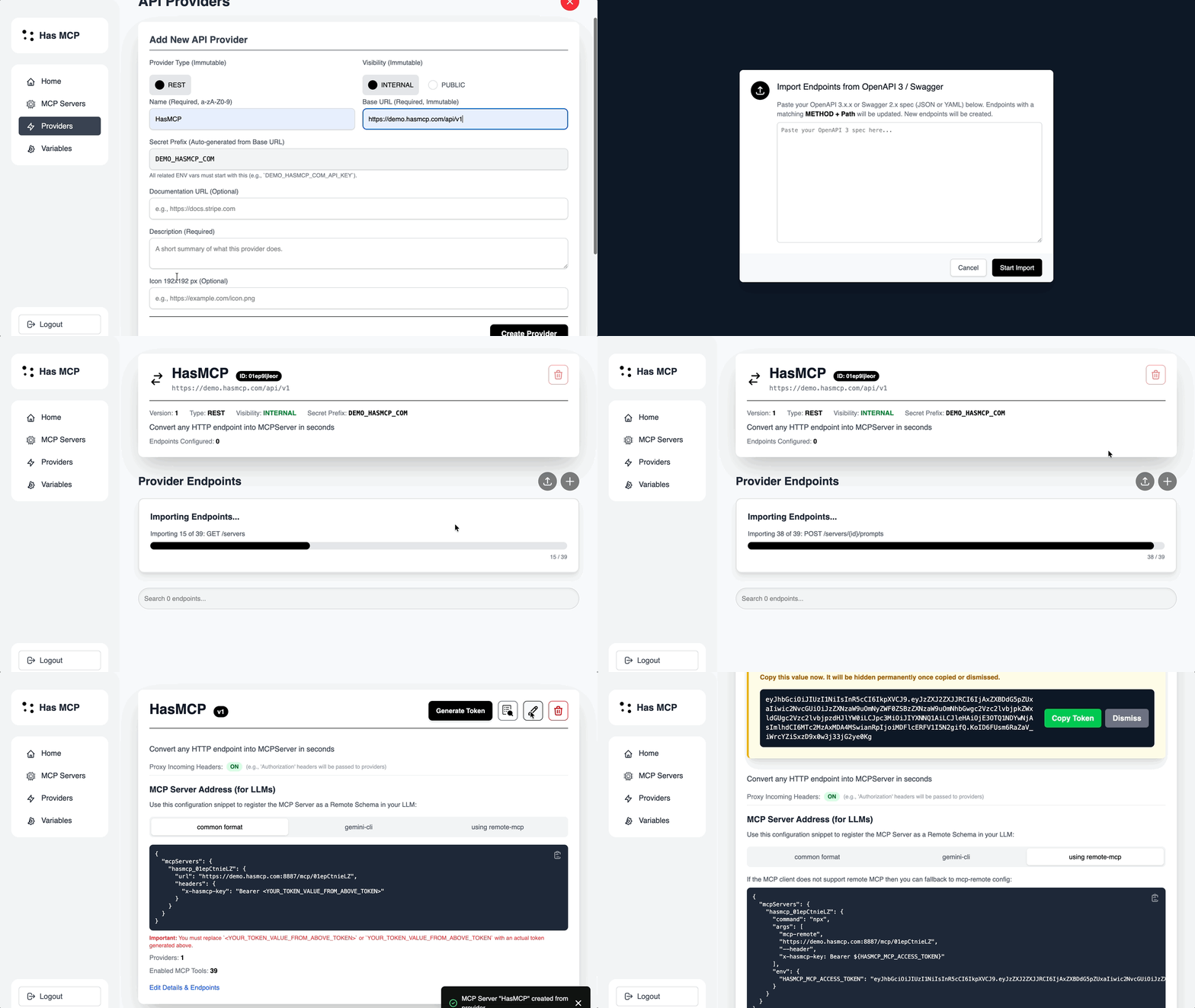
HasMCP-CE converts API endpoints to MCP servers without code using OpenAPI specs.
Overview
HasMCP-CE is a tool that allows developers to convert existing API endpoints into MCP servers without writing any code. It supports OpenAPI/Swagger specifications and provides features like OAuth2 authentication, endpoint toggling, and proxy headers. The tool is particularly useful for SaaS owners who want to expose their APIs as MCP tools without maintaining MCP protocol implementations directly. The community edition shares core logic with commercial versions but lacks some optimization features.
Try asking AI
After installing, here are 6 things you can ask your AI assistant:
When to choose this
Choose HasMCP-CE when you need to quickly expose existing APIs as MCP servers without writing custom MCP implementations, especially if your APIs already have OpenAPI documentation.
When NOT to choose this
Don't choose HasMCP-CE if you need fine-grained control over MCP tool behavior, response optimization, or if you require advanced authentication methods not supported by the community edition.
Comparable tools
Installation
Installation
Using Docker (Recommended)
- Create directories:
mkdir hasmcp
cd hasmcp
mkdir -p _certs _storage
chmod 0777 _certs _storage- Download environment file:
wget https://github.com/hasmcp/hasmcp-ce/blob/main/backend/cmd/server/.env.example -O .env- Run with Docker:
docker stop hasmcp-ce || true; \
  docker rm hasmcp-ce || true; \
  docker image prune -f; \
  docker pull hasmcp/hasmcp-ce:latest; \
  docker run --env-file .env -p 80:80 -p 443:443 --name hasmcp-ce \
    -v ./_certs:/_certs \
    -v ./_storage:/_storage \
    -d --restart always hasmcp/hasmcp-ce:latest
Claude Desktop Configuration
Add to Claude Desktop config.json:
{
  "mcpServers": {
    "hasmcp": {
      "command": "docker",
      "args": ["run", "--rm", "hasmcp/hasmcp-ce:latest"]
    }
  }
}
FAQ
- What API specifications does HasMCP-CE support?
- HasMCP-CE supports OpenAPI Specification v3+ and Swagger for automated MCP server creation.
- How does HasMCP-CE handle authentication?
- It supports OAuth2 authentication and allows for both long-term and short-term authentication tokens per MCP server.
- What's the difference between CE and commercial versions?
- The community edition lacks payload optimization, per-user analytics, and user/team management features available in commercial versions.
On Hacker News
Recent discussion from the developer community.
- Story by mrtnx · 2026-01-02
Compare hasmcp-ce with
Last updated · Auto-generated from public README + GitHub signals.