exstruct
by harumiWeb·★ 144·Score 48
ExStruct is a Python package that converts Excel files to structured JSON with MCP integration for AI agents.
Overview
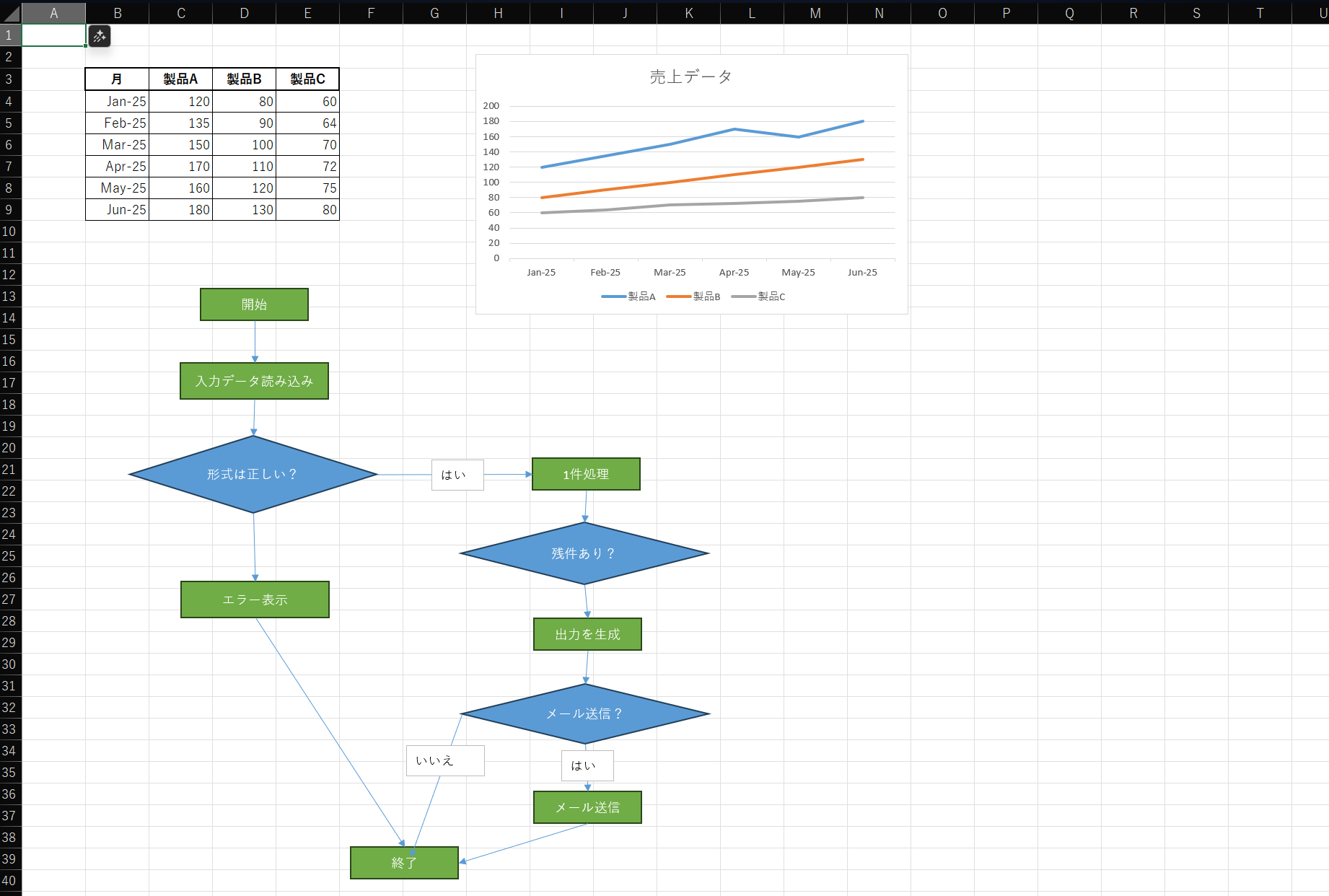
ExStruct reads Excel workbooks into structured data and provides extraction APIs, editing CLI, and an MCP server for integrations. It supports multiple output modes (light, libreoffice, standard, verbose) and can extract cells, shapes, charts, SmartArt, tables, formulas, and hyperlinks. The project offers both CLI and Python interfaces with patch-based editing workflows, making it suitable for LLM/RAG pipelines and automation scenarios.
Try asking AI
After installing, here are 5 things you can ask your AI assistant:
When to choose this
Choose ExStruct when working with Excel data in LLM/RAG pipelines or when AI agents need to read/write Excel files with structured output.
When NOT to choose this
Avoid if you need complex Excel macros support or advanced formatting that isn't preserved in the JSON extraction process.
Tools this server exposes
9 tools extracted from the READMEexstruct_extractExtracts data from an Excel workbook
exstruct_capture_sheet_imagesCaptures images from Excel sheets
exstruct_makeCreates a new Excel workbook
exstruct_patchApplies editing patches to a workbook
exstruct_read_json_chunkReads extracted JSON chunks from a workbook
exstruct_read_rangeReads cells from a specified range
exstruct_read_cellsReads data cell by cell from a workbook
exstruct_read_formulasReads cell formulas from a workbook
exstruct_validate_inputValidates input workbook data
Comparable tools
Installation
Install the package with pip:
pip install exstruct[mcp]For Claude Desktop integration, add to claude_desktop_config.json:
{
  "mcpServers": {
    "exstruct": {
      "command": "exstruct-mcp",
      "args": ["--root", "/path/to/your/data", "--on-conflict", "rename"]
    }
  }
}
Alternatively, run directly with uvx:
uvx --from 'exstruct[mcp]' exstruct-mcp --root /path/to/your/dataFAQ
- What platforms does ExStruct support?
- ExStruct works on Windows with Excel COM, and on Linux/macOS through direct OOXML parsing or with LibreOffice runtime.
- How do I install ExStruct with optional dependencies?
- Use `pip install exstruct[yaml,toon,render]` to install with YAML support, TOON format, and rendering capabilities.
Compare exstruct with
Last updated · Auto-generated from public README + GitHub signals.