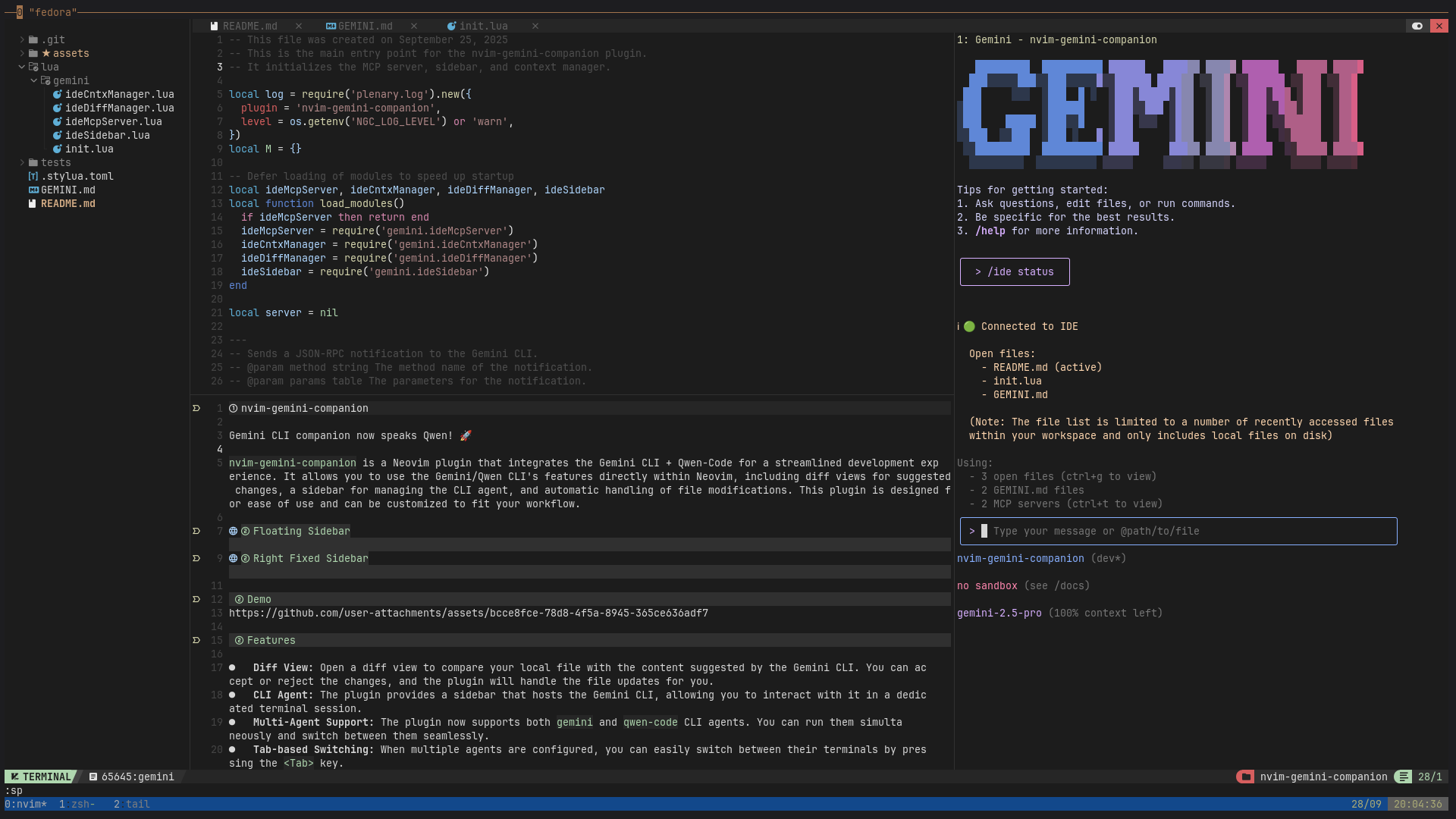
nvim-gemini-companion
by gutsavgupta·★ 82·Score 45
Neovim plugin integrating Gemini and Qwen AI agents with MCP backend for seamless code assistance.
Overview
This Neovim plugin provides a sophisticated integration with AI agents like Gemini and Qwen through the Model Context Protocol (MCP). Unlike traditional AI plugins, it's built around an MCP backend that maintains tight integration with the editor environment. The plugin features a customizable sidebar interface for AI interactions, supports multiple agents simultaneously, offers diff management for accepting or rejecting AI suggestions, and includes tmux integration for persistent sessions across editor restarts.
Try asking AI
After installing, here are 6 things you can ask your AI assistant:
When to choose this
Choose this plugin if you're a Neovim user looking for integrated AI assistance with Gemini or Qwen, especially if you need persistent tmux sessions and diff management.
When NOT to choose this
Avoid if you're not using Neovim or if you prefer other AI tools that offer deeper IDE integration beyond what terminal-based agents can provide.
Tools this server exposes
8 tools extracted from the READMEGeminiToggleToggle the AI sidebar for the Gemini companion
GeminiSwitchToCliSwitch between different AI agent sessions
GeminiSendSend selected text to the AI agent
GeminiSendLineDiagnosticSend line diagnostics to the AI agent for debugging
GeminiSendFileDiagnosticSend file diagnostics to the AI agent for debugging
GeminiSwitchSidebarStyleSwitch the appearance/style of the AI sidebar
GeminiAcceptAccept AI-suggested changes in the current diff view
GeminiRejectReject AI-suggested changes in the current diff view
Note: Tool names extracted from documentation but signatures are not provided. These appear to be commands within Neovim rather than direct MCP tools.
Comparable tools
Installation
Installation
Install with your favorite plugin manager:
{
  "gutsavgupta/nvim-gemini-companion",
  dependencies = { "nvim-lua/plenary.nvim" },
  event = "VeryLazy",
  config = function()
    require("gemini").setup()
  end,
  keys = {
    { "<leader>gg", "<cmd>GeminiToggle<cr>", desc = "Toggle Gemini sidebar" },
    { "<leader>gc", "<cmd>GeminiSwitchToCli<cr>", desc = "Spawn or switch to AI session" },
    { '<leader>gS', '<cmd>GeminiSend<cr>', mode = { 'x' }, desc = 'Send selection to Gemini' },
  }
}
Pre-requisites
Install any or both CLI tools and ensure they're in your system's PATH:
- [gemini-cli](https://github.com/google-gemini/gemini-cli)
- [qwen-code](https://github.com/QwenLM/qwen-code)
FAQ
- What MCP servers does this plugin use?
- The plugin uses gemini-cli and qwen-code as backend AI agents, integrated through the Model Context Protocol.
- Can I use multiple AI agents simultaneously?
- Yes, the plugin supports multi-agent configuration, allowing you to run both Gemini and Qwen agents at the same time and switch between them.
- Is tmux integration required?
- No, tmux integration is optional. You can use the sidebar terminal directly without tmux for simpler sessions.
Compare nvim-gemini-companion with
Last updated · Auto-generated from public README + GitHub signals.