eclipse-chatgpt-plugin
by gradusnikov·★ 148·Score 48
Eclipse IDE plugin exposing development environment as an MCP server for AI agents to code, build, and debug.
Overview
AssistAI transforms Eclipse IDE into an MCP server, allowing AI agents to interact with Java projects through Eclipse APIs rather than direct filesystem access. This ensures proper integration with Eclipse's features like incremental compilation, refactoring engines, local history, and testing frameworks. The plugin exposes multiple MCP endpoints for code analysis, editing, building, running, debugging, and Git operations through a secure HTTP server with authentication tokens.
Try asking AI
After installing, here are 5 things you can ask your AI assistant:
When to choose this
Choose this MCP server if you're already using Eclipse for Java development and want to integrate AI agents with your IDE's full functionality while maintaining workspace synchronization and local history.
When NOT to choose this
Don't choose this if you're not using Eclipse or Java development, or if you need cross-IDE support beyond the Eclipse ecosystem.
Tools this server exposes
12 tools extracted from the READMEcreateFileCreates a new file, adds it to the project, and opens it in the editor
replaceFileContentReplaces the entire content of a file
getClassOutlineGet compact class outline with method signatures and line numbers
findReferencesFind all references to a type, method, or field across the workspace
runTestMethodRun a specific test method
debugJavaApplicationLaunch in debug mode, stops at breakpoints
toggleBreakpointSet or remove a line breakpoint
fileSearchSubstring search in workspace files
gitStatusGet working tree status - staged, unstaged, untracked files
getFileHistoryLists Local History versions of a file with timestamps
getCurrentlyOpenedFileGet the currently active file in the editor
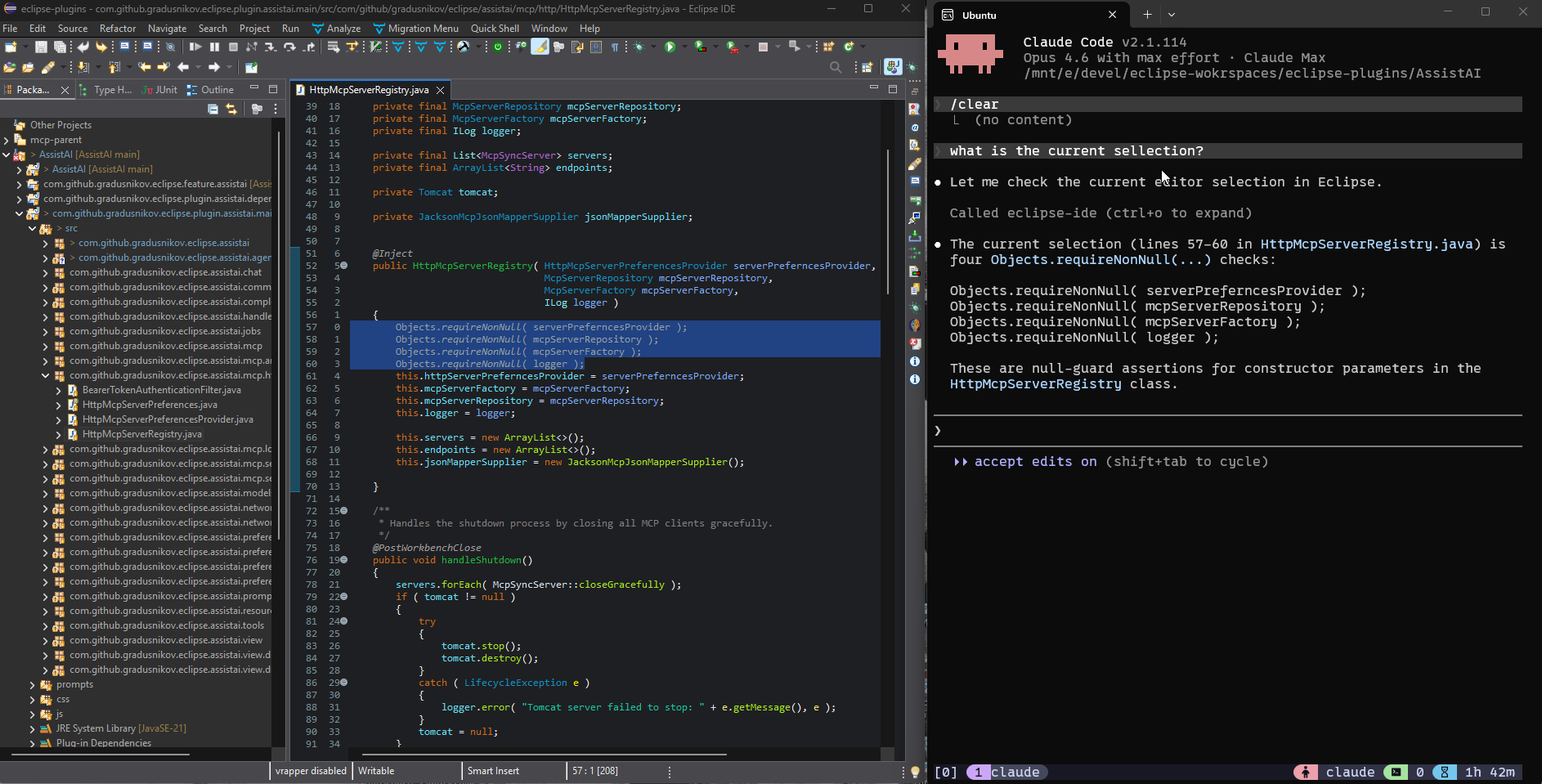
getEditorSelectionGet selected text or lines in the active editor
Comparable tools
Installation
Installation
- Install AssistAI from Eclipse Marketplace or update site
- Enable the HTTP MCP Server:
- Open Window > Preferences > Assist AI > HTTP MCP Server - Check 'Enable HTTP MCP Server' - Set hostname and port (default: localhost:8124) - Generate and save authentication token
Connecting Claude Desktop
Add to Claude Desktop config:
{
  "mcpServers": {
    "eclipse-ide": {
      "command": "npx",
      "args": [
        "-y", "mcp-remote", "http://localhost:8124/mcp/eclipse-ide",
        "--allow-http",
        "--header", "Authorization: Bearer YOUR_TOKEN"
      ]
    }
  }
}
FAQ
- What authentication methods are supported?
- The server uses Bearer token authentication. Generate a token through the Eclipse preferences UI and include it in the 'Authorization: Bearer YOUR_TOKEN' header.
- Can I use this with IDEs other than Eclipse?
- No, this is specifically an Eclipse plugin that exposes Eclipse APIs through MCP. Other IDEs would need their own MCP implementations.
Compare eclipse-chatgpt-plugin with
Last updated · Auto-generated from public README + GitHub signals.