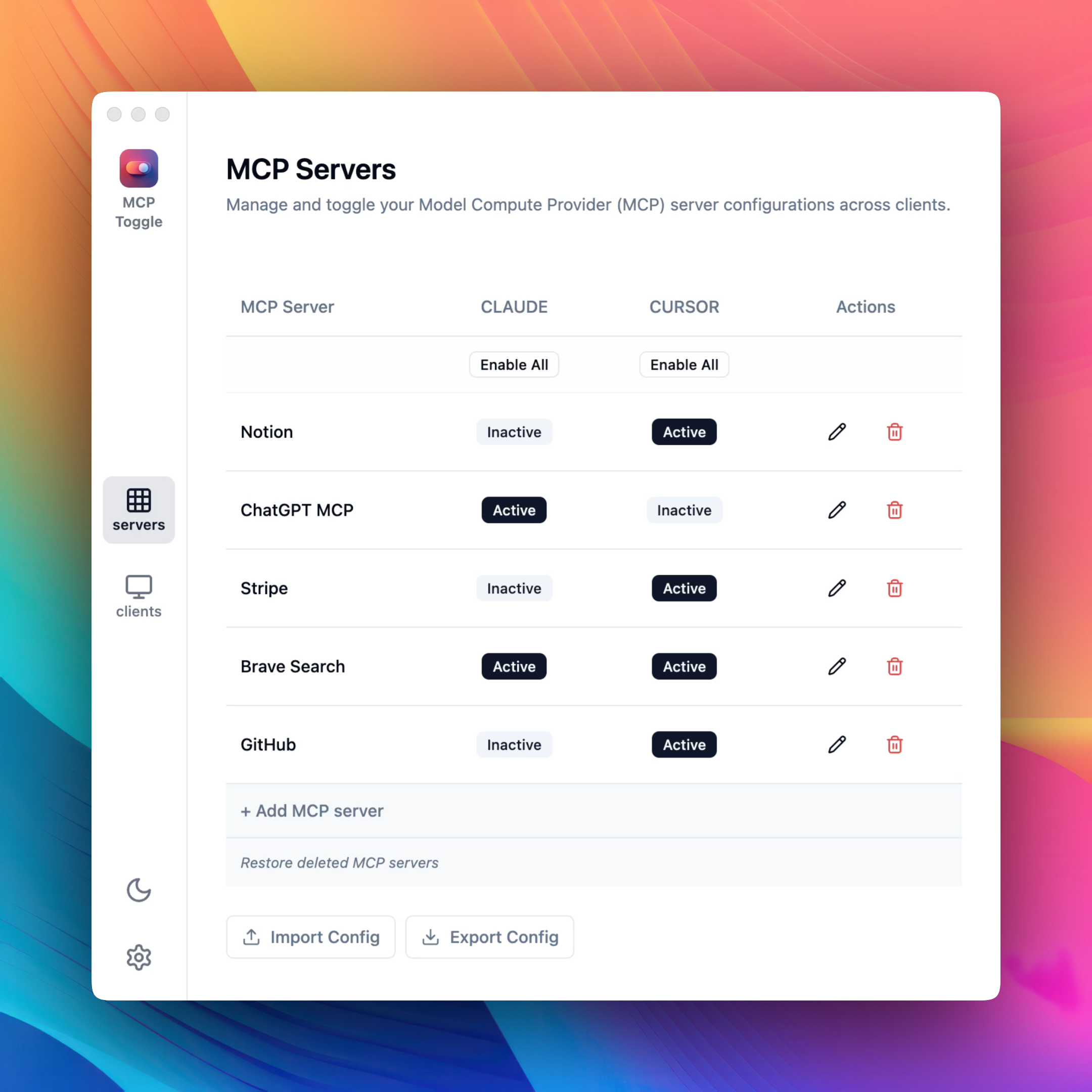
MCP-Manager-GUI
by gabrielbacha·★ 17·Score 34
A GUI tool for managing MCP server configurations across different clients.
Overview
MCP Manager is a utility that provides a unified interface for managing MCP servers across multiple client applications. It allows users to enable or disable MCP servers with a single click, automatically discovers existing configurations, and enables exporting and importing of MCP configurations. The tool is designed to simplify the management of MCP servers without requiring manual JSON editing.
Try asking AI
After installing, here are 5 things you can ask your AI assistant:
When to choose this
Choose MCP Manager when you need a simple graphical interface to manage MCP configurations across multiple clients without manually editing JSON files.
When NOT to choose this
Don't choose this if you prefer command-line tools or need advanced configuration options not available in a GUI interface.
Comparable tools
Installation
Download the MCP Manager application from the [official website](https://www.mindfulapps.xyz/mcp).
To configure MCP Manager:
- Open the application
- Add your client by specifying the JSON path to its configuration
- Add new server configurations through the provided form
- Enable or disable servers using the toggle switches
FAQ
- What clients does MCP Manager support?
- MCP Manager supports clients that use JSON configuration files, specifically mentioned are Claude Desktop and Cursor.
- Does MCP Manager communicate with external servers?
- No, MCP Manager runs entirely locally on your machine and does not collect any data or communicate with external servers.
Compare MCP-Manager-GUI with
Last updated · Auto-generated from public README + GitHub signals.