mymir
by FrkAk·★ 68·Score 46
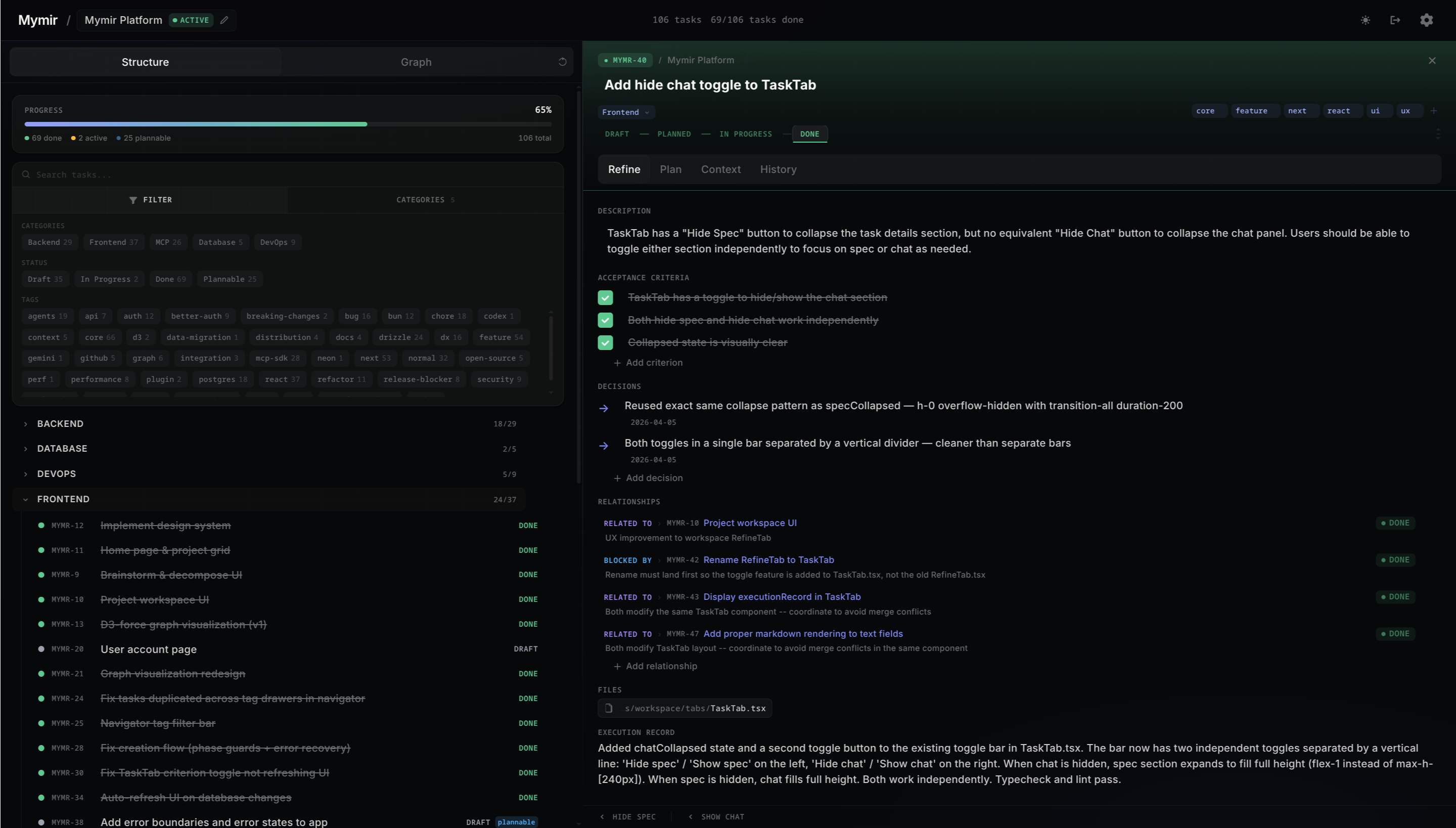
Mymir is an AI-native project management tool that provides MCP tools for task management and context tracking in agentic engineering workflows.
Overview
Mymir serves as a context management system specifically designed for the agentic engineering era. It operates as a full-fledged MCP server with six specialized tools that help manage projects, tasks, dependencies, and contextual information. The system integrates directly with popular AI coding environments like Claude Code, Codex, Cursor, and Gemini CLI through dedicated plugins, providing a seamless experience where agents can operate with persistent memory and understanding of project context.
Try asking AI
After installing, here are 5 things you can ask your AI assistant:
When to choose this
Choose Mymir when working with AI coding assistants and need persistent project management with task dependencies and context retrieval, especially if you're already using Claude Code, Codex, Cursor, or Gemini.
When NOT to choose this
Avoid Mymir if you need a standalone project management tool without AI integration, or if you prefer a self-hosted solution without PostgreSQL dependency.
Tools this server exposes
6 tools extracted from the READMEmymir_projectManage projects in the Mymir system
mymir_taskManage tasks within a project
mymir_edgeManage dependencies between tasks
mymir_queryQuery the project context network
mymir_contextRetrieve context for a specific task
mymir_analyzeAnalyze project structure and dependencies
Comparable tools
Installation
Installation Steps
- Install prerequisites: Bun v1.0+ and Docker
- Clone the repository:
git clone git@github.com:FrkAk/mymir.git - Install dependencies:
bun install - Copy environment file:
cp .env.local.example .env.local - Configure database and auth credentials in
.env.local - Setup database:
bun run db:setup - Build and start:
bun run build && bun run start
For Claude Code integration:
{
  "mcpServers": {
    "mymir": {
      "command": "npx",
      "args": ["@frkak/mymir", "--stdio"]
    }
  }
}
FAQ
- What AI coding assistants does Mymir support?
- Mymir supports Claude Code, Codex, Cursor, and Gemini CLI through dedicated plugins.
- What MCP tools does Mymir provide?
- Mymir provides six MCP tools: mymir_project, mymir_task, mymir_edge, mymir_query, mymir_context, and mymir_analyze.
Compare mymir with
Last updated · Auto-generated from public README + GitHub signals.