openclaw-mcp
by freema·★ 169·Score 50
MCP server bridging Claude.ai with self-hosted OpenClaw assistant using OAuth2 authentication.
Overview
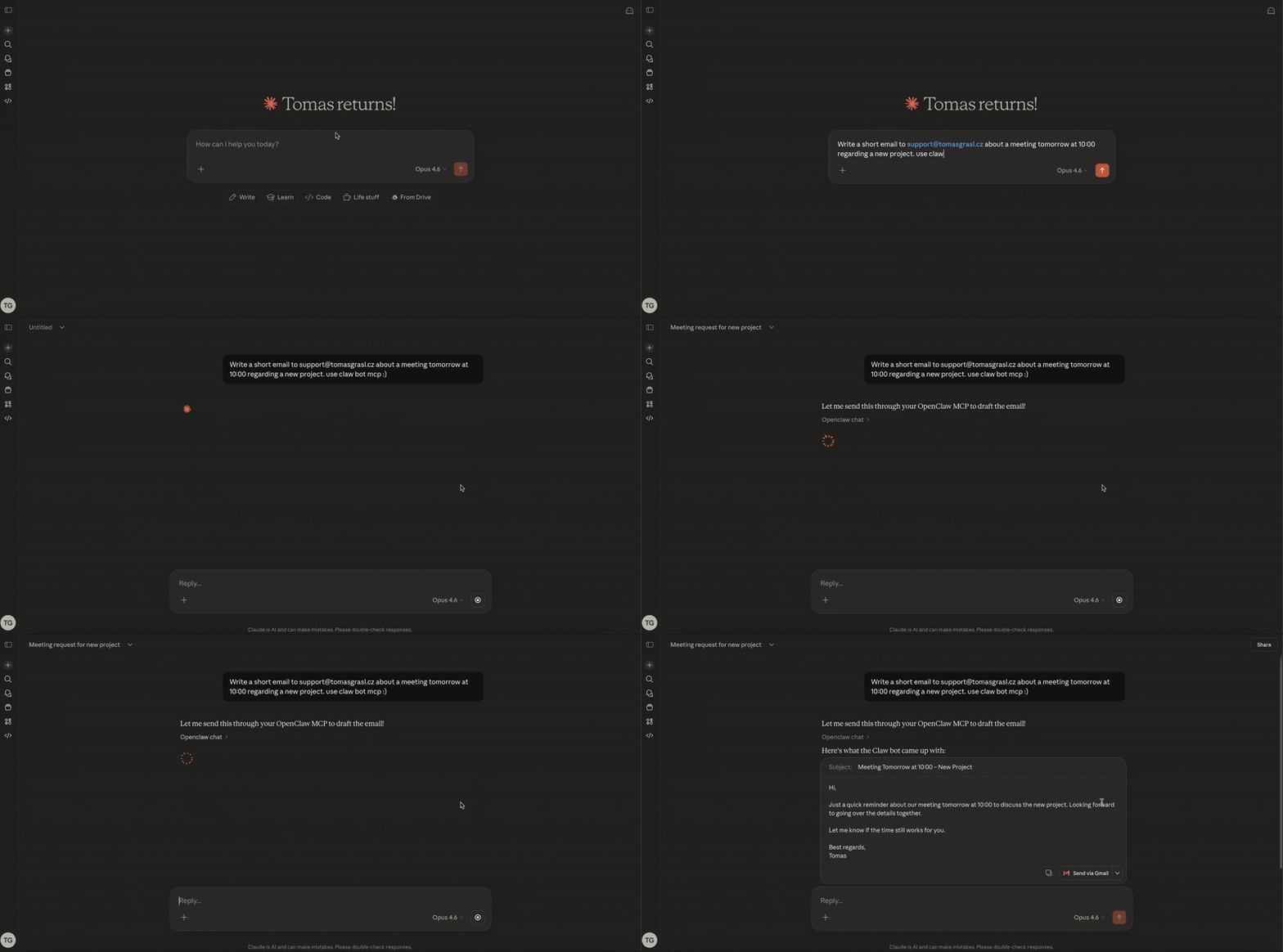
OpenClaw MCP Server is a secure bridge between Claude.ai and self-hosted OpenClaw AI assistants, implementing OAuth2 authentication for secure communication. It provides both synchronous and asynchronous tools for interacting with OpenClaw instances, including chat functionality, health checks, and task management. The server supports multi-instance mode, allowing orchestration of multiple OpenClaw gateways from a single MCP server with per-instance isolation.
Try asking AI
After installing, here are 5 things you can ask your AI assistant:
When to choose this
Choose this server when you need secure integration between Claude.ai and a self-hosted OpenClaw assistant with proper authentication and multi-instance management.
When NOT to choose this
Don't choose this if you're not using OpenClaw or if you need a solution without OAuth2 authentication requirements.
Tools this server exposes
7 tools extracted from the READMEopenclaw_chatSend messages to OpenClaw and get responses
openclaw_statusCheck OpenClaw gateway health
openclaw_instancesList all configured OpenClaw instances
openclaw_chat_asyncQueue a message, get task_id immediately
openclaw_task_statusCheck task progress and get results
openclaw_task_listList all tasks with filtering
openclaw_task_cancelCancel a pending task
Comparable tools
Installation
Installation
Docker (Recommended)
docker pull ghcr.io/freema/openclaw-mcp:latestCreate a docker-compose.yml with environment variables and start:
export MCP_CLIENT_SECRET=$(openssl rand -hex 32)
export OPENCLAW_GATEWAY_TOKEN=your-gateway-token
docker compose up -d
Claude Desktop
Add to your Claude Desktop config:
{
  "mcpServers": {
    "openclaw": {
      "command": "npx",
      "args": ["openclaw-mcp"],
      "env": {
        "OPENCLAW_URL": "http://127.0.0.1:18789",
        "OPENCLAW_GATEWAY_TOKEN": "your-gateway-token",
        "OPENCLAW_MODEL": "openclaw"
      }
    }
  }
}
FAQ
- How do I enable authentication in production?
- Set AUTH_ENABLED=true and provide MCP_CLIENT_ID and MCP_CLIENT_SECRET when running the server.
- Can I use multiple OpenClaw instances?
- Yes, configure multiple instances with different names, URLs, and tokens using OPENCLAW_INSTANCES environment variable.
Compare openclaw-mcp with
Last updated · Auto-generated from public README + GitHub signals.