flyto-core
by flytohub·★ 270·Score 51
An MCP server for AI agent automation with 412 modules, execution tracing, replay functionality, and built-in recipes.
Overview
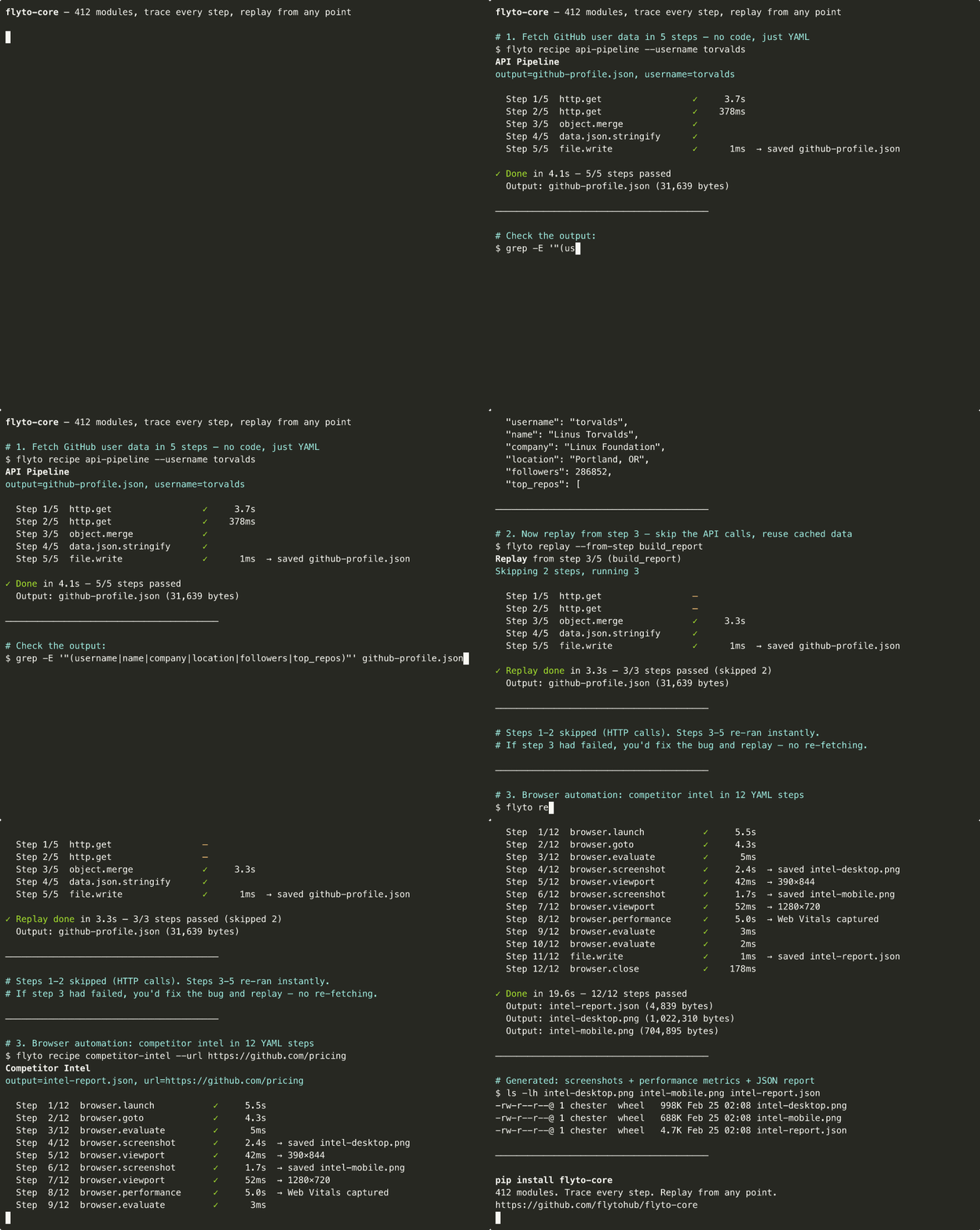
flyto-core is an open-source execution engine for AI agents that provides a comprehensive set of tools through MCP. It offers 412 modules across 78 categories including browser automation, API calls, file operations, and data processing. The system features execution tracing, replay functionality from any step, and evidence snapshots. Users can create workflows using YAML configuration files with over 30 built-in recipes available for common automation tasks. The server can be used as an MCP server, HTTP API, Python API, or CLI tool, making it versatile for different integration needs.
Try asking AI
After installing, here are 5 things you can ask your AI assistant:
When to choose this
Choose flyto-core when you need comprehensive browser automation with full traceability and replay capabilities, especially when working with complex multi-step workflows involving browser interaction, API calls, and file operations.
When NOT to choose this
Avoid flyto-core if you need simple, one-off browser interactions without the overhead of a full automation engine, or if you require native mobile app automation (flyto-core focuses on web browsers).
Tools this server exposes
12 tools extracted from the READMEstring.reverseReverse the characters in a string
browser.launchLaunch a browser instance
browser.gotoNavigate to a URL in the browser
browser.evaluateExecute JavaScript code in the browser
browser.screenshotTake a screenshot of the current page
browser.viewportSet the browser viewport size
browser.performanceGet browser performance metrics
browser.closeClose the browser instance
file.writeWrite content to a file
file.readRead content from a file
array.filterFilter an array based on a condition
api.callMake an API request to a web service
Comparable tools
Installation
Install
pip install flyto-core            # Core engine + CLI + MCP server
pip install flyto-core[browser]   # + browser automation (Playwright)
playwright install chromium        # one-time browser setup
MCP Configuration
Add to your MCP config:
{
  "mcpServers": {
    "flyto-core": {
      "command": "python",
      "args": ["-m", "core.mcp_server"]
    }
  }
}
Or via Claude CLI:
claude mcp add flyto-core -- python -m core.mcp_serverFAQ
- How is flyto-core different from Playwright?
- Flyto-core wraps Playwright with execution tracing, replay functionality, and over 400 additional modules for different task types. It provides a more structured workflow approach where each step can be traced and replayed independently.
- Can I use flyto-core without MCP?
- Yes, flyto-core can be used as a CLI tool, HTTP API, or Python API independently of MCP. MCP is just one integration method.
On Hacker News
Recent discussion from the developer community.
- Story by ChesterHsu · 2026-02-24
Compare flyto-core with
Last updated · Auto-generated from public README + GitHub signals.